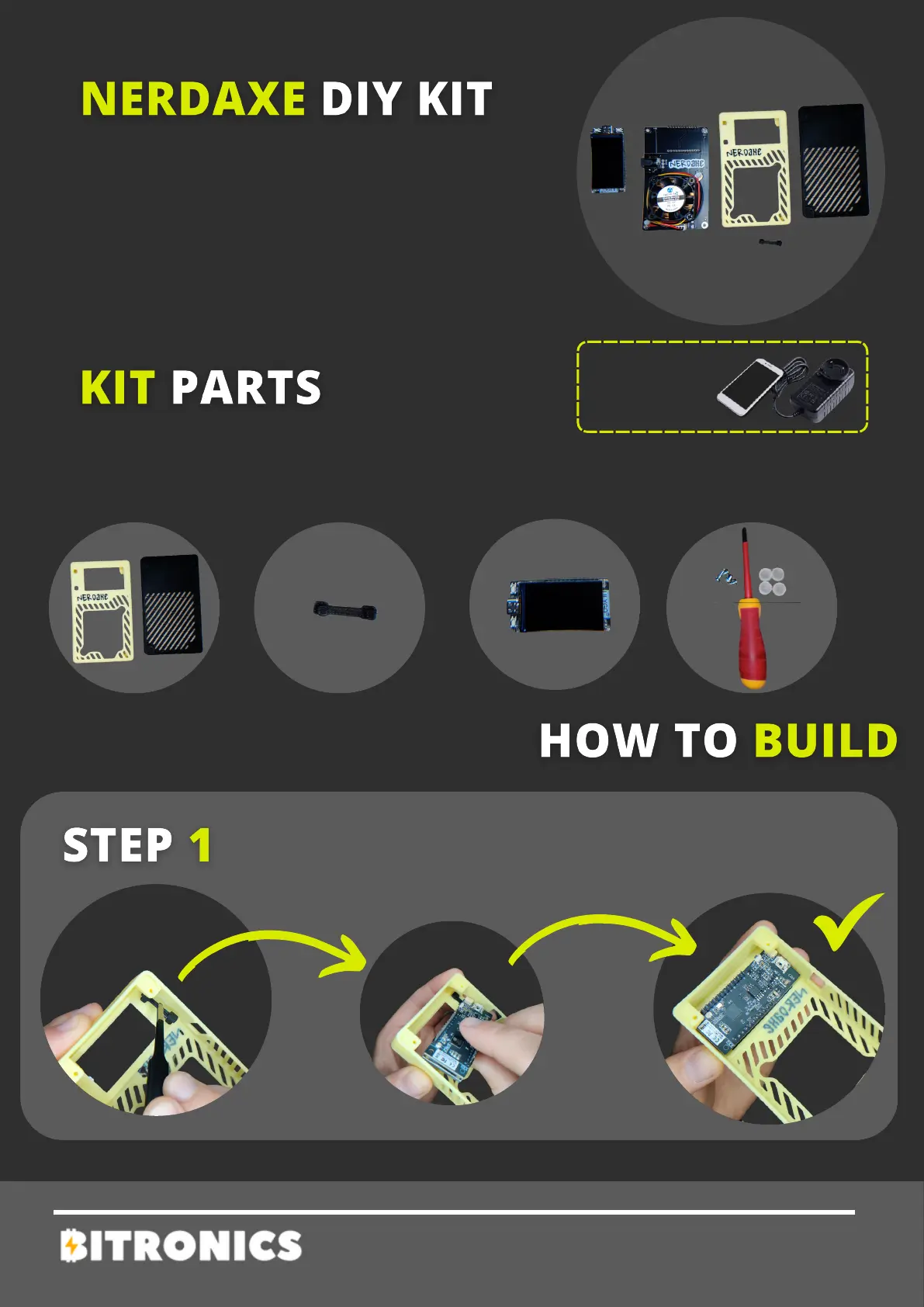
First, make sure to add the buttons to the case as
shown in the photo. Then, you should install the
LILYGO screen on the front of the case as shown in
the photo, applying light pressure.
TOOLS
NEEDED
Case Parts
Below, we present the steps to assemble
your NerdAxe DIY kit.
For any other question contact Bitronics
team.
Required time: 10 minutes
NERDAXE
Buttons Your Board Tools


 To Next Page