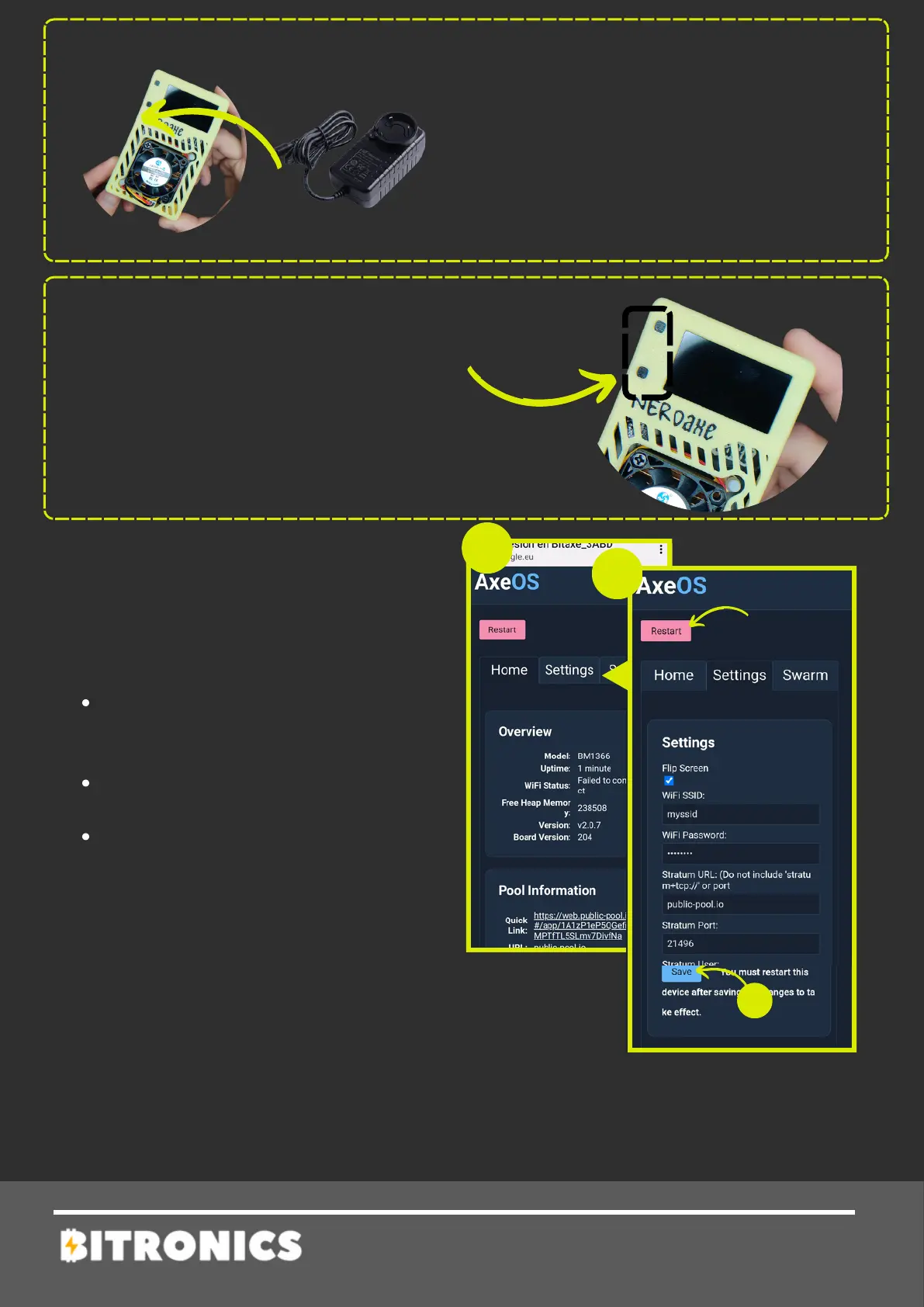
6 - Connect your Nerdaxe to its
power adapter (5V/4A). Ensure you
use the specified adapter to avoid
damage.
7 - Once connected, the following
menu will be shown (3).
Click on Settings to setup.
8 - Setup miner parameters:
WiFi/Password: network
credentials were you want to
connect to.
Pool url/port: introduce your
pool settings or leave default
BTC address: BTC address
where you will receive prize.
For any problem check full guide or
contact Bitronics team.
9 - Press Save and Restart. After
this Nerdaxe will start working.
NERDAXE
The buttons next to the screen are used to
switch between screens, allowing you to
view the upcoming displays.


 To Next Page