Need help?
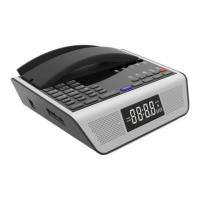
Do you have a question about the Bittel HA9888TSD-T and is the answer not in the manual?
Connects the telephone line cord to the 'TO TEL' jack and the wall jack.
Connects the T-Cable's power adapter, telephone line, and phone's 'TO TEL' port for charging.
Advises on avoiding magnetic fields, extreme temperatures, abrasive cleaners, and physical damage.
Details how to answer calls using the handset or speakerphone, including activation and deactivation.
Adjusts handset and speaker volume levels during a call using VOL+/- keys. Volume resets on hook.
Explains switching between handset and speakerphone modes by lifting the handset or pressing SPKR key.
Details how to initiate and manage three-way conferences using HOLD and CONF keys, and switching parties.
Explains how to redial the last number using the REDIAL key. Number disappears after five minutes.
Describes how to place a call on hold using the HOLD key and how to retrieve it.
Explains how to mute and unmute the microphone during a call using the MUTE key.
Details how to adjust the ringer volume to Low or Hi using the adjustment control on the back of the phone.
Explains automatic on-hooking after a call if the handset is not replaced and a busy signal is received.
Describes how to dial numbers directly using memory keys and how to store numbers.
Explains using the MWL key for direct dialing, message withdrawal, and other services.
Refers to a separate manual for programming memory keys using a handheld cloner or R.P master cloner.
Details iPod USB Connector (4) for Apple devices and USB CHARGE (5) for other mobile devices.
Describes the multi-function charging cable and its various connection types like Lightning and USB.
Troubleshoots no dialing tone by checking network and cord connections.
Troubleshoots no ringing by checking the telephone line and parallel phone sets.
Troubleshoots talk noise by checking the telephone line and handset cord.
States compliance with FCC Part 68 rules and provides information on registration and REN.
Confirms compliance with CE approval standards.
Specifies the use of RJ11C USOC standard modular jacks.
Details the 12-month warranty against faulty materials or workmanship and conditions for coverage.
Warns about interference, stating the device must accept received interference.
Provides contact information for Bittel, including telephone, internet, email, and address.
 General
| Brand | Bittel |
|---|---|
| Model | HA9888TSD-T |
| Category | Intercom System |
| Language | English |


 To Next Page