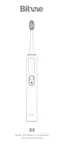
Device Connection
Why can't I find the device?
Please make sure your Bluetooth settings are on and that your electric toothbrush is powered and connected!
Can you bind multiple toothbrush devices?
The APP can bind multiple toothbrush devices, and the data of different toothbrush devices can be saved
separately, and the device management department can switch or add devices
How do I add a new device?
1. When the toothbrush is not bound, the APP will prompt you to bind or click the drop-down button to pop
up device management. "Add" can be used for device scanning 2. After energizing the device, keep it close to
the phone. Under normal circumstances, the new device will be displayed in the device scan list 3. Click the
scanned device to bind according to the prompts
Can't find toothbrush equipment?
1. Low battery on your toothbrush
2. The toothbrush is far away from the phone
3. The toothbrush has been connected to another phone
4. The toothbrush enters dormant state and needs to be lifted to wake up
5. The device enters deep sleep state.You need to tap the power button to turn it on
6. Bluetooth is not turned on Note: If none of the above conditions occurs, please try the following operation
Please turn off the Bluetooth and APP on the mobile phone, restart the Bluetooth and APP, and try to search
the device again.If still cannot search, please long press the device switch for 10 seconds, then press the switch
to wake up, and then use APP to search the device
Battery Power
Power description
1、When the power of toothbrush is less than 10%, app will remind you of low power. In order not to affect
normal use, please charge it in time
2、When the power of toothbrush is less than 5%, it will enter the low power protection mode. The toothbrush
cannot work. Please use it after charging
3、When the toothbrush is normally charged, it will not be used for safety consideration. Please unplug the
power supply when the charging power meets the usage value
If the device cannot be charged, the following circumstances may cause
1. The equipment is in full power state
2. The required adapter is not used



 To Next Page