Options
Operating instructions GLP
5 -- 15
6.562.98.5.01.18
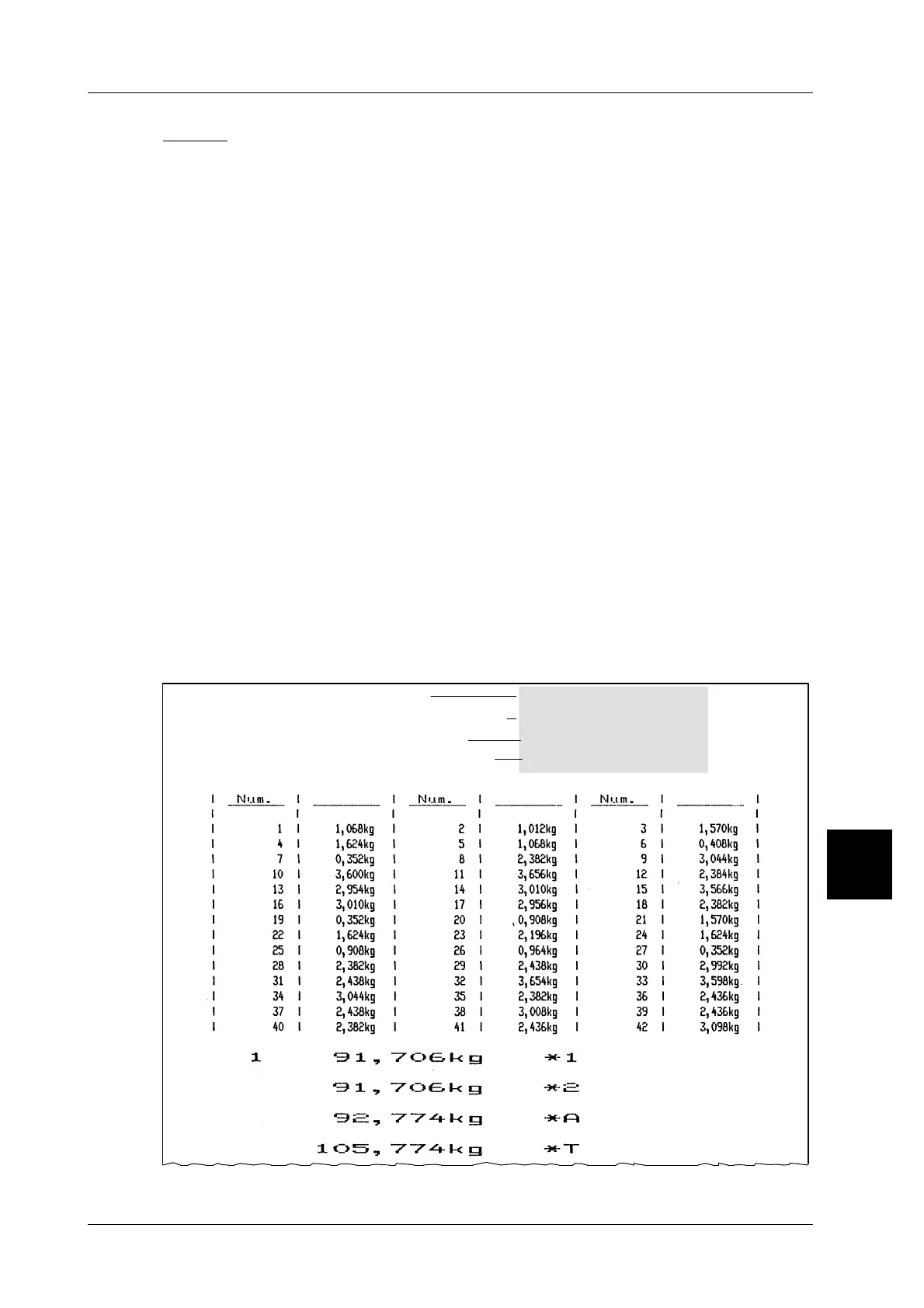
List 2: identical articles, weight, date 2, 3-column
Simultaneously with the printout of the label for the package to be labeled, the
consecutive label number and the weighed weight are printed on the list printer
in 3 columns from left to right. A prerequisite is that the operating mode ”with single
numerator” be set at mode level 5.
List header:
The list header is automatically printed after calling the list, after calling a different
article and after printout of the daily total. The text stored in the text field 1 (e. g.
the company logo), the article description stored in text field 2, the PLU number
and the best before/sell--by date (date 2) are printed in the list header.
Totals:
If ”total” labels are printed after labeling has been completed, the relevant weight
totals are printed in double sized character width subsequent to weighing list prin-
ting (see list example). The numerator value of total 1 is printed to the left of weight
total 1. Consequently, the operating mode ”with total 1 numerator” must be set at
mode level 5.
Page feed:
A page feed takes place after each full page, after call of a different article, after
printout of the daily total and after call of a different list number.
Page numerator:
The page numerator reading at the end of each page is increased every time a
new page is commenced and is reset for each new article.
List example:
Date 2
BIZERBA
Contents of text field 1
PLU number
Weight
Weight
Weight
Article: Rumpsteak
Article no.: 123
Contents of text field 2
Date: 25.4.96
5


 To Next Page
 Loading...

