Options
Operating instructions GLP
5 -- 26
6.562.98.5.01.18
5.5.7.3 Database list
List 10: item list of all article totals allocated per customer
The article totals of the articles labeled during the day or during a labeling period
may be printed out by calling list number 10. The item list is automatically printed
per customer number. The PLU change mode ”PLU number” must be set at mode
level 5. When entering a different customer number, the PLU number should also
be entered to prevent mixed article totals associated with identical articles for dif-
ferent customers.
List header:
The list header is automatically printed after calling the list, on a page feed and
for each customer number.
The relevant customer number, the text stored in the text field 1 (e. g. the company
logo), the packing date (date 1) and the current time are printed in the list header.
Item list:
In the item list, the weight and price total accumulated per customer and article
type together with the article description, PLU number and consecutive item num-
ber are printed.
Page numerator:
The page numerator reading at the end of each page is increased every time a
new page is commenced and is reset for a different customer number.
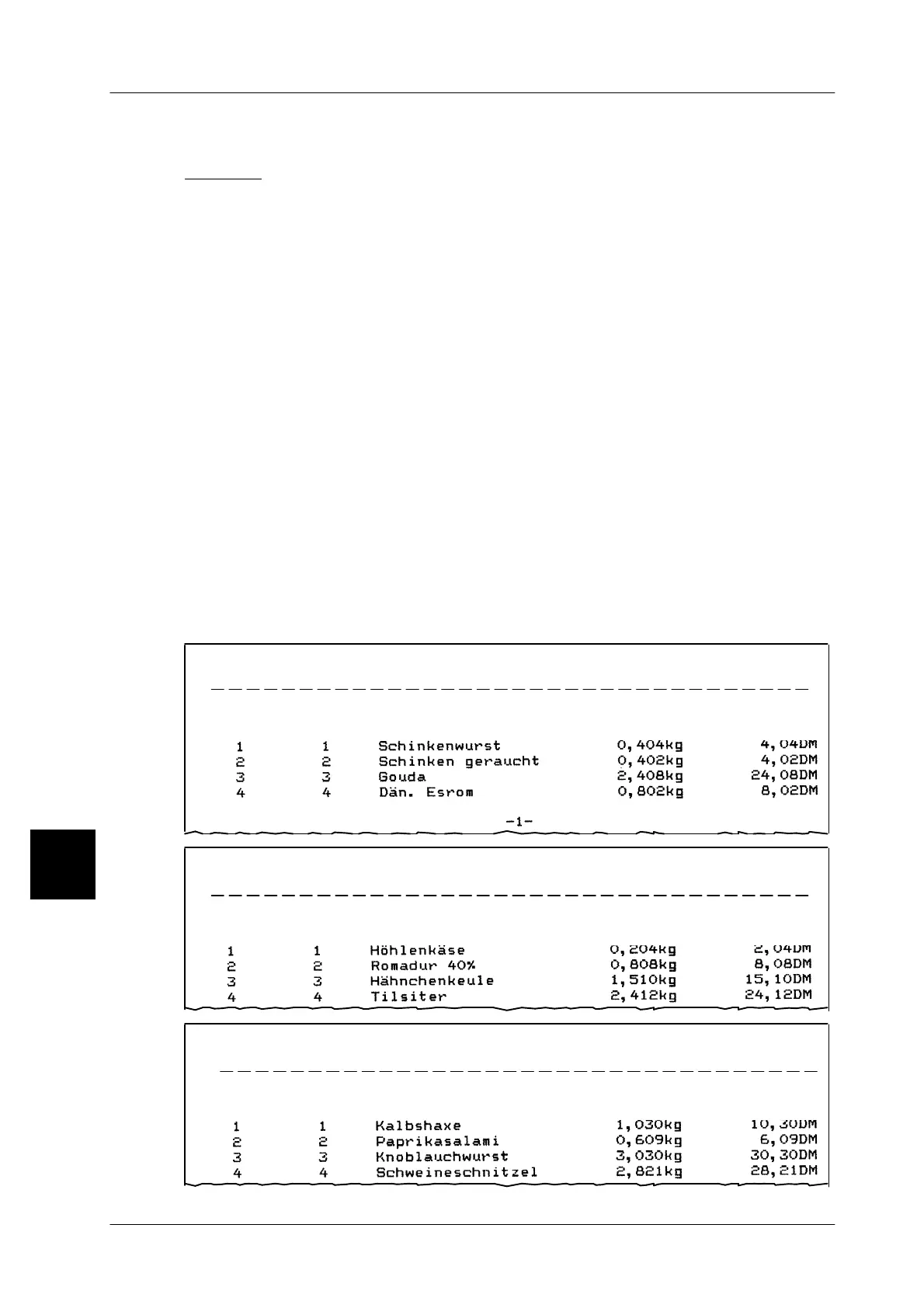
List example:
Customer no.:
08.04.96 15:04
Items Art. no. Article Weight Price
100 BIZERBA List printer
Customer no.:
08.04.96 15:10
Items Art. no. Article Weight Price
200 BIZERBA List printer
5
Customer no.:
08.04.96 15:12
Items Art. no. Article Weight Price
300 BIZERBA List printer



 To Next Page