1.4- BEFORE RIDING
1.4.1 - Register If you are not registered at bkool.com, do it now. You will need to use the same
registration email and password to log into the Bkool simulator.
1.4.2 - Download the Bkool Indoor simulator. You can do so from the downloads area at
bkool.com. The simulator is compatible with PC, Mac and tablets (iOS and Android).
1.4.3 - Activate your coupon. If you have a discount coupon for Bkool Premium, activate it now.
Enter your code in the store's coupon section.
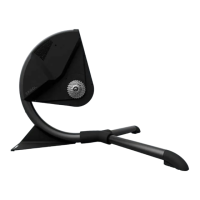
1.4.4 - Set up your Bkool unit. Do it as shown in the illustrations on this page.
Note: For the best user experience, the simulator requires an ANT+ or Bluetooth antenna. The
antenna is used to communicate wirelessly with the speed, heart rate or cadence sensors and
other devices. If your computer or tablet doesn't have one, you can buy one at bkool.com
. Keep
in mind that if you use a tablet you might need an additional adapter. Check the help section on
our website and the instructions for your tablet model.
1.5- THE FIRST RIDE
Log into the simulator with the same email and password you used to sign up at bkool.com. Once
inside, pick a session and start pedaling!
The simulator will display the steps to follow during the session.
2 - MORE INFORMATION
2.1 BKOOL.COM
It is free to use. Since personal information is required, you must register and log in using your
email and password. The Bkool website offers many possibilities. These are just some examples
of what you can find there:
● “Sessions” section: create and program your sessions.
● “My activity” section: check and analyze the sessions you've done.
● “Share”: socialize with the Bkool community, join groups, take part in leagues, check the
rankings.
After finishing a session click on "Save" to upload all your workout data to bkool.com so you can
check it whenever you want.



 To Next Page