EasyManua.ls Logo

Black & Decker BCED15 - User Manual

Black & Decker BCED15
64 pages
Print Icon
To Next Page IconTo Next Page
Loading...
INSTRUCTION MANUAL
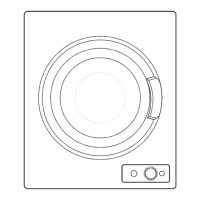
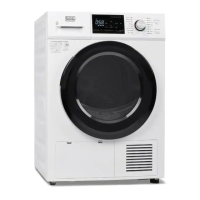
1.5 CU. FT. COMPACT DRYER
Thank you for choosing BLACK+DECKER!
PLEASE READ BEFORE RETURNING THIS PRODUCT FOR
ANY REASON.
If you have a question or experience a problem with your BLACK+DECKER
purchase, go to www.blackanddecker.com/instantanswers
If you can’t find the answer or do not have access to the Internet, call
844-299-0879 from 10:30 a.m. to 6:30 p.m. EST Mon. - Fri. to speak with an
agent. Please have the catalog number available when you call.
SAVE THIS MANUAL FOR FUTURE REFERENCE.
CATALOG NUMBER
BCED15

Questions and Answers

  • S
    Steven CervantesJul 29, 2025
    Why is my laundry not completely dry in my Black & Decker Dryer?
    • J
      Jennifer BryantJul 30, 2025
      Several factors can cause laundry to not dry completely. First, ensure that you have selected the correct program and time settings. Clean the lint filter, and avoid overloading the dryer. Reduce the laundry load. Make sure items aren't knotted or twisted together. If the issue persists, ensure the dryer is in a properly ventilated area and that your washer's spin cycle is effectively extracting water. You may also need to dry the items for a longer time.
  • D
    Douglas RileyAug 6, 2025
    What to do if my Black & Decker Dryer does not operate?
    • L
      lauriemejiaAug 6, 2025
      If your Black & Decker dryer isn't operating, start by checking if it's properly plugged in. Also, inspect your house's circuit breaker or fuse box to see if a fuse has blown or the breaker has tripped. Finally, ensure that the dryer door is fully closed.
  • J
    John StrongAug 14, 2025
    What to do if the Black & Decker Dryer drum does not rotate?
    • J
      Jeremy WoodAug 14, 2025
      If the dryer drum isn't rotating, first, verify that the dryer is properly plugged into the power outlet. Next, check the circuit breaker or fuse box for any tripped breakers or blown fuses. Finally, make sure that the dryer door is completely closed.
  • D
    dennis42Aug 21, 2025
    How to fix a Black & Decker Dryer when the control panel does not illuminate?
    • A
      Ariel JamesAug 21, 2025
      If the control panel isn't lighting up, the first thing to check is whether the dryer is properly plugged into the electrical outlet. If it is, check your home's circuit breaker or fuse box to see if a fuse has blown or a breaker has tripped.

Summary

Product Registration

Safety Information

Important Safety Instructions

Essential safety precautions to reduce risk of fire, electric shock, and injury.

Electrical Requirements

Details the 120V, 60Hz, 12 Amp electrical needs and grounding.

Power Supply Cord

Guidance on using the power cord and avoiding hazards.

Extension Cord Usage

Recommendations for using extension cords to prevent voltage drop and overheating.

Setup and Use

Installation Guide

Instructions for dryer placement, leveling, and ventilation.

Parts and Features

Identifies key components of the dryer, such as door, drum, and control panel.

Dryer Operation

Step-by-step guide on operating the dryer and its control panel.

Care and Maintenance

Fabric Care Guidelines

Guidelines for sorting laundry, drying times, and fabric compatibility.

Unit Cleaning

Instructions for cleaning the dryer's exterior and control panel.

Lint Filter Assembly Maintenance

Step-by-step guide for cleaning the lint filter assembly.

Air Intake Filter Maintenance

Instructions for cleaning the air intake filter.

Troubleshooting and Warranty

Troubleshooting Common Issues

Chart to diagnose and resolve common dryer issues.

Service Call Preparation

Steps to check before contacting customer service for appliance issues.

Limited Warranty Information

Details the product's warranty coverage, exclusions, and service claims.

Black & Decker BCED15 Specifications

General IconGeneral
BrandBlack & Decker
ModelBCED15
CategoryDryer
LanguageEnglish

Related product manuals