
 Need help?
Do you have a question about the Black & Decker CHV415J and is the answer not in the manual?
Imminent hazard leading to death or serious injury if not avoided.
Potential hazard leading to death or serious injury if not avoided.
Potential hazard leading to minor or moderate injury if not avoided.
Practice not related to personal injury, may result in property damage if not avoided.
Crucial directive to thoroughly read all operating instructions before initial use of the appliance.
Avoid water contact with charging base; do not handle charger with wet hands.
Do not use as a toy, with damaged cords, or to pick up liquids or burning items.
Keep body parts, clothing, and hair away from moving parts and openings.
Do not charge in extreme temperatures or modify/incinerate batteries; use specified charger.
Some household dust contains chemicals known to cause cancer, birth defects or reproductive harm.
Ensure the switch is in the off-position before picking up or carrying the appliance.
Use only manufacturer-specified chargers to avoid fire risk with other battery packs.
Utilize only designated battery packs to prevent injury and fire risks.
Store battery packs away from metal objects to prevent shorting and burns.
Prevent liquid ejection from battery under abusive conditions; flush with water if contact occurs.
Avoid exposing batteries or the appliance to fire or temperatures above 266°F (130°C) to prevent explosion.
Adhere to all charging instructions and temperature ranges to prevent battery damage and fire risk.
Ensure safety by having servicing performed by qualified personnel using identical replacement parts.
Do not attempt to repair the appliance or battery pack yourself, except as indicated in instructions.
This appliance is designed for use with specific charger models only.
Modifying the appliance can result in damage or personal injury.
Protect yourself from dust absorption by wearing protective clothing and washing skin.
Avoid air vents as they may cover moving parts where clothing or hair can get caught.
Information on returning spent battery packs to authorized recycling centers.
Instructions for mounting the vacuum cleaner on a wall using supplied hardware.
New rechargeable cells require a minimum charge time of 4 hours for full power.
LED illuminates when charging and turns off when fully charged; can remain connected.
The switch must be in the 'OFF' position for the product to charge.
Illuminated LED indicates charging; turns off when complete. Can remain connected.
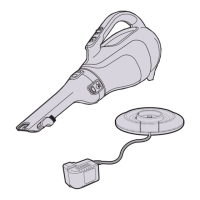
Place the appliance on the charging base and plug in the charger.
Slide the On/Off switch forward to start and back to stop the appliance.
Return the product to the charger immediately after use for readiness.
The filter is reusable and must be cleaned regularly; never use without it.
Replace the filter every 6-9 months depending on frequency of use.
Press nozzle release buttons, remove nozzle, and empty dust from the bowl.
Remove bowl, empty contents, and wash bowl and filters in warm soapy water.
Vacuum has plastic prefilter and cloth filter; twist to separate and clean.
A crevice tool is built into the nozzle and can be extended for use.
A brush accessory is integrated into the nozzle and can be flipped upwards.
Rotate the nozzle for better access in tight spots by pressing the release button.
Wash bowls and filters thoroughly with mild soap and a damp cloth.
Achieve maximum dust collection with a clean filter and empty dust bowl.
Wash filters regularly; ensure they are completely dry before reuse for optimal performance.
Recycle rechargeable Lithium Ion batteries; do not incinerate or compost them.
Discharge battery, remove screws, detach leads, and remove battery pack for disposal.
Use only BLACK+DECKER recommended accessories for safety and to reduce injury risk.
Repairs, maintenance, and adjustments should be performed by authorized service centers using identical parts.
Registering product aids efficient warranty service, confirms ownership, and ensures safety notifications.
 General
| Brand | Black & Decker |
|---|---|
| Model | CHV415J |
| Category | Vacuum Cleaner |
| Language | English |


 To Next Page