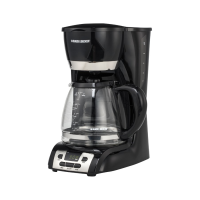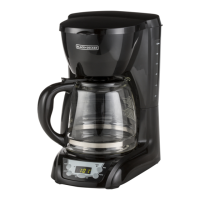
EasyManua.ls Logo

Black & Decker DLX1050 - User Manual

Black & Decker DLX1050
15 pages
Print Icon
To Next Page IconTo Next Page
Loading...

DLX1050B
DLX1050W
online customer service
register
www.prodprotect.com/applica
IMPORTANT / IMPORTANTE
WASH CARAFE BEFORE FIRST USE!
LAVE LA JARRA ANTES
DEL PRIMER USO
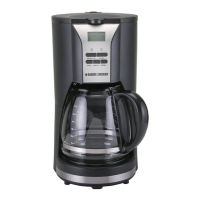
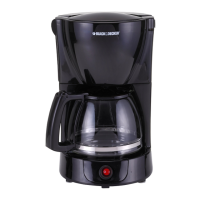
12-CUP PROGRAMMABLE
Coffeemaker
CafeTera PROGRAMABLE DE 12 TAZAS
* Filters not included
* No incluye los filtros
*
CustomerCare Line:




Accessories/Parts

Accesorios/Partes


*

Questions and Answers

  • A
    Anthony Schmidt Jr.Aug 12, 2025
    How to fix Black & Decker Coffee Maker that does not turn on?
    • M
      Maria CainAug 13, 2025
      If your Black & Decker Coffee Maker isn't turning on, first ensure it's properly plugged into a working outlet. Also, verify that you've pressed the ON/OFF button.
  • A
    Anna StephensAug 16, 2025
    Why does my Black & Decker DLX1050 take so long to brew?
    • S
      Steven KerrAug 16, 2025
      If brewing with your Black & Decker Coffee Maker is taking longer than usual, the coffeemaker might need cleaning. Follow the cleaning procedure using vinegar.
  • J
    James ContrerasAug 20, 2025
    How to prevent grounds in Black & Decker DLX1050?
    • J
      jmarquezAug 20, 2025
      If you find grounds in your brewed coffee from your Black & Decker Coffee Maker, the filter or the filter basket might not be properly placed. Insert a paper liner into the filter basket and ensure the basket is correctly inserted into the holder.
  • J
    Jennifer TaylorAug 25, 2025
    What causes Black & Decker Coffee Maker filter basket to overflow?
    • T
      Tina WongAug 25, 2025
      If the filter basket in your Black & Decker Coffee Maker overflows, the carafe might be improperly placed on the 'Keep Hot' carafe plate. Remove the carafe and re-insert it so that it rests comfortably within the grooves on the 'Keep Hot' carafe plate.
  • W
    William FordAug 27, 2025
    Why is my Black & Decker DLX1050 leaking?
    • S
      sjohnstonAug 27, 2025
      If your Black & Decker Coffee Maker is leaking, it could be due to a couple of reasons. First, check that you haven't overfilled the water reservoir past the MAX fill line. Second, make sure the carafe is correctly placed on the 'Keep Hot' carafe plate and is centered under the filter basket holder.
  • L
    Lisa KnightAug 31, 2025
    What to do if my Black & Decker DLX1050 is not brewing?
    • C
      christopherbrownAug 31, 2025
      If your Black & Decker Coffee Maker isn't brewing coffee, the water reservoir might be empty. Make sure the water reservoir has sufficient water to brew the desired number of cups.
  • R
    Ryan SanchezSep 4, 2025
    Why is my Black & Decker Coffee Maker brewing clear water?
    • R
      robert04Sep 4, 2025
      If your Black & Decker Coffee Maker is brewing clear water, it's likely that there are no coffee grounds in the removable filter basket. Add a sufficient amount of coffee grounds to the paper-lined removable filter basket.
  • J
    Jennifer ReedSep 7, 2025
    How to close the Black & Decker DLX1050 cover?
    • K
      Kelly MartinezSep 8, 2025
      If the one-piece cover of your Black & Decker Coffee Maker doesn't close, the removable filter basket may not be correctly placed. Remove the filter basket and replace it correctly into the holder.

Summary

Black & Decker Home 12-Cup Programmable Coffeemaker

Customer Care and Product Registration

Provides customer service phone numbers and website for warranty registration.

Available Models

Lists the available model numbers for the coffeemaker.

Important Safety Information

General Safety Precautions

Essential safety guidelines for using electrical appliances to prevent hazards.

Polarized Plug Details

Explains the polarized plug and how to ensure correct outlet fit for shock prevention.

Tamper-Resistant Screw Warning

Advises against removing the outer cover due to a tamper-resistant screw.

Electrical Cord Safety

Guidelines for using power supply cords and extension cords safely.

Coffeemaker Components and Control Panel

Control Panel Overview

Identifies and explains the functions of the coffeemaker's control panel buttons and display.

Key Coffeemaker Parts

Diagram and list of the main physical components of the coffeemaker.

How to Use Your Coffeemaker

Getting Started

Initial setup steps including unpacking, cleaning, and preparing for first use.

Brewing Coffee

Step-by-step instructions for brewing a pot of coffee.

Sneak-A-Cup Feature

Explanation of how to pause brewing to pour a cup of coffee.

Setting the Clock

Guide on how to set the current time on the coffeemaker's digital display.

Delayed Brewing

Instructions for programming the coffeemaker to brew coffee at a later time.

Coffee Brewing Tips and Care

Coffee Brewing Tips

Advice for improving coffee flavor and taste during the brewing process.

Cleaning and Maintenance

Instructions for cleaning the coffeemaker, including general cleaning and descaling.

Carafe Care

Guidelines for maintaining the glass carafe to prevent damage and ensure safety.

Power Cord Storage

Information on how to manage and store the power cord for convenience.

Troubleshooting Common Issues

Coffeemaker Does Not Turn On

Solutions for when the coffeemaker fails to power on.

Coffeemaker is Leaking

Causes and fixes for leaks originating from the coffeemaker unit.

Brewing Takes Too Long

Troubleshooting steps for a slow brewing process, often related to cleaning.

Coffee is Not Brewing

Solutions for situations where the coffeemaker is not brewing coffee.

Brews Clear Water

Addresses issues where the coffeemaker brews water without coffee grounds.

One-Piece Cover Does Not Close

Guidance for resolving problems with the coffeemaker's one-piece cover.

Filter Basket Overflows

Solutions for when the filter basket becomes overloaded with coffee grounds.

Grounds in Brewed Coffee

Tips for preventing coffee grounds from entering the brewed coffee.

Warranty and Support Information

Need Help?

Information on how to obtain service, repair, or ask questions about the appliance.

Two-Year Limited Warranty

Details on what the warranty covers, its duration, and how to get service.

Warranty Exclusions

Lists conditions and damages that are not covered by the product warranty.

State Law and Warranty Rights

Explains how state laws affect the warranty and consumer rights.

Black & Decker DLX1050 Specifications

General IconGeneral
BrandBlack & Decker
ModelDLX1050
CategoryCoffee Maker
LanguageEnglish

Related product manuals