EasyManua.ls Logo

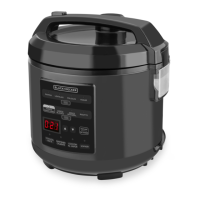
Black & Decker MC1100S - User Manual

Black & Decker MC1100S
20 pages
Print Icon
To Next Page IconTo Next Page
Loading...
TM
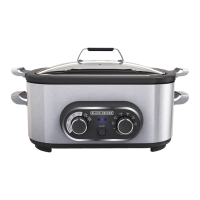
MULTICOOKER
use and care manual
MC1100S
MC1100R

Questions and Answers

  • S
    Scott DavisJul 26, 2025
    Why is my food undercooked in Black & Decker MC1100S?
    • R
      Ronald ComptonJul 26, 2025
      If your food is undercooked when using Black & Decker Kitchen Appliances, several factors could be the cause. First, ensure you're using the correct function and temperature setting for your recipe. An interruption in power can also lead to undercooked food; if you're unsure how long the power was out, it's best to discard the food. Also, make sure the lid is placed evenly on top of the cooking pot. Keeping the lid closed while roasting or slow cooking is important, as removing it adds 15–20 minutes to the slow cooking time.
  • D
    denise22Aug 5, 2025
    What to do if food is overcooked in Black & Decker Kitchen Appliances?
    • M
      Michael HallAug 5, 2025
      If you find your food consistently overcooked with Black & Decker Kitchen Appliances, it may be due to differences between your preferred recipes and the multicooker's settings. Keep a record of any necessary time adjustments as you become more familiar with the functions. Remember that not all appliances cook the same way, so the settings might perform slightly differently from what you're used to.
  • J
    James CookAug 16, 2025
    How to cook vegetables and meat evenly in Black & Decker MC1100S Kitchen Appliances?
    • J
      Joseph PriceAug 16, 2025
      If you're slow cooking with Black & Decker Kitchen Appliances and find that the meat is done but the vegetables are undercooked, it might be how the food is placed in the cooking pot. To ensure even cooking, place the vegetables on the bottom and sides of the cooking pot, and then put the meat on top of the vegetables in the center.

Summary

Important Safeguards

Getting Started and Product Overview

Multicooker Components Overview

Identifies and describes the main parts of the multicooker, including the lid, pot, and base.

Initial Setup and Important Notes

Steps for initial setup and important information for first-time use, including safety and operational advice.

Operating Your Multicooker

Operating the Sear;Sauté Function

How to use the Sear/Sauté function for browning and cooking on the stovetop.

Operating the Roast;Bake Function

Instructions for using the Roast/Bake function like a conventional oven.

Operating the Slow Cook Function

Guide to using the Slow Cook function for low and slow cooking.

Operating the Warm Function

How to use the Warm function to keep food at a serving temperature.

Care, Cleaning, and Storage

Cleaning and Maintenance

Detailed instructions for cleaning the multicooker and its parts, including important warnings.

Storage Instructions

Proper procedures for storing the multicooker to maintain its condition.

Helpful Hints and Tips

Roast and Bake Usage Tips

Guidance for roasting and baking with the multicooker for better results.

Slow Cooking Tips and Ingredient Advice

Advice for slow cooking, including ingredient preparation and timing.

Tips for Cooking Different Food Types

Tips for preparing soups, stews, meats, vegetables, and fish in the multicooker.

Troubleshooting

Recipes

Slow Cooker Recipe Collection

A collection of recipes specifically designed for the slow cooker function.

Roast and Bake Recipe Collection

Recipes tailored for the roasting and baking functions of the multicooker.

Warranty Information

Black & Decker MC1100S Specifications

General IconGeneral
BrandBlack & Decker
ModelMC1100S
CategoryKitchen Appliances
LanguageEnglish

Related product manuals