
 Need help?
Do you have a question about the Black & Decker RT650 and is the answer not in the manual?
Includes EC Declaration, intended use, and general safety instructions with warnings.
Covers clean area, environment, children, attire, PPE, and electric shock prevention.
Focuses on footing, alertness, securing workpieces, extension cords, and proper tool use.
Includes dust extraction, tool checks, cord care, storage, and general maintenance.
Addresses additional safety for rotary tools and professional repair guidelines.
Covers electrical safety, double insulation, and mains plug replacement for UK/Ireland.
Details carton contents, tool overview, assembly, fitting/removing accessories, and replacing collets.
Explains how to use the tool, variable speed control, and avoiding overload.
A table detailing recommended speed settings for various applications.
Covers switching on/off, optimum use tips, and general maintenance procedures.
Covers environmental disposal, guarantee terms, and after-sales service.
Lists other Black & Decker DIY tools and information sources.
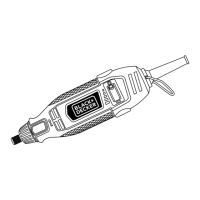
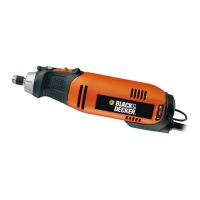
Diagram showing identified parts of the RT650KA model.
Contact details for Black & Decker in key international regions.
Instructions for completing and sending the guarantee card for product registration.
This document is a user manual for the Black & Decker RT650 rotary tool, providing comprehensive instructions for its safe and effective operation, maintenance, and after-sales support.
The Black & Decker RT650 rotary tool is designed for a variety of applications, primarily for consumer use. Its core function is to perform detailed tasks that require precision and versatility, thanks to its ability to accommodate a wide range of accessories. The tool is capable of drilling in wood, metal, and plastics, making it suitable for intricate hole-making. It also excels at cutting various materials, including wood, metal, and plastics, allowing for precise shaping and removal of material. Engraving and shaping tasks on wood, metal, plastics, and fibreglass are another key function, enabling users to add decorative details or refine contours. The RT650 can polish metal, glass, and stone, restoring shine and smoothness to surfaces. Grinding metal, glass, and ceramics is also possible, useful for smoothing rough edges or removing material. Furthermore, it can sharpen metal tools, sand wood and fibreglass for surface preparation, and remove rust and corrosion from metal surfaces. The tool's variable speed control allows users to adapt its rotational speed to the specific application and material, ensuring optimal performance and preventing damage to the workpiece or accessory.
The RT650 is designed with several features to enhance its usability and safety. The tool is equipped with an on/off switch (1) for easy power control. A spindle lock (2) is integrated to facilitate the fitting and removal of accessories. To change an accessory, the spindle lock is activated by setting it to position B, which holds the spindle stationary while the collet nut (5) is loosened. Once the accessory shaft is inserted into the collet (4), the collet nut is tightened, and the spindle lock is released by setting it to position A. It is crucial to ensure the collet size matches the shaft diameter of the accessory and never to tighten the collet nut without an accessory in place. For replacing collets, the same procedure applies: activate the spindle lock, remove the collet nut, pull off the existing collet, place the new collet into the spindle (6), loosely screw on the collet nut, and then release the spindle lock. The tool comes with a 3.2 mm collet, but different sizes are available as accessories.
The variable speed control knob (3) allows users to adjust the tool's speed from a low setting of 8,000 min⁻¹ (setting 1) to a maximum of 27,000 min⁻¹ (setting 6). This feature is essential for matching the tool's performance to the task at hand, preventing overheating, material damage, or accessory wear. For optimal use, it is recommended to start with a low speed setting and gradually increase it until the desired result is achieved. Users should always hold the tool securely, as shown in figure F, and for precision work, holding it closer to the front is advised. It is important not to exert too much pressure on the tool, allowing it to work at its own pace to avoid overloading. The suspension hook (7) provides a convenient way to hang the tool when not in use or for certain applications where suspension is beneficial.
Maintaining the Black & Decker RT650 is straightforward, focusing on ensuring its longevity and consistent performance. Regular cleaning is a key aspect of maintenance. Users should regularly clean the ventilation slots in the tool using a soft brush or dry cloth to prevent dust buildup, which can impede airflow and cause overheating. The motor housing should also be cleaned regularly with a damp cloth. It is crucial to avoid using any abrasive or solvent-based cleaners, as these can damage the tool's finish or internal components.
Before performing any maintenance, it is imperative to switch off and unplug the tool from the mains supply to prevent accidental starting and ensure user safety. This also applies before changing any parts, accessories, or attachments. The manual emphasizes that repairs should only be carried out by qualified persons using original spare parts to maintain the tool's safety and performance. Any attempt at self-repair of damaged or defective parts is discouraged. Keeping cutting tools sharp and clean is also highlighted as important for better and safer performance, although specific instructions for sharpening accessories are not detailed in this section. The tool is designed for a long period of operation with minimum maintenance, provided proper care and regular cleaning are observed.
 General
| Cord Length | 6 ft |
|---|---|
| Voltage | 120V |
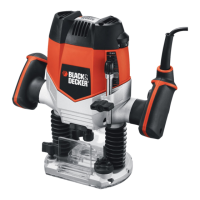
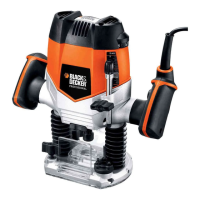
| Type | Router |
| Router Collet Size | 1/4-inch |
| Collet Size | 1/4-inch |



 To Next Page