EasyManua.ls Logo

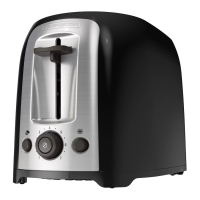
Black & Decker TR1200SB - User Manual

Black & Decker TR1200SB
15 pages
Print Icon
To Next Page IconTo Next Page
Loading...

TR1200SB
TR1400SB
TOASTER
TOSTADORA
online customer service
register
www.prodprotect.com/applica
CustomerCare Line:




Accessories/Parts

Accesorios/Partes



Questions and Answers

  • B
    Brent SullivanJul 25, 2025
    How to fix a Black & Decker TR1200SB that is not heating?
    • C
      Cynthia HarringtonJul 26, 2025
      If your Black & Decker Toaster isn't heating or suddenly stops, the issue might be with the power supply. First, check if the electrical outlet is working correctly. Then, unplug the toaster and firmly re-insert the plug. To test the toaster, select a setting and depress the toast control lever without any bread inside.
  • A
    annahallAug 2, 2025
    What to do if my Black & Decker TR1200SB makes toast too light or dark?
    • D
      Dominic SpencerAug 2, 2025
      If your toast is consistently too light or too dark in your Black & Decker Toaster, it's possible that the shade selector has been inadvertently changed. Simply reset the shade selector to your preferred setting for the toasting function you're using.
  • J
    jacksonstephenAug 10, 2025
    Why is my Black & Decker TR1200SB Toaster making the second toast too dark?
    • J
      Jon CamachoAug 10, 2025
      If you find that subsequent toasting cycles in your Black & Decker Toaster are producing toast that's too dark, the setting may be too high. When toasting multiple times in a row, consider selecting a shade setting that is slightly lighter than what you used previously.
  • M
    Mitchell MeyersAug 17, 2025
    Why is my Black & Decker TR1200SB smoking?
    • N
      nicole28Aug 17, 2025
      If you notice a burning smell or smoke coming from your Black & Decker Toaster, it's likely due to food remnants. To resolve this, ensure the crumb tray is empty and clean. Also, check for any large crumbs stuck in the slot. If needed, unplug the unit, turn it upside down over the sink, and gently shake to remove any debris.

Summary

Important Safeguards

Polarized Plug

Explains the polarized plug for 120V models to reduce electric shock risk.

Tamper-Resistant Screw

Warns against removing the cover due to a tamper-resistant screw; no user-serviceable parts inside.

Electrical Cord

Details safety precautions for power-supply cords and extension cords to prevent entanglement or tripping.

Control Panel

Control Buttons and Levers

Lists and describes the function of each button and the toast control lever on the control panel.

How to Use

Getting Started

Initial setup steps including removing packing materials and plugging in the unit.

Using Your Toaster

Instructions on selecting shade settings and operating the toast control lever for toasting.

Bagel Function

Guide on toasting bagels or English muffins crispy on the cut side and warm on the outside.

Frozen Function

Instructions for thawing and toasting frozen bread, bagels, waffles, and pastries.

Reheat Function

Helpful Hints

Provides tips for quick foods, crumb tray maintenance, and safe operation of the toaster.

Troubleshooting

Lists common problems, possible causes, and solutions for toaster operation issues.

Care and Cleaning

Crumb Tray

Instructions for removing, cleaning, and reinserting the crumb tray.

Cleaning Outside Surfaces

Guidelines for cleaning the exterior of the toaster using damp cloths and mild cleaners.

Retracting the Cord

Instructions on how to extend and retract the toaster's built-in retractable cord.

Need Help?

Two-Year Limited Warranty

Details coverage, duration, service process, and exclusions for the product warranty.

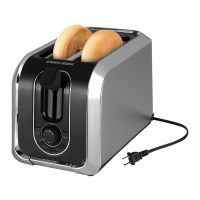
Black & Decker TR1200SB Specifications

General IconGeneral
ModelTR1200SB
TypeToaster
BrandBlack & Decker
Slots2
ColorSilver/Black
Browning ControlYes
Shade SelectorYes
Crumb TrayYes
Removable Crumb TrayYes
Bagel settingYes
Frozen settingYes
Cancel settingYes
Cancel ButtonYes
Extra-wide slotsYes
Cord StorageYes

Related product manuals