5
1. 8 7 7. 8 7 7. 2 26 9 BLACKBOX.COM
NEED HELP?
LE AVE THE TECH TO US
LIVE 24/7
TECHNICAL
SUPPORT
1.8 7 7. 87 7. 22 6 9
3.1 OPERATION
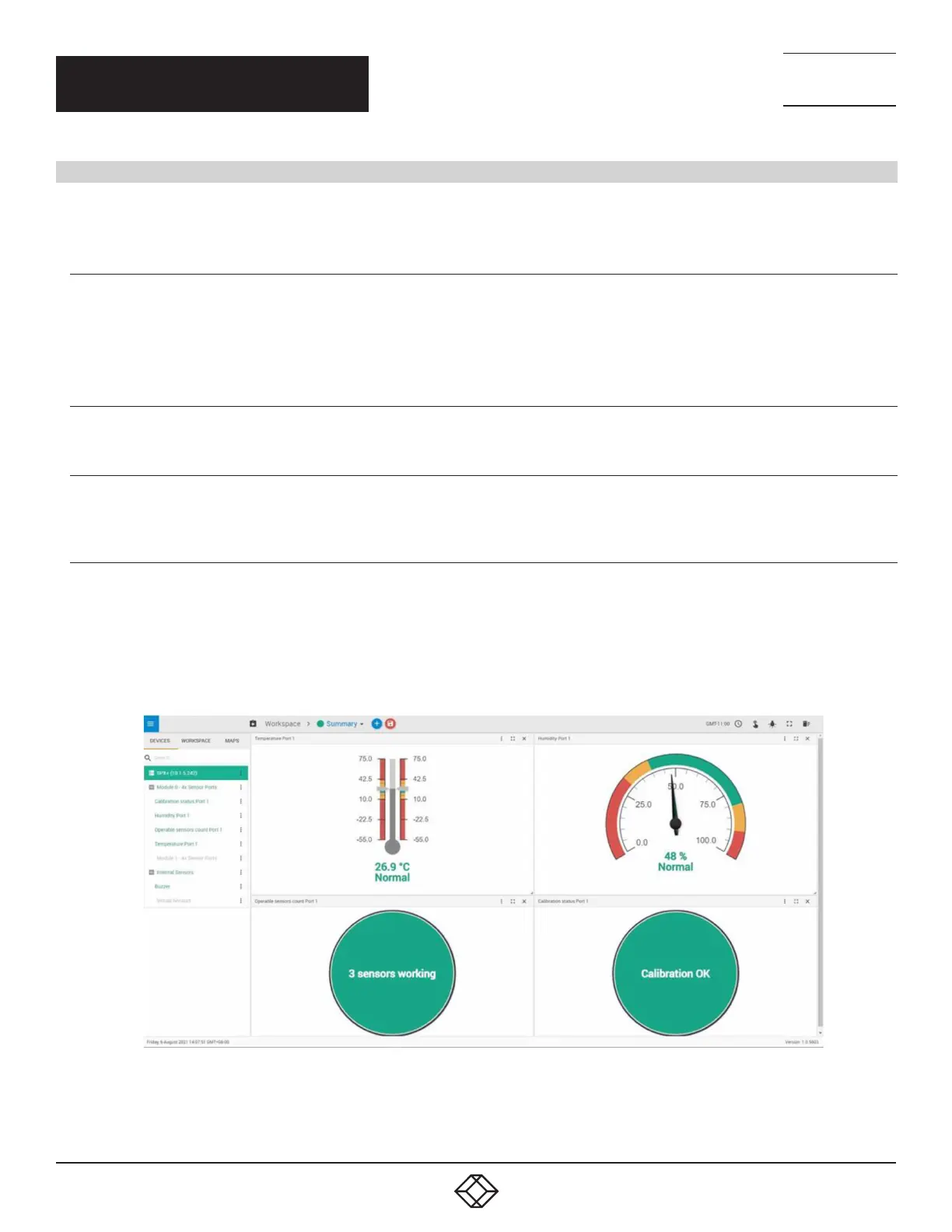
After plugging the EME1TH00C NIST2 sensor into a sensor port on the Gateway, the following sensors will be shown on
the unit:
3.1.1 TEMPERATURE SENSOR
The Temperature sensor uses value averaging from the NIST calibrated temperature sensors for the displayed value.
If any temperature sensor value pair has a value difference of more than 1° C, it will be excluded from the averaging
calculation.
3.1.2 HUMIDITY SENSOR (TH NIST SENSORS ONLY)
The Humidity sensor displays the humidity reading from the NIST calibrated sensor.
3.1.3 OPERABLE SENSORS COUNT
This sensor status shows the number of sensors that are working (sensors which have successful communications with
the base unit).
3.1.4 CALIBRATION STATUS
This sensor status shows the calibration status of the temperature sensors.
When all sensor readings are within 1° C, the status will be: “Calibration OK”.
When sensor readings differ more than 1° C, the status will be: “Calibration Check x” (where x is the number of invalid
sensor readings).
Figure 3-1 below shows the status of sensors and their calibration.
FIGURE -: SENSOR AND CALIBRATION STATUS
CHAPTER 3: OPERATION


 To Next Page
 Loading...