6
1. 8 7 7. 8 7 7. 2 26 9 BLACKBOX.COM
NEED HELP?
LE AVE THE TECH TO US
LIVE 24/7
TECHNICAL
SUPPORT
1.8 7 7. 87 7. 22 6 9
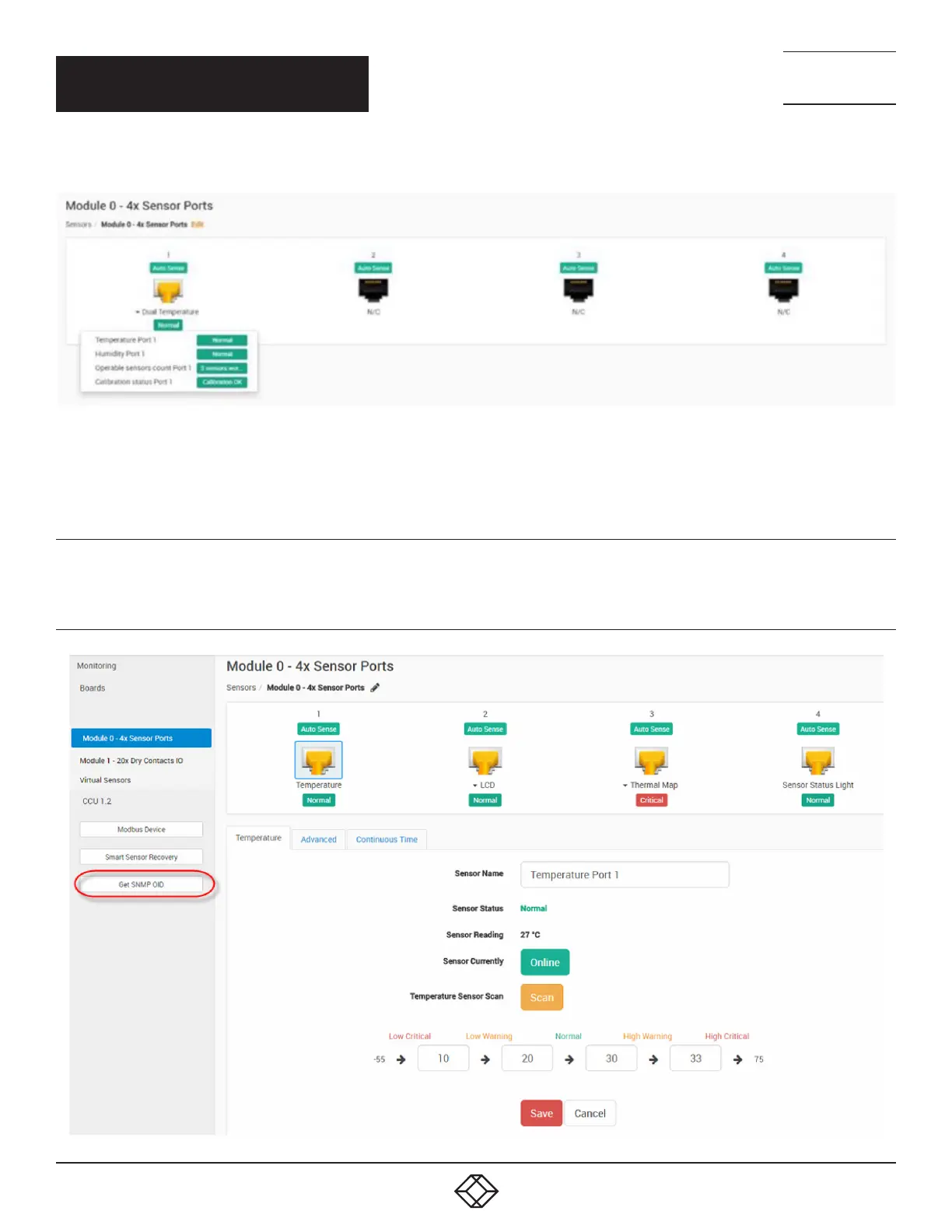
Figure 3-2 below shows sensor port information:
FIGURE -: SENSOR PORT INFORMATION
3.1.5 RE-CALIBRATION DETAILS
If the NIST sensors are detected as out of calibration, they can be replaced, or they can be re-calibrated. There is also an
offset setting in the web UI that can be used to offset the value. This is covered in the Gateway manual.
3.1.6 GET SNMP OID
The GET SNMP OID button, shown in Figure 3-3 below, allows you to view all of the Temperature sensors OIDs.
FIGURE -: GET SNMP OID BUTTON
CHAPTER 3: OPERATION



 To Next Page