8
1. 8 7 7. 8 7 7. 2 26 9 BLACKBOX.COM
NEED HELP?
LE AVE THE TECH TO US
LIVE 24/7
TECHNICAL
SUPPORT
1.8 7 7. 87 7. 22 6 9
3.1.7 ADVANCED TAB
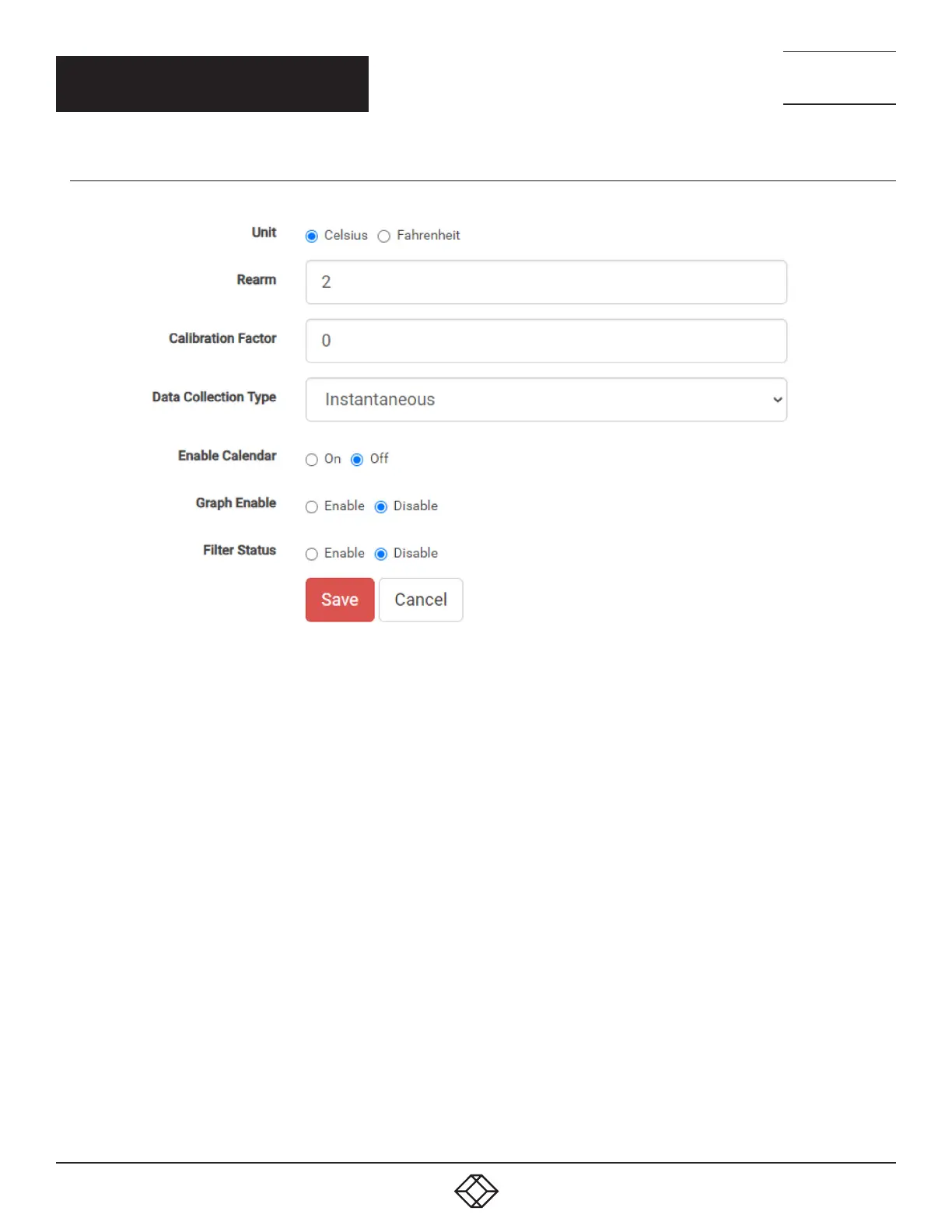
Figure 3-5 below shows options on the Advanced Tab.
FIGURE -: ADVANCED TAB OPTIONS
Degree Type
The Degree Type can be set to Fahrenheit or Celsius. The system stores the thresholds for both Celsius and Fahrenheit
independently, allowing you to switch between the two degree types. When the Degree Type is changed, all threshold
fields will change their values automatically.
Reading Offset
The Reading Offset parameter can be used to calibrate temperature and humidity sensors. For example, if the actual
reading of a sensor is 28 degrees Celsius and the Reading Offset is set to 2, the temperature will be displayed as 30
degrees Celsius.
Ream
The Rearm parameter is useful for sensors whose values can vary, such as temperature and humidity sensors. It is used
to prevent the sensor from rapidly changing between two states. For example, if the Warning High threshold for the
temperature sensor is set to 80 degrees and the sensor varied between 79 and 80, there would be a large number of
emails, traps, and events logged. The Rearm parameter prevents this by forcing the temperature to drop by the Rearm
value before changing the state back to normal. In this example, if Rearm is set to 2 then the sensor would have to drop
from 80 down to 77 before the status would change from “Warning High” back to normal.
CHAPTER 3: OPERATION


 To Next Page
 Loading...