Page 30
724-746-5500 | blackbox.com
Chapter 4: Configuration
Wireless Client Mode
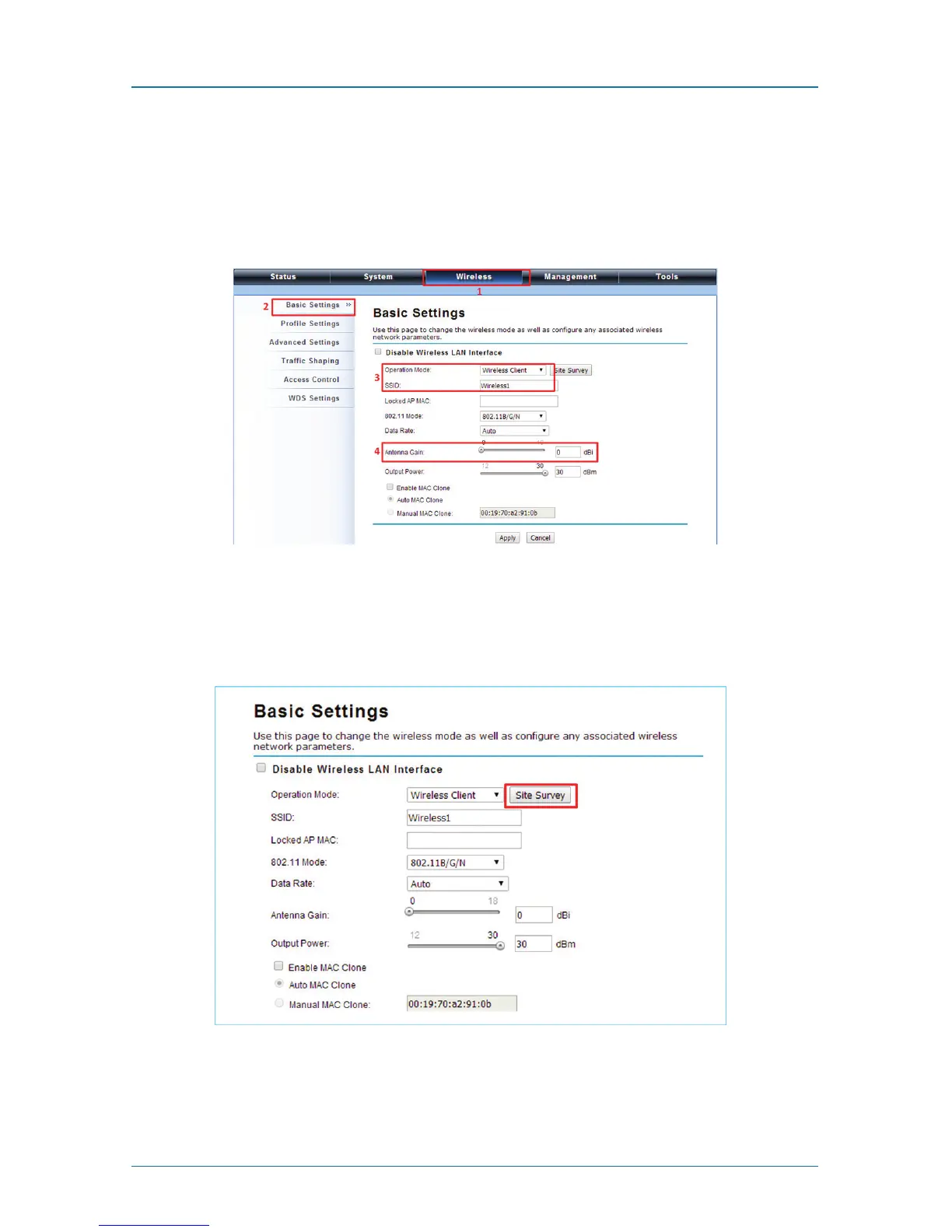
1. Choose Wireless —> Basic Settings. Then you will see the “Wireless Basic
Settings” page. Choose “Wireless Client” from Wireless Mode, and click
“Apply” to save it. You can then change the other parameters to optimize your
application before clicking “Apply.”
Figure 4-25. Wireless LAN interface screen.
2. Click the “Site Survey” button beside Wireless Mode. It will scan all the
available access points within coverage. Select the one you prefer to connect
to, and click “Selected” to establish the connection.
Figure 4-26. Select Site Survey.











 To Next Page