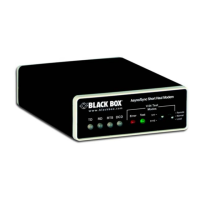
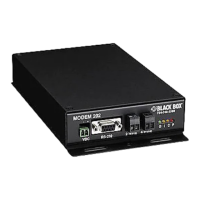
CONFIGURATION:
The Async/Sync Short Haul Modem is fairly simple to install and is ruggedly designed for excellent reliability: Just set it and forget it. The following instructions will help you set up and install the modem
properly.
Configuration Switches:
The Short Haul Modem uses a unique set of 24 external mini DIP switches that allow configuration to an extremely wide range of applications. These 24 DIP switches are grouped into three eight-switch sets,
and are externally accessible from the underside of the modem. Since all configuration DIP switches are externally accessible, there is noneed to open the modem's case for configuration.
The configuration switches allow you to select data rates, clocking methods, V.52 and V.54 tests, word lengths, extended signaling rates, async or sync mode, 2- or 4-wire operation, anti-stream control, and
input impedance.
POSITION: FUNCTION: FACTORY DEFAULT:
S1-1 Data Rate ON 9600 bps
S1-2 Data Rate OFF 9600 bps
S1-3 Data Rate OFF 9600 bps
S1-4 Data Rate ON 9600 bps
S1-5 Clock Source ON Internal
S1-6 Clock Source ON Internal
S1-7 Async/Sync ON Async
S1-8 Carrier Control OFF Constantly ON
S1-1 through S1-4: Data Rate Setting are set in combination to determine the asynchronous and synchronous data
rate for the Short Haul Modem.
S1-1: S1-2: S1-3: S1-4: Setting:
ON ON ON ON 1.2 Kbps
OFF ON ON ON 1.8 Kbps
ON OFF ON ON 2.4 Kbps
OFF OFF ON ON 3.6 Kbps
ON ON OFF ON 4.8 Kbps
OFF ON OFF ON 7.2 Kbps
ON OFF OFF ON 9.6 Kbps
OFF OFF OFF ON 14.4 Kbps
ON ON ON OFF 19.2 Kbps
OFF ON ON OFF 28.8 Kbps
ON ON OFF OFF 38.4 Kbps
OFF ON OFF OFF 57.6 Kbps
S1-5 and S1-6: Clock Source are set in combination to determine the transmit clock source for the Short Haul
Modem.
S1-5 S1-6 Setting:
ON ON Internal Transmit Clock
OFF ON Receive Recover Clock
ON OFF External Transmit Clock
S1-7: Asynchronous/Synchronous Mode determines whether the modem is in asynchronous or synchronous
operating mode.
S1-7 Setting:
ON Asynchronous
OFF Synchronous
S1-8: Carrier Control determines whether the carier is "constantly ON" or "controlled by RTS". This setting allows
for operation in switched carrier, multipoint, and hardware-handshaking applications.
S1-8 Setting:
OFF Constantly ON
ON Controlled by RTS
POSITION: FUNCTION: FACTORY DEFAULT:
S2-1 Word Length OFF 10 bits
S2-2 Word Length OFF 10 bits
S2-3 Extended Signaling Rate OFF -2.5% to 1%
S2-4 RTS/CTS Delay ON 7 ms
S2-5 RTS/CTS Delay ON 7 ms
S2-6 V.52/V.54 Tests OFF Normal Operation
S2-7 2-Wire/4-Wire OFF 4-Wire
S2-8 Not Used N/A
S2-1 and S2-2: Word Length are set in combination to determine the word length for asynchronous data.
S2-1 S2-2 Setting:
OFF ON 8 bits
ON ON 9 bits
OFF OFF 10 bits
ON OFF 11 bits
S2-3: Extended Signaling Rate determines the range of variability the modem looks for in asynchronous data rates
(i.e., the actual variance from a given frequency level the modem will tolerate).
S2-3 Setting:
OFF -2.5% to +1%
ON -2.5% to +2.3%
S2-4 and S2-5: RTS/CTS Delay sets the amount of delay between the time the modem sees RTS and when it sends
CTS. Options are no delay, 7 ms, or 53 ms.
S2-4 S2-5 Setting:
ON ON 7 ms
OFF ON 53 ms
ON OFF No Delay
OFF OFF No Delay
S2-6: V.54 Loopback Test
S2-6 Setting:
OFF V.54 Normal Operation
ON V.54 Testing Disabled
S2-7: 2-Wire/4-Wire Mode Selection determines whether the modem is operating in 2-wire or 4-wire mode.
S2-7 Setting:
OFF 4-Wire (full- or half-duplex)
ON 2-Wire (half-duplex ONLY)


 To Next Page
 Loading...