BLACKSTONEPRODUCTS.COM/SUPPORT
ENGLISH
| OWNER’S MANUALASSEMBLY GUIDEMODEL:
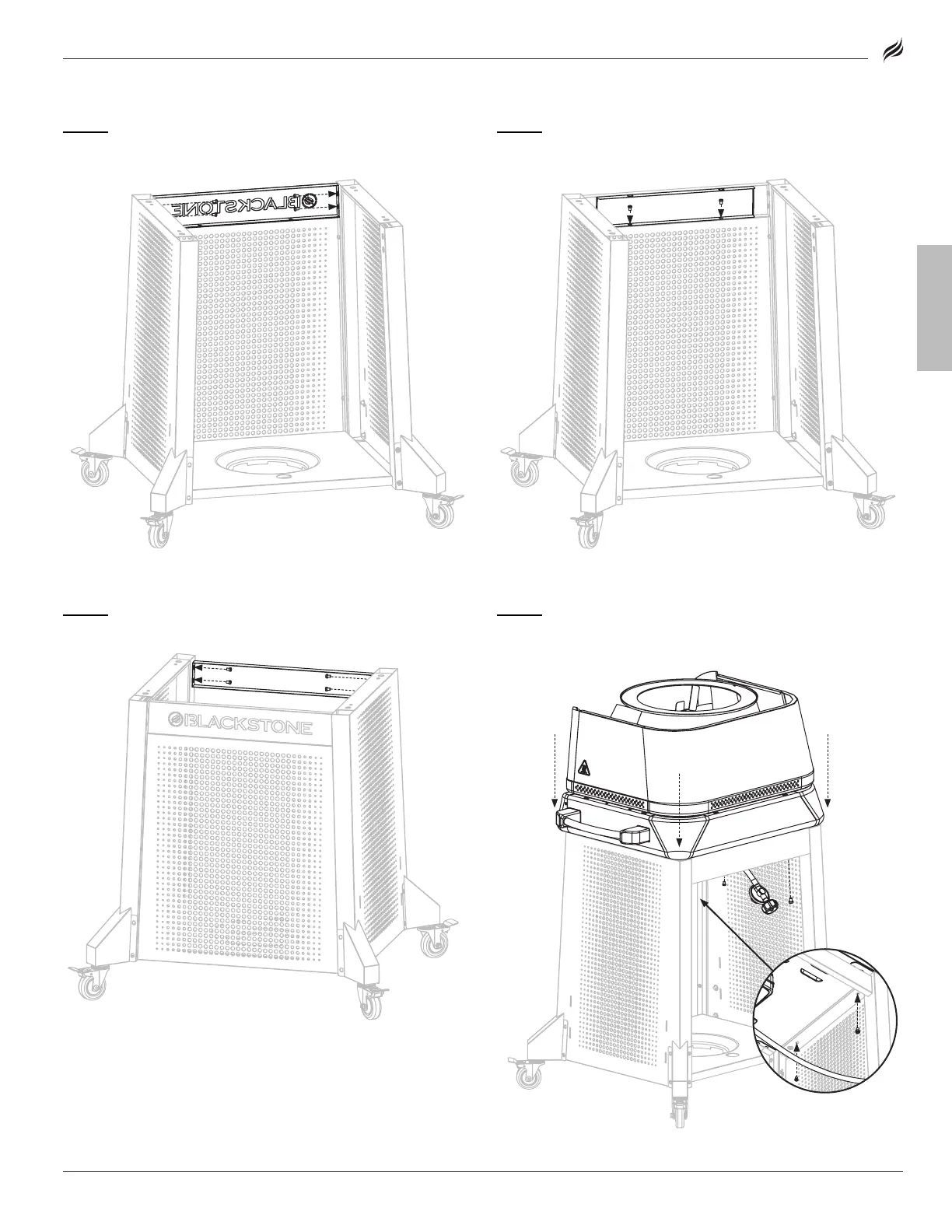
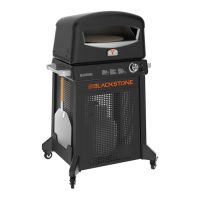
STEP 12
Use four (4) M6x12 screws [a.] to attach the front logo panel
to the left and right cart panels.
STEP 13
Use two (2) M6x12 screws [a.] to attach the orange back-
ground panel to the front logo panel.
STEP 14
Use four (4) M6x12 screws [a.] to attach the rear cart panel to
the left and right cart panels.
STEP 15
With the help of another person, set the oven body on the
cart. Use four (4) M6x12 screws [a.] to secure.
[
] × 4
[a.] × 4
[a.] × 4
[a.] × 2


 To Next Page