Pairing the headset
Connect the headset with your BlackBerry
device
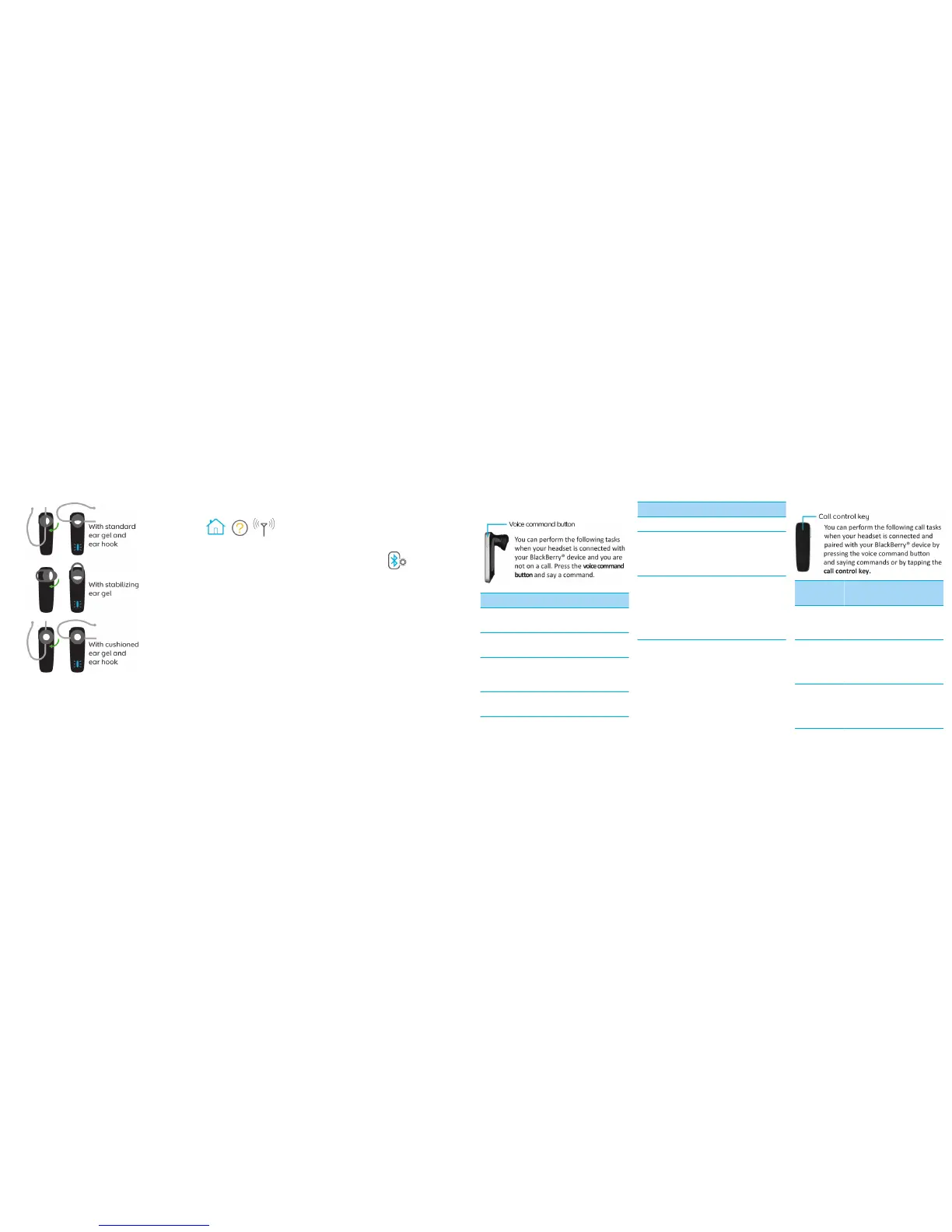
1. Rotate the ear piece to turn on the headset.
2. Insert the headset into your ear.
3. Complete the instructions that you hear. At
any time, say "Continue," "Repeat," or
"Cancel."
4. On your BlackBerry® device, click the Manage
Connections icon.
5. Click Set Up Bluetooth or Bluetooth
Connections.
6. If you receive a prompt to enter a passkey, type
0000 on your BlackBerry device.
You can add your headset to the list of Trusted
Devices on your device to prevent a prompt from
appearing each time you turn the headset. For more
information, click the Help icon on the Home screen
of your BlackBerry device.
For information about how to pair a third-party
Bluetooth® enabled device with your headset, see
the documentation that came with that device.
About pairing the headset with two or more
Bluetooth enabled devices
The headset features Bluetooth® technology with
multipoint signaling that allows you to pair with two
or more Bluetooth enabled devices at the same
time. The headset manages calls received from one
device at a time. For example, if you're using the
headset for a call on your BlackBerry device and you
receive a call on another mobile device that you pair
with your headset, the second call isn't directed to
the headset.
Using the headset
Action Voice command
List available voice
commands
"What can I say?"
Open the Options
menu
"Options"
Check the battery
power level of the
headset
"Battery"
Prepare the headset to
pair with your device
"Options" > "Pairing
mode"
Action Voice command
Redial a phone number "Redial"
Call back the number
of the last call received
while the headset was
connected
"Call last"
Make a phone call Press and hold the
voice command button
for 2 seconds. After a
short pause, say "Call
<Phone number> or
<Contact name>."
Answer or ignore a call
If you have connected and paired your headset with
your BlackBerry® device and you receive an
incoming call, you can manage the call without
pressing keys.
• To answer the call, say "Answer."
• To ignore the call, say "Ignore."
Call tasks
Action Voice
command
Call control
key
List available
voice
commands
"What can I
say?"
—
Answer a
second call
Tap once >
wait for the
beep >
"Answer"
Tap once
Ignore a
second call
Tap once >
wait for the
beep >
"Ignore"
Tap twice



 To Next Page
 Loading...