STL3500
9
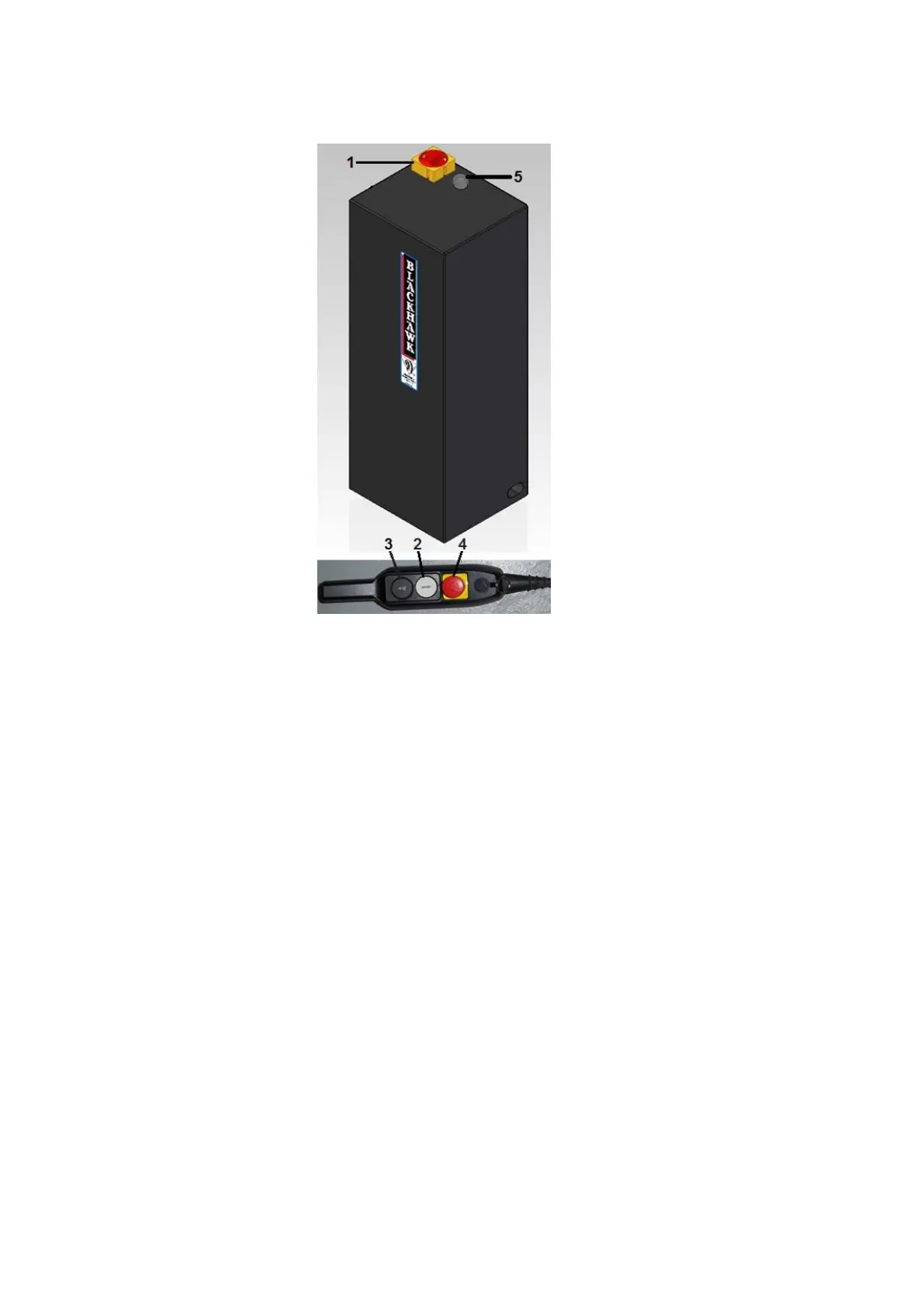
MAIN CONTROL PANEL PMPLIFT
Figure 9
1. MAIN SWITCH
2. LIFTING PUSH BUTTON
3. LOWERING PUSH BUTTON
4. EMERGENCY PUSH BUTTON
5. POWER LED
1. Main switch: The switch can be padlocked to prevent the use of the lift during the maintenance.
2. Lifting push button: When pressed, motor and lifting mechanism are operated.
3. Lowering push button: When pressed, lowering mechanism is operated.
4. Emergency push button: When pressed, deactivates all controls.
5. Power led: It indicates the unit powered up.


 To Next Page