Brand Card Name Storage
KomputerBay x3400 CFast 2.0 128GB
ProGrade Digital 550MB/s CFast 2.0 256GB
ProGrade Digital 550MB/s CFast 2.0 512GB
SanDisk Extreme Pro CFast 2.0 SDCFSP-128G-x46D 128GB
Wise CFast 2.0 3400x 256GB
Wise CFast 2.0 3500x 512GB
Wise CFast 2.0 3500x 1TB
Which CFast cards should I use with the Blackmagic URSA Mini
and URSA Mini Pro Cameras?
The following CFast 2.0 cards are recommended for recording 4.6K Blackmagic RAW 3:1 up
to 60 fps.
Brand Card Name Storage
Angelbird AV Pro CF 128GB
Angelbird AV Pro CF 256GB
Angelbird AV Pro CF 512GB
Angelbird AV Pro CF 1TB
CinediskPro 510MB/s CFast 2.0 256GB
Fr eeTail Evoke Pro 3700x 128GB
Fr eeTail Evoke Pro 3700x 256GB
Fr eeTail Evoke Pro 3700x 512GB
Fr eeTail Evoke Pro 3700x 1TB
Hagiwara Solutions CFast 2.0 DC-SMAN64GA 64GB
Hagiwara Solutions CFast 2.0 DC-SMANA1GA 128GB
KomputerBay 3600x CFast 2.0 Card 64GB
ProGrade Digital 550MB/s CFast 2.0 64GB
ProGrade Digital 550MB/s CFast 2.0 128GB
ProGrade Digital 550MB/s CFast 2.0 256GB
ProGrade Digital 550MB/s CFast 2.0 512GB
SanDisk Extreme Pro CFast 2.0 SDCFSP-128G-x46D 128GB
SanDisk Extreme Pro CFast 2.0 SDCFSP-256G-x46D 256GB
SanDisk Extreme Pro CFast 2.0 SDCFSP-512G-x46D 512GB
Sony CFast 2.0 G Series CAT-G64 64GB
Sony CFast 2.0 G Series CAT-G128 128GB
Transcend CFX650 CFast 2.0 TS128GCFX650 128GB
17Storage Media
Brand Card Name Storage
Transcend CFX650 CFast 2.0 TS256GCFX650 256GB
Transcend CFX650 CFast 2.0 TS128GCFX650BM 128GB
Transcend CFX650 CFast 2.0 TS256GCFX650BM 256GB
Wise CFast 2.0 3400x 256GB
Wise CFast 2.0 3500x 512GB
The following CFast 2.0 cards are recommended for recording 2160p ProRes 422 HQ
up to 60 fps.
Brand Card Name Storage
Angelbird AV Pro CF 128GB
Angelbird AV Pro CF 256GB
Angelbird AV Pro CF 512GB
Angelbird AV Pro CF 1TB
Angelbird AV Pro CF XT 256GB
Angelbird AV Pro CF XT 512GB
CinediskPro 510MB/s CFast 2.0 256GB
Hagiwara Solutions DC-SMAN64GA 64GB
Hagiwara Solutions DC-SMANA1GA 128GB
KomputerBay 3600x CFast 2.0 Card 64GB
KomputerBay 3700x CFast 2.0 Card 256GB
ProGrade Digital 550MB/s CFast 2.0 128GB
ProGrade Digital 550MB/s CFast 2.0 256GB
ProGrade Digital 550MB/s CFast 2.0 512GB
SanDisk Extreme Pro CFast 2.0 SDCFSP-128G-x46D 128GB
SanDisk Extreme Pro CFast 2.0 SDCFSP-256G-x46D 256GB
SanDisk Extreme Pro CFast 2.0 SDCFSP-512G-x46D 512GB
Silicon Power CFX310 256GB
Sony CFast 2.0 G Series CAT-G64 64GB
Sony CFast 2.0 G Series CAT-G128 128GB
Transcend CFX650 CFast 2.0 TS128GCFX650 128GB
Transcend CFX650 CFast 2.0 TS256GCFX650 256GB
Transcend CFX650 CFast 2.0 TS128GCFX650BM 128GB
Transcend CFX650 CFast 2.0 TS256GCFX650BM 256GB
18Storage Media
Brand Card Name Storage
Wise CFast 2.0 3400x 128GB
Wise CFast 2.0 3400x 256GB
Wise CFast 2.0 3500x 512GB
For the most up to date information on supported CFast cards for Blackmagic URSA Mini please
refer to the Blackmagic Design support center at
www.blackmagicdesign.com/support.
NOTE Only the ‘D-series’ of Sandisk CFast2.0 cards have been certified for use with
Blackmagic URSA Mini cameras. These cards can be identified by a large ‘D’printed
on the back of the card in the lower left corner, and we have also listed the model
numbers to make them easier to identify. This model number varies slightly fromregion
to region, with the‘x’ in the model number changing in different markets. Forexample,
an ‘A’ in the UnitedStates and a ‘G’ in the Asia Pacific and Europe region.
SD Cards
In addition to CFast 2.0 cards, Blackmagic URSA Mini Pro can record on high speed UHS-I and
UHS-II type SD cards. Using high end SDXC UHS-II cards, you can even record ProRes HQ
footage in 2160p for Ultra HD content!
With SD cards, you can use more affordable storage media when shooting compressed video
formats in HD. SDXC and SDHC are a very common media storage format for consumer still and
video cameras.
If you’ve ever shot video using a DSLR, or use a Blackmagic Micro Cinema Camera, Pocket
Cinema Camera 4K or Blackmagic Video Assist, you probably already have compatible
SD cards to use.
For projects that don’t require the highest resolution Blackmagic RAW files, or for when long
recording durations are needed, using SD cards can be very economical. Lower capacity and
lower speed SD cards can also be used for storing and loading LUTs and presets.
Inserting an SD Card
To insert an SD Card:
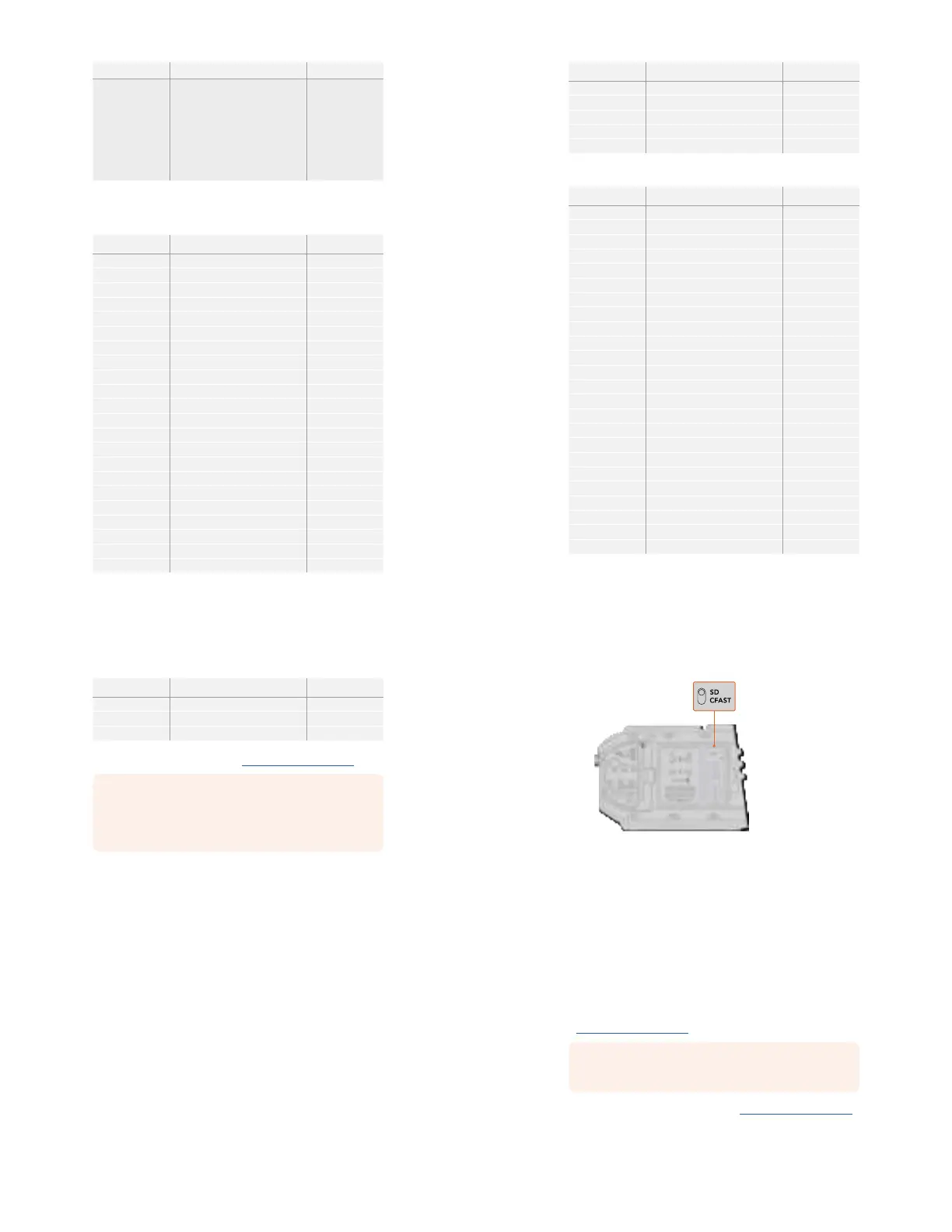
1 Open the fold out monitor to access the SD card slots. These are the smaller slots
located between the CFast slots.
2 Set the storage media toggle switch above the slots to ‘SD’.
3 With the label on the SD card facing away from the touchscreen, insert the card until
you feel it lock into place. To remove an SD card, push the SD card in to eject it.
4 The storage indicator at the bottom of the LCD touchscreen will show the name and
record time remaining of detected cards.
19Storage Media
When recording to SD cards on URSA Mini Pro 4.6K make sure
the storage media selection switch is set to ‘SD’
Choosing a fast SD Card
If you are recording Ultra HD on Blackmagic URSA Mini Pro, then we recommend using the
fastest high speed UHS-II type SD cards available. It’s important to use high speed UHS-II
SDcards for Ultra HD and HD recording, or UHS-1 cards for HD recording. These cards are
rated for fast data speeds and support larger storage sizes. Generally the faster the cards,
thebetter. Refer to the recommended SD cards table earlier in this section for more information.
Before using your cards, you will need to format them to either HFS+ or exFAT formats. You can
format your media with the storage manager or your computer. For more information, see the
‘preparing media for recording’ section.
If you want to, you can format your cards using a Mac or Windows computer. When using your
media on Mac, you can use HFS+ which is the Mac disk format. If you are using Windows then
you should use exFAT format, which is the Windows disk format that Mac computers can
also read.
The tables below identify the SD cards recommended for use when shooting with Blackmagic
URSA Mini Pro. It’s worth regularly checking the latest version of this manual for more up to date
information. Updated manuals are available for download from the Blackmagic Design website
at
www.blackmagicdesign.com/support
NOTE When filming high frame rate or Ultra HD footage on your URSA Mini, we
recommend CFast 2.0 or SD UHS-II recording media, which are typically faster and
available in higher storage capacities than SD UHS-I media.
For the most up to date information about SD cards recommended for URSA Mini Pro 12K,
please refer to the Blackmagic Design support center at
www.blackmagicdesign.com/support.
20Storage Media


 To Next Page
 Loading...