14 April 2017 • Blackmagic Special Report
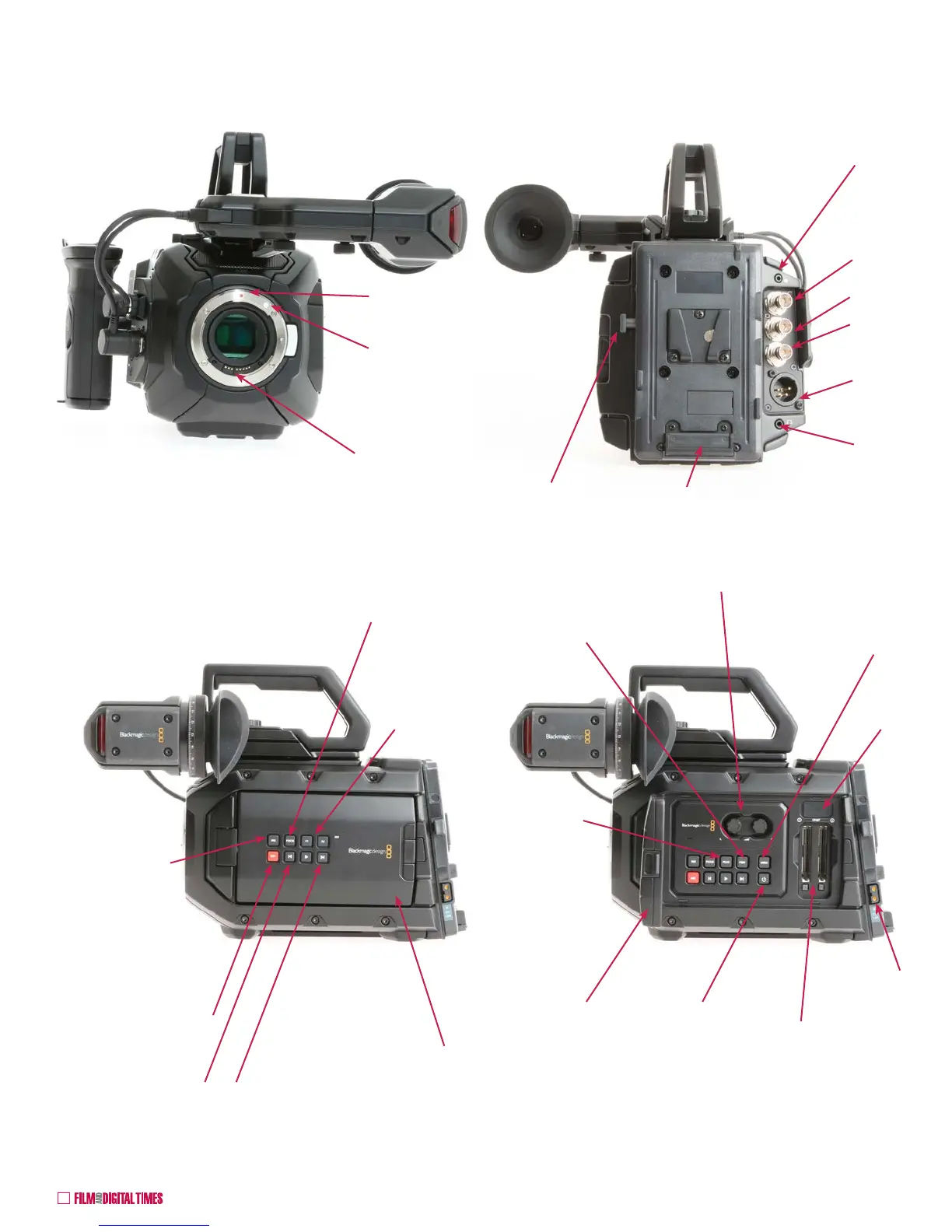
LANC: Start/
Stop, Iris and
Focus Control
12G-SDI OUT
12G-SDI IN
Timecode IN
and REF IN
+12VDC IN
4-pin XLR
Headphones
EF Mount Lens Data
and Power Contacts
Red dot to line up
Full Frame EF lenses.
To help mount
APS-C EF lenses,
add a white dot with
nail polish here.
Blackmagic URSA Mini 4.6K
Fold-out 5”
Monitor /
Touchscreen
RECORD Stop/Start
IRIS: push for auto
exposure on EF
lenses. For manual
exposure of EF
lenses, adjust with
the FWD and REV
arrow buttons.
REV in playback.
IRIS closing down in
Standby or Record
FWD in playback.
IRIS opening up in
Standby or Record
FOCUS: push for Auto
Focus of EF lenses
5” Monitor /
Touchscreen
opened
ON / OFF:
Press to turn
ON. Hold for
3 seconds to
turn off.
CFast slots 1
and 2.
MENU: activates
menu on the
swing-out
touchscreen for
most functions
PROGRAM
toggles between
live view and SDI
input (e.g. live
broadcast)
USB
12 VDC 1.6A
P-Tap
AUDIO levels
Swing-out touchscreen 5” monitor / side cover in the open
position. Some of the buttons on the swing-away 5” monitor cover
are redundant with the buttons underneath. Others are unique.
PEAK: focus
peaking
F1 & F2 can
be mapped
from Setup
Menu
Battery release
V-Mount Battery
Plate. Gold Mount also
available.
Front
Rear
Camera Left - Operator Side
Camera Essentials










 To Next Page