Page 8
SET UP & USE
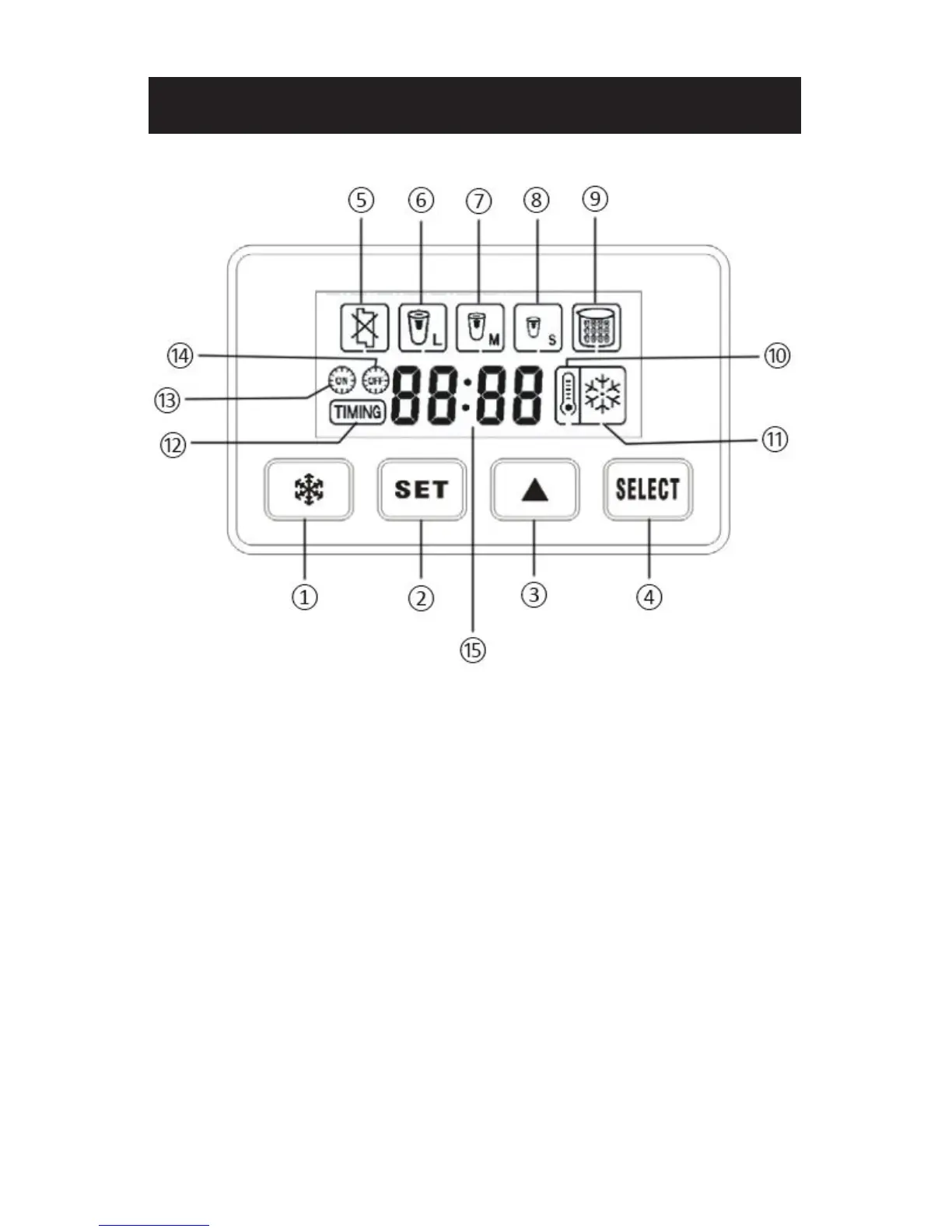
1. Make Ice / Stop making ice (standby) / Enter self-cleaning mode
2. Set real time / turn-on time / turn-o time
3. Adjust hours and minutes of time
4. Select ice cube size - L/M/S
5. Malfunction indication
6. Large size ice cube
7. Medium size ice cube
8. Small size ice cube
9. Ice full indication
10. Low water indication
11. Ice making status indication (flashing when making ice, still when in standby)
12. Real time set indication
13. Auto turn-on set indication
14. Auto turn-o set indication
15. 24-hour type time display (hour : minute)


 To Next Page