12
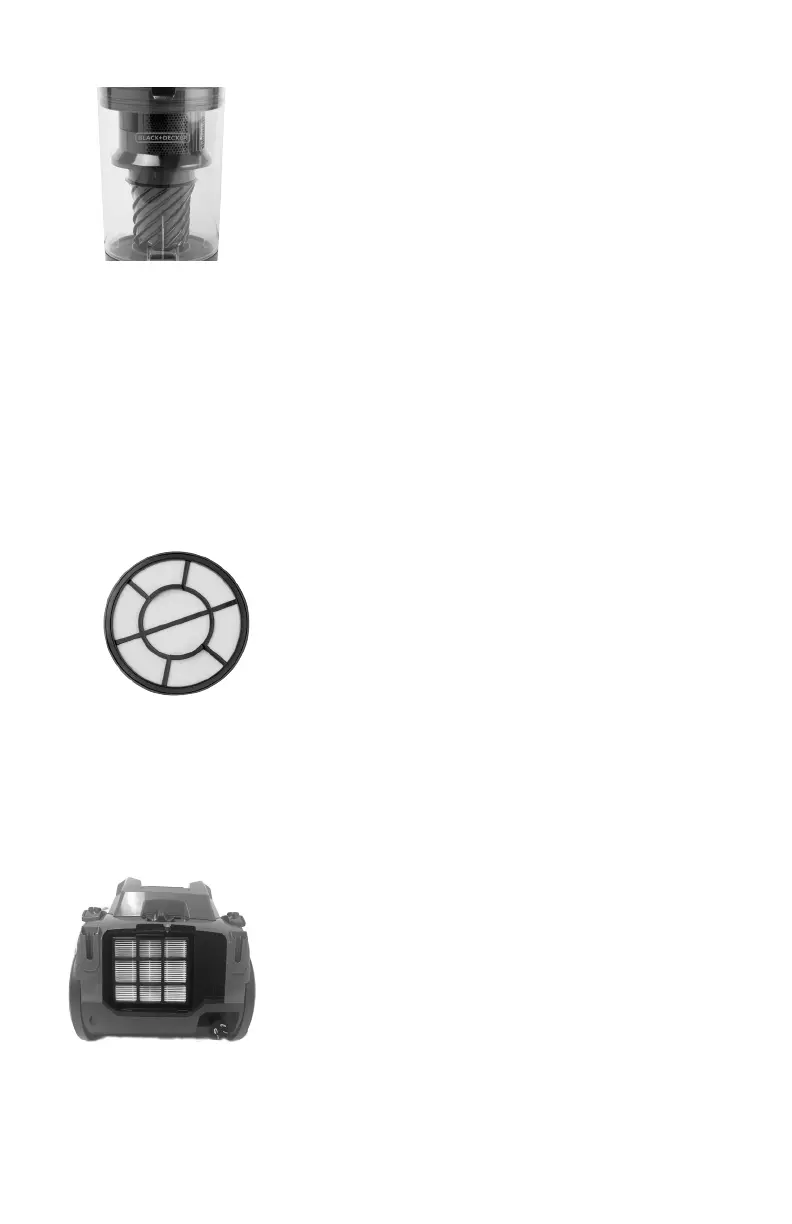
CYCLONIC FILTER
To remove the cyclonic lter
23. Open the lid by pulling the catch at the end of the handle and remove the lter.
24. Grasp the top part of the cyclonic lter and pull it out.
25. Clean cyclonic lter and lter screen using a small brush. If needed, wash with mild soap and rinse with
cold tap water. Do not use any abrasive cleaners.
26. Shake excess water from cyclonic lter and let it dry completely before inserting back into the unit.
To replace cyclonic lter
27. Insert the cyclonic lter into the dust collector and aline the tab on the top of the lter
with the slot on dust collector.
28. Insert the lter back into the dust collector and close the lid.
29. Insert dust collector back in canister compartment.
Tip: Pull on the handle to verify that it is secured in place.
HEPA GRADE INTAKE FILTER
The HEPA grade intake lter is located at the top of the dust collector inside the lid.
30. Open the lid by pulling the catch at the end of the handle.
31. Remove the lter by pressing the lock tab.
32. Clean the sponge and the lter with soap and water, and allow to dry before reinstalling.
33. Insert lter back into the dust collector or replace with a new lter and close the lid.
34. Insert dust collector back in canister compartment.
HEPA EXHAUST FILTER
The HEPA exhaust lter is located at the back of the canister.
35. Push down the left the locking clip on the exhaust lter cover and pull out.
36. Grasp the HEPA lter and pull out.
37. Clean the HEPA lter with soap and water, and allow to dry thoroughly before reinstalling.
38. Insert the HEPA lter back into the canister or replace with a new lter and snap cover back in place.






 To Next Page