EasyManua.ls Logo

BLACKPOINT X32 - User Manual

BLACKPOINT X32
9 pages
Print Icon
To Next Page IconTo Next Page
Loading...
INTERNATIONAL WARRANTY
Terms and Conditions
1. BLACKPOINT warrants the operation of this product to
be free from any manufacturing and/or material defect for a
period of 6 months from the date of purchase by the user.
2. This warranty is limited to the repair and/or replacement
of this product, according to our own criterion, free of
charge within the stipulated term and it does not extend to
consequential or incidental damages to other products that
may be used with this unit.
3. The warranty shall be voided in the following cases: a)
repair or attempt to repair by third parties not authorized
by the company. b) in case of performing any type of cut
in connection cables, plugs, connectors, or other adapters
different from the original ones provided by the company.
4. To make this warranty effective, you shall contact the
Authorized Service Center of your country and they shall carry
out the pertinent procedure. In order to start the necessary
procedure to get said warranty, you shall hand in the Original
Purchase Invoice where the purchase date, dealer name and
product identication shall be stated clearly.
5. Transportation, freight, stay and/or insurance expenses, if
any, are not covered by this warranty.
REPAIR SERVICE
To ask for customer service please call 0810-888-7262.
USER MANUAL
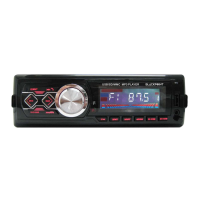
X32 CAR AUDIO
User’s Guide
Thank you for purchasing X32 Blackpoint’s Car Audio.
Please read the manual carefully before operating.
FEATURES
Wireless BT connection
LCD display
FM Radio
USB/SD
Digital clock
AUX-in
Charge up mobile
10Wx4 max output
SPECIFICATIONS
Detachable
12p connector
Size:17.8 x5x8.5cm
FRONT PANEL
MAIN FUNCTION:
1.SD/MMC/USB/MP3 compatible play system
2. Support big capability mobile hard disk play function
3.Total gure radio tuning system
4.Electronic volume control
5.Real-time clock function
6.LED/LCD display
7.High power output
8.RCA line out RCA
BASIC OPERATIONS:
1.
/MUT: Long press this button to power on and mute,
short press to power off.
2. MOD: press this button to choose different mode. FM—
USB—SD-BT.
3.
:During radio mode, brief press this button to auto-
search stations forward, long press to manual search station
forward. During playback mode., short press to play previous
song, long press to go fast forward.In BT station, brief press
to answer the phone.
www.blackpoint.life
WARNING!
To prevent re or electric shock, do not expose this
appliance to rain or moisture.
Do not remove the cover (on the back), there are no
internal parts that can be repaired by the user. Consult
service to qualied service personnel
4.
󴖦󴖦󴖦
: During radio mode, brief press this button to auto-
search stations backward, long press to manual search
station backward. During playback mode., brief press to play
previous song, long pressto go fast backward.In BT station,
brief press to hang up the phone.
5. CLK: Brief press to display clock, long press to enter clock
setting, using volume knob to adjust clock setting.
6.BND: Brief press to switch band range, long press to store
stations.
7. 1/
: During radio mode, brief press to choose number 1
preset stations. During playback mode, brief press to pause,
press again to play.
8.2/INT: During radio mode, brief press to choose number
2 preset station. During playback mode, press to brief play
each song for rst 10 second.
9.3/RPT: During radio mode, brief press to choose number 3
preset station. During playback mode, press to repeat.
10.4/RDM: During radio mode, brief press to choose number
4 preset station. During playback mode, press to random play.
11.5/10-: During radio mode, brief press to choose number
5 preset station. During playback mode, press to jump to
previous 10 songs.
12.6/10+: During radio mode, brief press to choose number 6
preset station. During playback mode, press to next 10 song.
13.VOL: Volume control. During playback mode, brief press
to activate EQ setting, rotate volume knob to choose each
preset EQ.
INSTALLATION AND REMOVING
This unit is designed to prevent the thieves, please x
carefully follow the process of installation.
INSTALLATION
Press the curving lock sheath
of the unit, put the sheath
into dashboard, and then
push the unit into the sheath
till it was locked. But sure
that the unit is installed in an
appropriate situation, so that
the drivers can control the
car normally and prevent the
car from braking suddenly the
passenger will be hurt.
NOTICE
1.Before the unit installation, please check the power
output and check that if the unit works normally.
2.Please use the accessory we offered only, or else beget
needless breakage. If you need to alter the fabric of the car,
please call your seller.
REMOVING
Put the keys given into the
keyholes on the two sides
of the unit, until the lock is
unlocked, then remove the
unit with the keys.
MAINTENANCE
1.Make sure your car battery is a 12 volt.
2.Please check the installation and wire if correct, after
connecting all the,wire, connect the power supply to
the positive of the battery.
3.Please use cramp or tape to make the head of wire is
isolated from the metal of car.
4.Please x all the wire to avoid touch any offset
objects.
CERTIFICATE OF CONFORMITY
PERFORMANCE INDEX
FM
Turning range 87.5MHZ~108MHZ
Antenna terminal connect antenna linker
Middle frequency 10.7MHZ
Practicality sensitivity <=22db
Choice >=45db(400KHZ)
Signal-to-noise radio >=50dB
Band distortion(1khz) <=5%
Separation(1khz) >=22db
Frequency response (100Hz~10kHz)±6dB
POWER AMPLIFFIER SECTION:
Output speacker output
Speaker impedance 4
Maximum power output (10Wx4)
Power supply voltage 12VDc battery
(Negative connect ground sire)
x32
Question and Answer IconNeed help?

Do you have a question about the BLACKPOINT X32 and is the answer not in the manual?

Summary

X32 Car Audio

Features

Lists key features such as wireless BT, LCD display, FM Radio, USB/SD, digital clock, AUX-in, and charging.

Specifications

Details product specifications including detachable design, 12p connector, and dimensions (17.8 x5x8.5cm).

Front Panel

Main Functions

Details the primary functions: MP3 compatibility, hard disk support, radio tuning, volume control, clock, display, and output.

Basic Operations

Explains how to use buttons like Power/Mute, Mode, Play/Pause/Forward/Backward, and Phone Answer.

Installation and Removing

Installation

Step-by-step guide on how to properly install the unit into the dashboard, ensuring secure fitting.

Installation Notice

Important notes before installation: check power output and use only provided accessories to avoid car damage.

Removing

Instructions on how to safely remove the unit from the dashboard using the provided keys.

Maintenance and Wiring

Maintenance Instructions

Guidelines for maintaining the car audio unit, including battery voltage and wire isolation.

Wiring Diagram

Visual guide showing connections for power, speakers, and antenna, with color-coded wires.

Performance Specifications

FM Performance Index

Details FM tuning range, sensitivity, signal-to-noise ratio, and frequency response.

Power Amplifier Specifications

Outlines speaker output, impedance, maximum power, and required power supply voltage.

Warranty and Service

International Warranty Terms

Defines the 6-month warranty period, coverage limitations, and conditions that void the warranty.

Repair Service Contact

Provides a phone number for customer service and repair inquiries.

Safety Precautions

Warning: Electrical Safety

Advises against exposing the appliance to moisture to prevent fire or electric shock.

Service and User Repair

States that internal parts are not user-repairable and service should be handled by qualified personnel.

Overview

The Blackpoint X32 is a car audio system designed to provide a range of entertainment and connectivity features. It is a USB/SD/MMC MP3 player with a detachable front panel, ensuring security and ease of installation.

Function Description:

The X32 car audio system offers a comprehensive set of functions for in-car entertainment. Its core capability is a multi-format play system, compatible with SD, MMC, USB, and MP3 files, allowing users to play music from various digital sources. It supports large-capacity mobile hard disks, expanding the range of playable content. The device includes a total figure radio tuning system for FM radio reception, complemented by an electronic volume control for precise audio adjustments. A real-time clock function is integrated, providing convenience for timekeeping. The system features an LED/LCD display for clear visual feedback of current settings and information. For audio output, it boasts a high power output of 10Wx4 maximum, ensuring robust sound. Additionally, it includes RCA line out for connecting to external amplifiers or subwoofers. A key feature is its wireless BT (Bluetooth) connection, enabling hands-free calling and audio streaming from compatible devices. It also includes an AUX-in port for connecting external audio sources via a cable and a mobile charging function to power up mobile devices.

Important Technical Specifications:

  • Output: 10Wx4 max output
  • Connector: 12p connector
  • Size: 17.8 x 5 x 8.5 cm
  • FM Tuning Range: 87.5MHz ~ 108MHz
  • Antenna: Terminal connect antenna linker
  • Middle Frequency: 10.7MHz
  • Practicality Sensitivity: <=22dB
  • Choice: >=45dB (400KHz)
  • Signal-to-Noise Ratio: >=50dB
  • Band Distortion (1KHz): <=5%
  • Separation (1KHz): >=22dB
  • Frequency Response: (100Hz ~ 10KHz) ±6dB
  • Speaker Impedance: 4 Ohms
  • Power Supply Voltage: 12VDC battery (Negative connect ground sire)

Usage Features:

The X32 offers intuitive controls for various operations:

  • Power On/Off and Mute: A long press of the "/MUT" button powers the device on and mutes it, while a short press powers it off.
  • Mode Selection: The "MOD" button allows users to cycle through different modes: FM, USB, SD, and BT.
  • Track/Station Navigation:
    • In radio mode, a brief press of "►►I" auto-searches stations forward, and a long press manually searches forward.
    • In playback mode, a short press plays the previous song, and a long press fast forwards.
    • In BT mode, a brief press answers the phone.
    • The "◄◄" button performs similar functions in reverse: auto-search stations backward (brief press), manual search backward (long press) in radio mode; plays previous song (brief press), fast forwards (long press) in playback mode; and hangs up the phone (brief press) in BT mode.
  • Clock Function: The "CLK" button displays the clock with a brief press. A long press enters clock setting mode, where the volume knob adjusts the time.
  • Band Selection and Storage: "BND" briefly switches the band range and long presses to store stations.
  • Preset Stations: Numbered buttons (1/II, 2/INT, 3/RPT, 4/RDM, 5/-10/, 6/+10/) allow selection of preset radio stations.
  • Playback Controls:
    • "1/II" pauses playback with a brief press and plays again with another press.
    • "2/INT" briefly plays each song for the first 10 seconds (intro scan).
    • "3/RPT" repeats the current track.
    • "4/RDM" plays tracks in random order.
    • "5/-10/" jumps to the previous 10 songs.
    • "6/+10/" jumps to the next 10 songs.
  • Volume and EQ Control: The "VOL" knob controls the volume. A brief press activates EQ settings, and rotating the knob selects different preset EQs.

Maintenance Features:

Proper installation and care are crucial for the device's longevity and performance.

  • Power Supply: Ensure the car battery is 12 volts. Verify correct installation and wiring before connecting to the battery's positive terminal.
  • Wiring Isolation: Use clamps or tape to isolate wire heads from the car's metal to prevent short circuits.
  • Secure Wiring: Fix all wires to avoid contact with any offset objects.
  • Installation: The unit is designed to prevent theft. It is installed by pressing the curving lock sheath, inserting it into the dashboard, and pushing until it locks. Ensure the unit is in an appropriate position for safe driver control.
  • Pre-Installation Check: Before installation, check the power output and confirm the unit works normally.
  • Accessory Use: Only use accessories provided by the manufacturer to prevent damage. Contact the seller if car fabric alteration is needed.
  • Removal: To remove the unit, insert the provided keys into the keyholes on both sides until the lock is disengaged, then pull the unit out.
  • Safety Warning: To prevent fire or electric shock, do not expose the appliance to rain or moisture. Do not remove the cover (on the back) as there are no user-serviceable internal parts. Consult qualified service personnel for repairs.

International Warranty:

Blackpoint provides a 6-month warranty from the purchase date against manufacturing and material defects. This warranty covers repair or replacement at Blackpoint's discretion and does not extend to consequential or incidental damages to other products. The warranty is voided if repairs are attempted by unauthorized third parties or if connection cables, plugs, connectors, or adapters different from the original ones are used. To claim warranty service, contact the Authorized Service Center in your country and provide the Original Purchase Invoice with the purchase date, dealer name, and product identification clearly stated. Transportation, freight, stay, and insurance expenses are not covered by the warranty. For repair service, customers can call 0810-888-7262.

BLACKPOINT X32 Specifications

General IconGeneral
BrandBLACKPOINT
ModelX32
CategoryCar Receiver
LanguageEnglish