1110
17. Speaker Emulated Output & Headphones
This output emulates the tonal characteristics of a guitar speaker cabinet and
provides a natural valve overdrive tone for connection to a recording device or mixing
desk, and for use with headphones. To make full use of the stereo reverb, use a
stereo jack to two mono jacks splitter lead to feed two channels of the recording
device or mixer (see diagram below). The output will also function into a mono guitar
type lead. Always use a good quality screened lead.
NOTE: When a lead is connected here, the combo’s internal speaker is disconnected.
18. Power
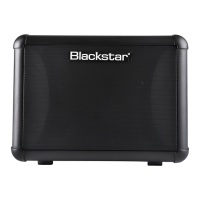
This switch is used to turn the SUPER FLY on and o; when using batteries, the
SUPER FLY’s power light will dim as the power in the batteries runs out.
19. Power Indicator Light
The power indicator will light when the amplier is switched on.
20. Bluetooth
Your SUPER FLY Bluetooth amplier is equipped with Bluetooth connectivity for
wirelessly streaming your favourite music and backing tracks. Press this switch to
pair a Bluetooth device to your SUPER FLY Bluetooth amplier and toggle between
the modes of operation (see below).
Discoverable Mode (slow LED flash)
To connect a Bluetooth device to your SUPER FLY Bluetooth amplier for the rst
time you must make a ‘pairing’ between the two devices. To pair, simply press
and hold the Bluetooth switch on your SUPER FLY Bluetooth amplier until the
Bluetooth LED displays a slow ash. In this state other Bluetooth devices are able
to ‘see’ your SUPER FLY Bluetooth amplier (hence the term ‘Discoverable’) and
can make a request to pair.
Whilst the Bluetooth LED is ashing slowly, go to the Bluetooth Settings page of
your Bluetooth device and look for your SUPER FLY Bluetooth amplier in the list of
available devices. Your amplier will be identied as ‘SUPER FLY BT’. When ‘SUPER
FLY BT’ appears, simply select this device and wait a few moments for the pairing
to be made. You will hear an audible tone from the amplier to indicate that a device
has been successfully connected.
If a pairing has not been made within the Discoverable Mode timeout window, the
Bluetooth connectivity will switch o and will wait for user input in order to attempt a
new pairing. Simply press and hold the Bluetooth switch again to enter Discoverable
Mode and restart the pairing process.
Pressing the Bluetooth switch while in Discoverable Mode will put your SUPER FLY
Bluetooth amplier into Scanning Mode.
Scanning Mode (fast LED flash)
Scanning Mode is used to reconnect any previously paired Bluetooth devices to your
SUPER FLY Bluetooth if they have travelled out of range or have been disconnected.
Ensure your previously paired Bluetooth device has Bluetooth connectivity switched
on. Press the Bluetooth switch once to put the SUPER FLY Bluetooth into Scanning
Mode; your amplier will ‘scan’ for previously paired devices within range and
attempt to reconnect, starting with the device that was most recently connected.
You will hear an audible tone from the amplier to indicate that a device has been
successfully reconnected.
If you have previously paired any Bluetooth Devices to your SUPER FLY Bluetooth
amplier it will power on in Scanning Mode. If your Bluetooth device is within
range and has Bluetooth connectivity switched on, your amplier will automatically
reconnect to your device, allowing you to start streaming your music straight
away. Pressing the Bluetooth switch from Scanning Mode will set your amplier to
Discoverable Mode in order to begin pairing a new device. At any time, you may
disconnect your Bluetooth device from your amplier by either pressing and holding
the Bluetooth switch on the amplier front panel for 3 seconds or switching o
the Bluetooth functionality of your device. You will hear an audible tone from the
amplier to indicate that a device has been disconnected.
21. Bluetooth LED
The Bluetooth LED indicates which mode the Bluetooth is in (Discoverable/
Scanning). When the Bluetooth LED is unlit the Bluetooth connectivity is not active.
English
English


 To Next Page
 Loading...