The Blackstar Unity Pro Bass System is a series of bass amplifiers (U250, U500) and an active cabinet (U250ACT) designed to provide bassists with versatile tone-shaping capabilities and powerful amplification. This system is the result of extensive research and development, aiming to deliver rock-solid bass, detailed dynamics, and innovative features in a compact package.
Function Description:
The Unity Pro Bass amplifiers are designed to be the ultimate tools for self-expression for bass players. They feature a unique Response control that allows users to tailor the feel and dynamics of the power stage, offering the sag, compression, and tonality of three classic power amp stages (LINEAR, 6L6, 6550). This control, combined with three distinct preamp voicings (CLASSIC, MODERN, FLAT), each with a unique 3-band semi-parametric EQ character, provides infinitely flexible bass tone and exceptional feel. The system aims to bridge the gap between the organic response of classic valve amps and a transparent clean platform.
The U250ACT Active Cabinet extends the Unity Pro Bass System by adding 250W of active power. It can be connected to any Unity Pro Bass combo to create a modular setup with near-limitless power. The U250ACT can also function standalone with external preamps, amp modelers, or effects processors.
Usage Features:
Front Panel Controls (U250, U500):
- Input: For connecting your bass guitar. It is recommended to use a good quality screened instrument cable.
- Clip Indicator: An LED that illuminates when the input stage is clipping. While clipping the input stage will not damage the amplifier, it can be a desirable tonal characteristic.
- Pad Switch: Allows selection of a gain range (0dB for passive pickups, -10dB for active pickups) to match your instrument's output.
- Gain: Controls the input signal's gain to the preamp stage. It can be used to achieve a pristine clean tone or to vary the amount of distortion when using the Drive control.
- Voice Select: Offers three distinct preamp voices:
- CLASSIC: Valve-inspired growl with vintage EQ.
- MODERN: High headroom dynamics and advanced EQ.
- FLAT: Totally flat, clean, and transparent with studio-style EQ.
- Drive: Blends in a desired amount of distortion from three distinct Drive types:
- OVERDRIVE: Smooth, open, harmonically-rich overdrive.
- DIST: Balanced pedal-like distortion.
- FUZZ: In-your-face full-on fuzz.
The Drive circuit is bypassed when the control is at its minimum.
- Equalisation (LOW, MID LEVEL, MID FREQUENCY, HIGH): An advanced semi-parametric EQ that adapts to the selected Voice, offering ultimate flexibility in tone shaping.
- Effect Select: Allows selection of OFF, CHORUS, or OCTAVE effects. The levels of these effects are adjusted via dedicated controls on the rear panel.
- Response: Blackstar's unique control to tailor the feel and dynamics of the power stage, offering three power amp responses:
- LINEAR: Powerful and articulate.
- 6L6: Compression and punch of 6L6 power valves.
- 6550: Dynamics and headroom of high power 6550s.
- Compressor Level: Adjusts the overall amount of compression by simultaneously modifying threshold, attack, release, and make-up gain.
- Compressor Select: Switches the Compressor on or off.
- Master Volume: Controls the overall output volume of the amplifier. Setting it to zero enables silent practice or recording through the Line Output connections.
- Power Indicator: Illuminates when the amplifier is on and can flash to indicate a fault state or protection mode.
Rear Panel Connections (U250, U500):
- Power Switch: Turns the amplifier on and off.
- Mains Input: For connecting the detachable mains power cable.
- Footswitch: Connects the included FS-13 2-way footswitch or the optional FS-12 5-way footcontroller.
- MP3 / Line In: A 3.5mm input for playing audio from external devices (e.g., phones, MP3 players) through the amplifier. The signal is mixed to the headphones output but not the XLR Line Output.
- Line Out (USB): A Mini-B-type USB socket for connecting to a computer for multi-channel audio recording. It provides four independent, simultaneous channels:
- Channel 1 (Stereo emulated, left): Fully processed bass sound with speaker cabinet emulation, including the left channel of the internal stereo chorus.
- Channel 2 (Stereo emulated, right): Fully processed bass sound with speaker cabinet emulation, including the right channel of the internal stereo chorus.
- Channel 3 (Preamp output): Preamp sound of the Voices and EQ stage, without speaker cabinet emulation, suitable for use with external effects and cabinet emulation plugins.
- Channel 4 (Unprocessed dry D.I. signal): Direct signal from the bass guitar as received by the amplifier, useful for reamping.
The amplifier can also receive audio input from the computer via USB for monitoring or reamping.
- Headphones: A stereo 1/4" output for headphones, allowing for monitoring or silent practice. The output signal is influenced by the Line Out Level knob and Em. Out/D.I. switch.
- Line Out Level: Controls the signal level sent to all Line Outputs (USB, Headphones, XLR).
- Emulated Output / D.I. Switch: Determines whether the Headphone and XLR Line Outputs receive the full preamp signal with speaker cabinet emulation (Emulated Output) or the direct signal from the bass guitar after the input Gain and Pad switch (D.I.).
- XLR Line Out: A balanced output for connecting to a PA, mixing desk, or recording interface.
- Ground Lift: Removes the circuit-to-chassis ground connection of the XLR output to help eliminate hum or noise when connecting to external devices.
- Effects Loop Send: Mono output for connecting to the input of an external effects unit or for direct recording as a preamp output.
- Effects Loop Return: Mono input for connecting the output of an external effects unit.
- Chorus Level: Adjusts the amount of fixed-rate chorus effect mixed with the original signal.
- Octave Blend: Adjusts the mix of octave down and octave up effects when Octave is selected.
U250ACT Active Cabinet Rear Panel:
- Power Switch: Turns the active cabinet on and off.
- Mains Input: For connecting the detachable mains power cable.
- Power Indicator: Illuminates when the active cabinet is on.
- Cabinet Link/Line Input: Balanced audio input for connecting to a Unity Pro Bass combo's Cabinet Link output or external preamps/processors.
- Cabinet Link/Line Thru: Sends the input audio signal directly to this output for linking additional U250ACT cabinets.
- Ground Lift: Removes the circuit-to-chassis ground connection of the Cabinet Link Thru to help eliminate hum or noise.
- Volume: Controls the independent volume level of the U250ACT.
- Speaker Input: Allows the U250ACT to be used as a traditional passive speaker cabinet, connecting to an external amplifier.
- FS-13 2-way footswitch (supplied): Button 'A' toggles Drive on/off. Button 'B' toggles Effect on/off.
- FS-12 5-way footcontroller (optional):
- Button 'A' scrolls through Voices (CLASSIC, MODERN, FLAT).
- Button 'B' toggles Drive on/off and allows selection of Drive type (OVERDRIVE, DIST, FUZZ) by pressing 'A' and 'B' simultaneously (scroll 'down') or 'B' and 'C' simultaneously (scroll 'up').
- Button 'C' toggles Chorus on/off.
- Button 'D' toggles Octave on/off.
- Button 'E' engages the chromatic tuner, muting all sound output.
- FS-12 + FS-13 7-Way Switching: When both footswitches are connected, the FS-13's buttons gain new functions: Button 'A' toggles Compressor on/off, and Button 'B' toggles Effects Loop on/off.
Reamping:
The Unity Pro Bass amplifier supports reamping, a useful recording tool. When a USB connection is present and no instrument is plugged into the input socket, Reamping Mode is automatically activated. This allows a pre-recorded, dry D.I. signal to be sent via USB to the amplifier's input stage. The preamp and effects settings can then be adjusted, and the re-processed signal can be re-captured via USB. This enables experimentation with different tones and effects after the initial recording, without needing to re-record the performance.
Maintenance Features:
- General Safety: The manual emphasizes reading and keeping all safety instructions, heeding warnings, and following all instructions.
- Cleaning: Clean the apparatus only with a dry cloth.
- Ventilation: Do not block any ventilation openings. Install in accordance with the manufacturer's instructions and away from heat sources.
- Environmental Protection: Avoid exposing the apparatus to rain, liquids, or moisture. Do not place liquid-filled vessels on top of the amplifier.
- Power Cord Care: Protect the power cord from being walked on or pinched. Use only the supplied power cord compatible with local mains voltage. Never break off the earth (ground) pin. Unplug the power cord when the unit is unused for long periods.
- Fuse Replacement: Always replace damaged fuses with the correct rating and type.
- Servicing: Do not open the equipment case as there are no user-serviceable parts inside. Refer all servicing to qualified service personnel. Contact support if the Power Indicator continuously flashes, indicating a fault.
- Condensation: If the amplifier is moved from a cold to a warmer environment, allow it to reach room temperature before switching it on to prevent condensation.
- Hearing Protection: High loudspeaker levels can cause permanent hearing damage. Avoid direct vicinity of loudspeakers operating at high levels and wear hearing protection if continuously exposed.
- USB Recording Guide: Blackstar provides a guide for low-latency USB recording on their website.
- Electrical and Electronic Product Disposal: All electrical and electronic products should be disposed of separately from municipal waste streams via designated collection facilities.

 Need help?
 General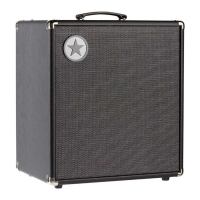

 To Next Page