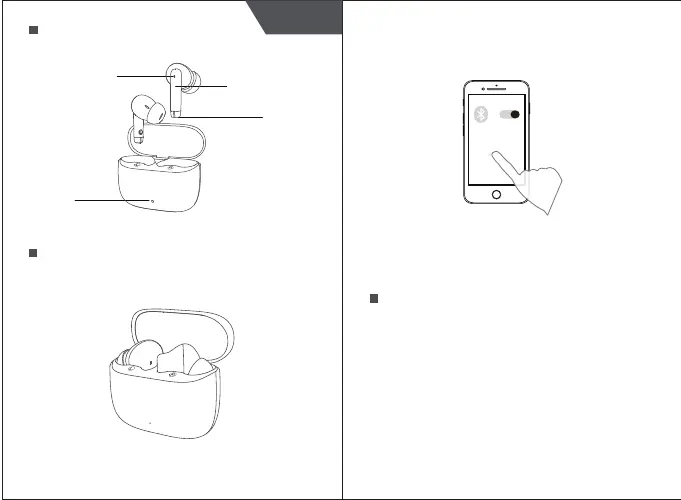
2. Turn on the Bluetooth function of device, and select
“AirBuds 4". If the connection is successful, there will be
a voice prompt.
Note: The above steps are applicable for the first pairing.
After that, when you take the earphones from the
charging box, they will automatically turn on and
connect to device.
Specification Parameters
Type: AirBuds 4
Bluetooth ver.: 5.3
Battery type: Polymer lithium battery
Effective range of Bluetooth: > 10m
Bluetooth frequency: 2.402 ~2.480 GHz
Dynamic-coil size: Φ 13mm
Dynamic frequency response: 20Hz~20KHz
Battery capacity (charging box): 400mAh
Charging time (charging box):<2 h
Charging time (earphones):<1.5 h
Playback time: 7 h (80%)
Product Introduction
Device Connection
1. Open the cover of the charging box, and find two
earphones, which blink in red/blue to indicate pairing
state.
AirBuds 4
1 2
English
Multifunctional Area
Microphone
Indicator Light
Indicator
Light


 To Next Page