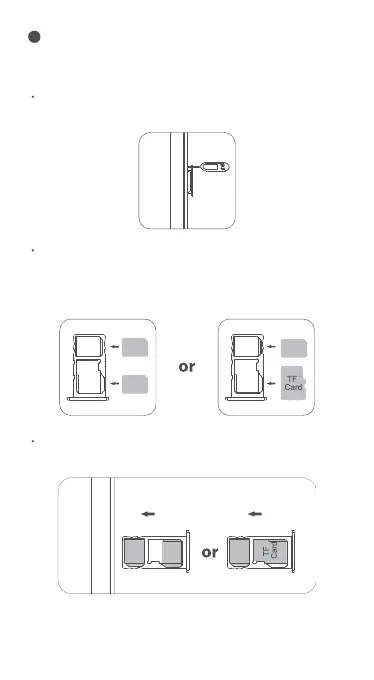
Take out the card slot and place the Nano card or Nano card
and TF card with the metal side facing down. Make sure the
bevel angle is aligned with the bevel angle of the card slot
and placed in the corresponding card slot.
To make sure your pad be able to call, put the
SIM card in the following order.
Press the card pin into the side hole and then the card
tray pops up and pull out it.
Insert the card tray into the device following the direction
of the arrow.
How to insert the card
1
SIM 1
SIM 2
SIM 1






 To Next Page