4
Insertion of SIM Cards and a Memory Card
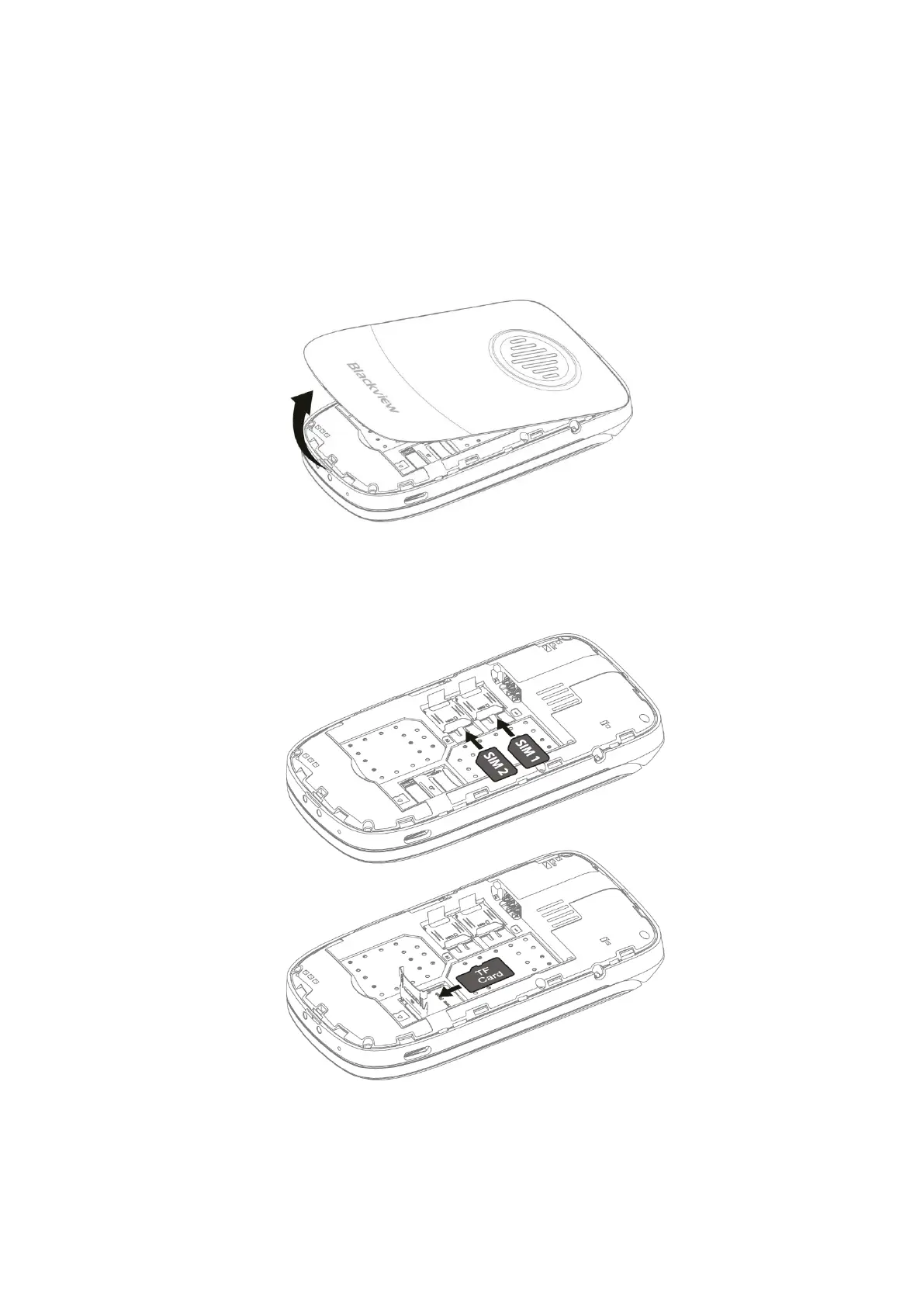
To make sure your phone will be able to make and receive calls, insert the SIM card in
the following order. Use your fingernail to catch the small notch at the top of the phone,
then pry open the back cover and remove it. If there is a battery in the phone, please
remove it.
Slide to open or close according to the markings on the metal cover. Make sure the
bevel is aligned with the bevel of the card slot and put it into the corresponding card
slot.







 To Next Page