
 Need help?
Do you have a question about the Blackview BV9200 and is the answer not in the manual?
Instructions on how to turn on the phone by pressing the power button for 3-5 seconds.
Guide on composing and sending text messages or messages with pictures/videos.
Steps to change the phone's language through system settings.
Details on the phone's IP68 certification for dust, water, and drop resistance.
 General
| Display Size | 6.6 inches |
|---|---|
| Resolution | 2408 x 1080 pixels |
| Display Type | IPS LCD |
| Refresh Rate | 120Hz |
| Processor | MediaTek Helio G96 |
| RAM | 8GB |
| Storage | 256GB |
| Rear Camera | 50 MP + 8 MP + 0.3 MP |
| Front Camera | 16 MP |
| Battery Capacity | 5000mAh |
| Operating System | Android 12 |
| MIL-STD-810H Compliance | Yes |
| Weight | 310g |
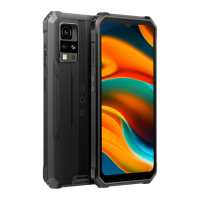
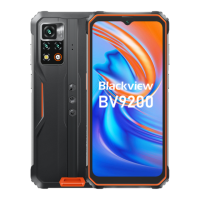
| Colors | Black, Orange, Green |
| Network | 4G LTE |
| SIM | Dual SIM (Nano-SIM, dual stand-by) |
| Bluetooth | 5.2 |
| NFC | Yes |
| Fingerprint Sensor | Side-mounted |
| Water/Dust Resistance | IP68, IP69K |
| USB | USB Type-C |
| Other Features | Reverse Charging |

 To Next Page