4
Charging Mode
When the stylus pen is connected to an external power source, the red light will blink, and
the blue light will remain unlit. In this state, it can be used normally. When fully charged,
the red light will go out, and the blue light will remain on. At this point, it can be used
normally. Once the stylus pen is unplugged from the external power source, it will enter
the Operation Mode.
Operation Mode
The stylus pen can be used normally. Upon entering this mode, the blue light will remain
on for five seconds to indicate it has successfully started up. If the pen tip is not pressed
for about two minutes, the pen enters sleep mode.
Low Battery Warning
The stylus pen can be used normally, and the red light remains on. If the pen tip is not
pressed for about two minutes, it will enter sleep mode – same as during a normal
operation. However, if the battery is not charged in a timely manner, further power loss
will trigger a low-power shutdown in order to preserve the battery life.
Replacing the Pen Tip
The pen tip may wear out due to daily use, and writing on rough screen protectors can
accelerate this wear. It is recommended to replace the pen tips as soon as the spare ones
run out. Please store the stylus pen safely to prevent it from falling and damaging the pen
tip.
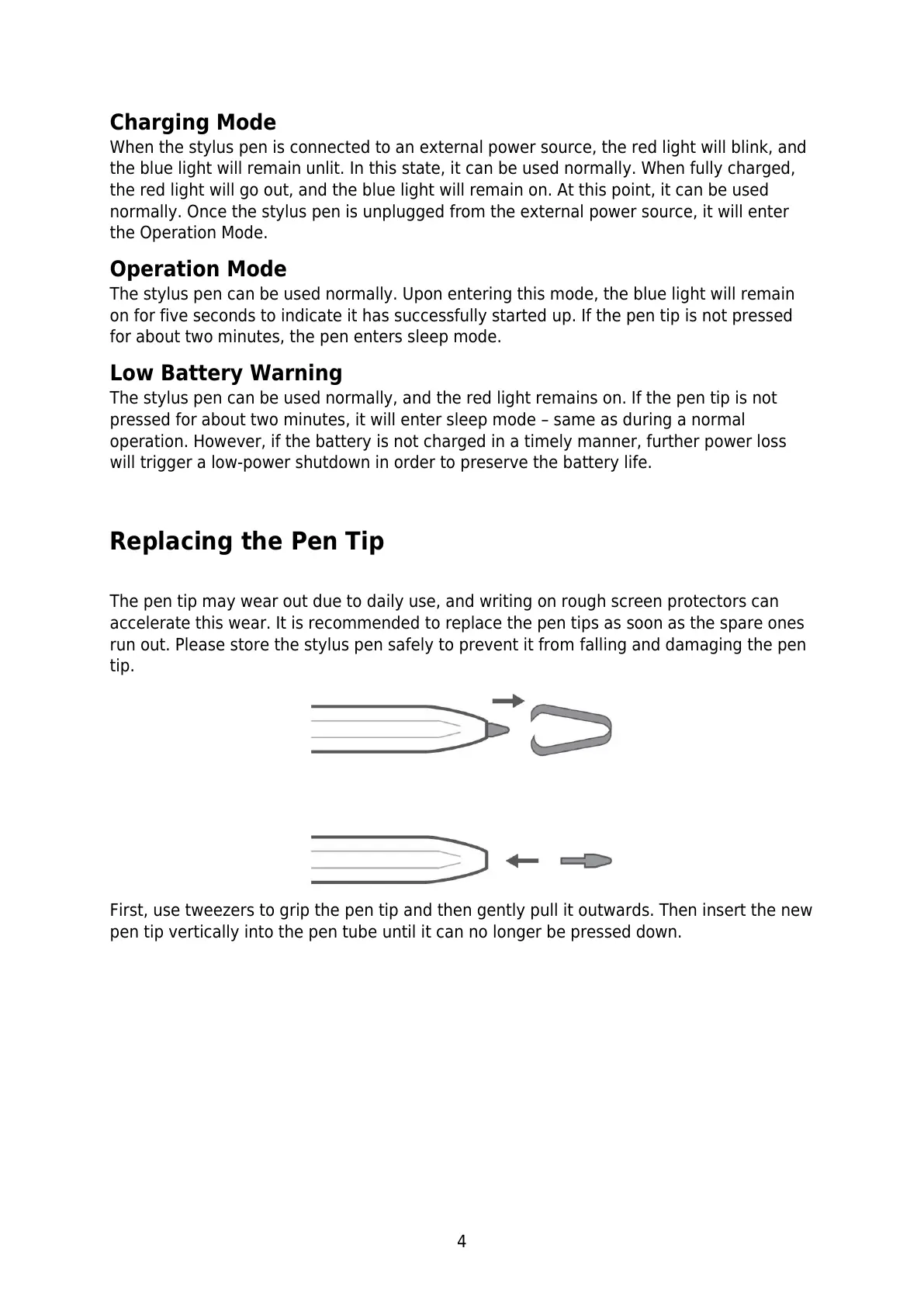
First, use tweezers to grip the pen tip and then gently pull it outwards. Then insert the new
pen tip vertically into the pen tube until it can no longer be pressed down.



 To Next Page