TV
BRAY/DVD
SAT/CBL
AMP
STREAM
AUX
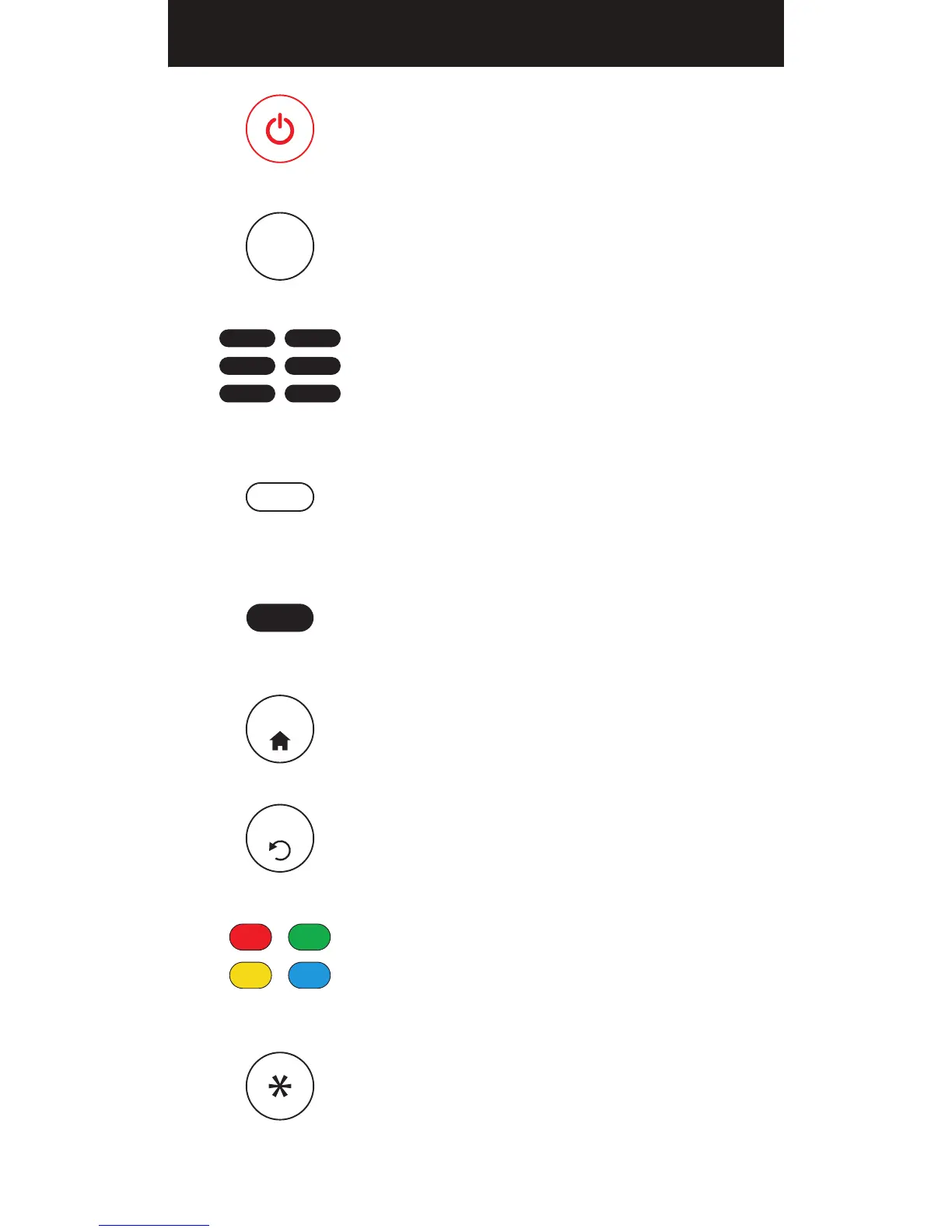
POWER
Turns your device On/Off and also serves as an
indicator when the remote is being programmed
INPUT
Switches between the sources connected to your TV
DEVICE CATEGORIES
Use these buttons to select the device you want
to control
SLEEP
Activates and toggles the device’s sleep timer
(if supported)
PROGRAM
Use to put your remote in programming mode
APPS
Use to access your smart TV’s apps (if supported)
BACK
Return to the previous menu or screen
A, B, C, D BUTTONS
Use to access device shortcuts for additional
features or custom apps on your device (if supported)
INFO
Use to access on-screen content description and
information
GETTING STARTED BUTTONS
PROGRAM
INPUT
SLEEP
BACK
A B
C D
APPS
04


 To Next Page