EasyManua.ls Logo

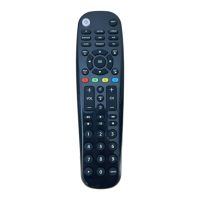
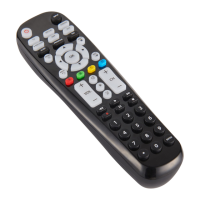
Blackweb BWB18AV004 - User Manual

Blackweb BWB18AV004
18 pages
Print Icon
To Next Page IconTo Next Page
Loading...
6-Device
User Guide
v1.8
BWB18AV004
AMP
PROGRAM
AUX
INPUT
FAV
ENTER
1 2 3
4 5 6
7 8
0
9
+ +
CH
SAT/CBL STREAMTV
BRAY/DVD
GUIDE
VOL CH
MENU
BACK
APPS
EXIT
OK
A B C D
INFO
Question and Answer IconNeed help?

Do you have a question about the Blackweb BWB18AV004 and is the answer not in the manual?

Summary

GETTING STARTED (BATTERIES)

Installing the Batteries

Step-by-step instructions for installing AA batteries into the remote control.

Battery Precautions

Guidelines for safely mixing, using, and disposing of batteries.

Low Battery Indicator

Explanation of the indicator light that signals when batteries need replacement.

Code Saver

Information on the time limit for replacing batteries to retain programmed codes.

Battery Saver

Details on the automatic power-off feature to conserve battery life.

GETTING STARTED (BUTTONS)

PROGRAMMING YOUR REMOTE (DIRECT CODE ENTRY)

PROGRAMMING YOUR REMOTE (AUTO CODE SEARCH)

FAVORITE CHANNELS

VOLUME LOCK

CHANNEL LOCK

CODE IDENTIFICATION

RESET TO FACTORY DEFAULT SETTINGS

TROUBLESHOOTING

FCC INFORMATION

LIMITED 90-DAY WARRANTY

Blackweb BWB18AV004 Specifications

General IconGeneral
BrandBlackweb
ModelBWB18AV004
CategoryUniversal Remote
LanguageEnglish

Related product manuals