S30, S31, S32
14
www.blaubergventilatoren.de
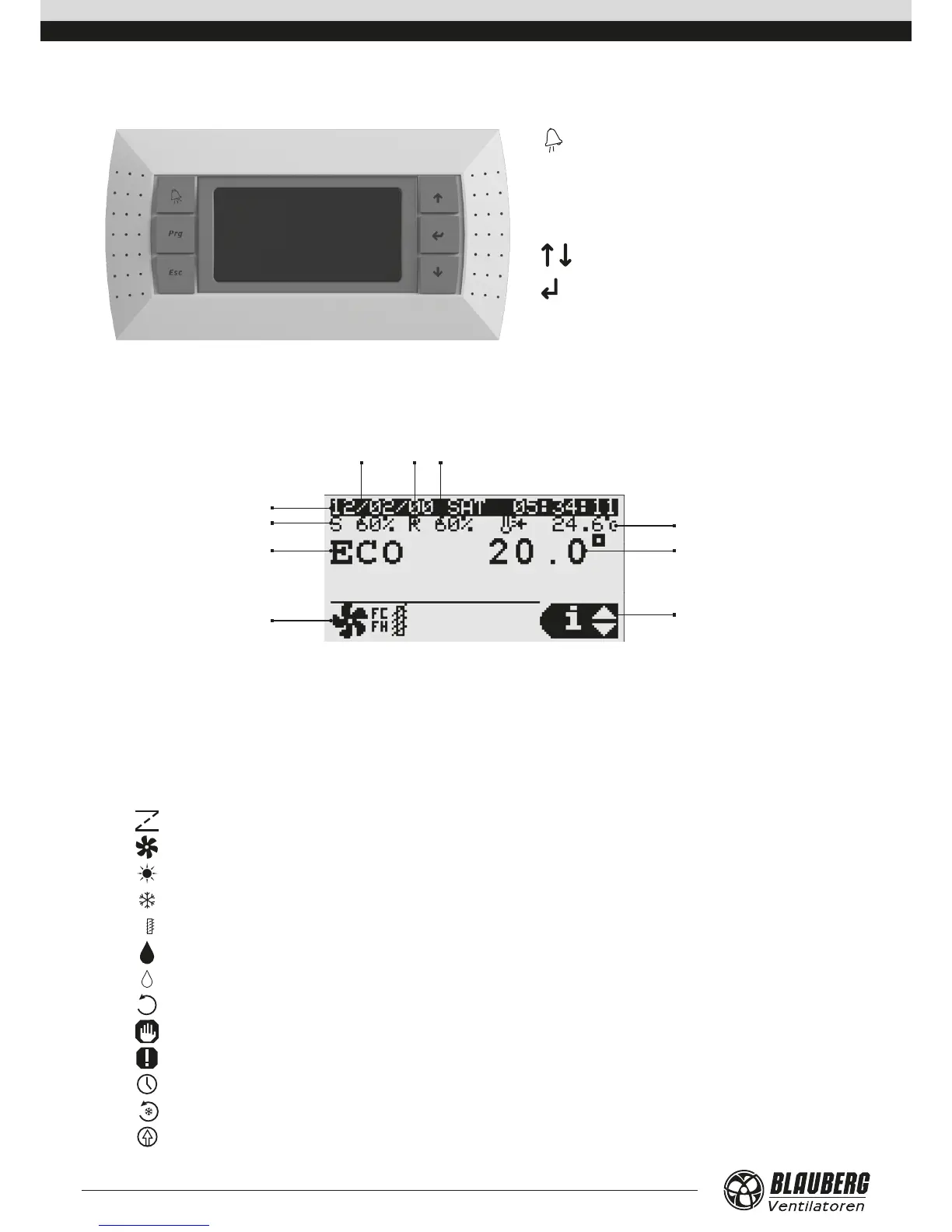
PGDE CONTROL PANEL
The control panel has 6 buttons:
(ALARM): manual reset of alarm signals.
Prg (PRG): operation mode editing.
Esc (ESC): return to previous display.
, (UP, DOWN): moving between displays screens
or increasing/decreasing values
(ENTER): data validation and reset to parameter list
UNIT START
After connection of the unit to power mains the controller is loaded and the home page opens.
5
6
7
2
1
8 9 10
3
4
1. Day and time.
2. Supply fan is on.
3. Operation mode.
STOP
ECONOMY
PRECOMFORT
COMFORT
AUTO
4. Current unit condition.
— damper opening/closing
— fan run
— heating
— cooling



 To Next Page