Need help?
Do you have a question about the Blaupunkt 32/147Z-GB-5B-HKUP and is the answer not in the manual?
Covers fire/shock risks, operational safety, plug, and vibration precautions.
Guidance on cleaning the TV and keeping original packaging for service.
Instructions for environmentally friendly disposal of the TV and batteries.
List of accessories provided with the TV, such as user guide, remote, batteries, and cables.
Step-by-step instructions for attaching the stand neck and base using provided screws.
Instructions on how to remove the TV stand by unscrewing it from the rear.
Guidance on fitting anti-tip straps to secure the TV safely and prevent tipping.
Important notes before drilling and steps for attaching a wall mount to the TV.
Detailed description of the remote control buttons and their functions.
Explanation of the physical TV buttons and how to select input sources.
Diagram and list of all available input and output ports on the TV.
Guides for connecting devices using Composite AV/Video and SCART cables.
How to connect devices using HDMI cables for high-quality audio/video.
Guides for connecting Component/YPbPr and VGA/PC devices.
Options for connecting external audio devices like amplifiers or sound bars via the earphone output.
How to access and use the Channel Menu for tuning and channel management.
Explains Picture Mode presets and manual adjustments like brightness, contrast, colour, and sharpness.
How to adjust the picture aspect ratio for different broadcast formats.
Options for reducing picture noise and system adjustments.
How to adjust sound modes, balance, auto volume, and digital output.
Options for setting the clock, time zone, sleep timer, OSD timer, and auto standby.
Settings for language, audio, subtitles, hearing impaired, blue screen, first time installation, HDMI CEC, software updates, and reset.
Options for system/hotel lock, changing password, channel lock, parental guidance, TV button lock, default source/channel, max volume, and source lock.
How to access and navigate the 7-day TV guide for programme information and reminders.
Instructions on how to view and manage the list of available TV channels.
Explains the USB record facility for pausing live TV, one-button recording, and programmable recording.
How to use the USB mode to play back photos, music, and movies from a memory stick.
Instructions for connecting the TV to a Sky digital set-top box via SCART or HDMI.
How to program Sky or Universal remotes to control the TV functions.
Answers to common questions regarding sound, menu options, auto-off, channel tuning, recording, and USB recognition.
Detailed specifications including model ID, screen size, power consumption, resolution, and inputs/outputs.
Lists compatible media file types (video, audio, photo) and their codecs for USB playback.
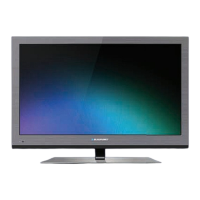
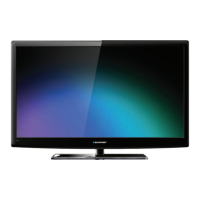
This document is a user guide for a Blaupunkt HD Ready LED TV with Freeview and USB PVR. It provides comprehensive instructions for setting up, operating, and maintaining the television, ensuring a safe and enjoyable user experience.
The Blaupunkt HD Ready LED TV serves as a primary display device for various forms of media, including broadcast television, digital content from external sources, and media stored on USB devices. Its core function is to provide high-definition visual and audio output. The TV is equipped with Freeview, allowing access to a wide range of digital television and radio channels without the need for a separate set-top box. The integrated USB PVR (Personal Video Recorder) functionality enables users to record, pause, and rewind live TV, offering enhanced control over their viewing experience. This feature transforms the television into a more interactive and flexible entertainment hub. The TV supports multiple input sources, including HDMI, SCART, Component, Composite AV, and VGA/PC, making it compatible with a broad array of external devices such as DVD players, game consoles, and computers. It also includes audio outputs for connecting to external sound systems, providing flexibility for enhanced audio experiences.
The television is designed for ease of use, with a straightforward remote control and on-screen menu system.
Proper maintenance ensures the longevity and optimal performance of the television.
 General
| Screen Size | 32 inches |
|---|---|
| Display Type | LCD |
| HDMI Ports | 3 |
| USB Ports | 1 |
| Smart TV | No |
| Backlight | LED |
| HD Ready | Yes |
| Energy Efficiency Class | A |
| Resolution | 1366 x 768 |
| Built-in Tuner | DVB-T2/C |


 To Next Page