24
EN
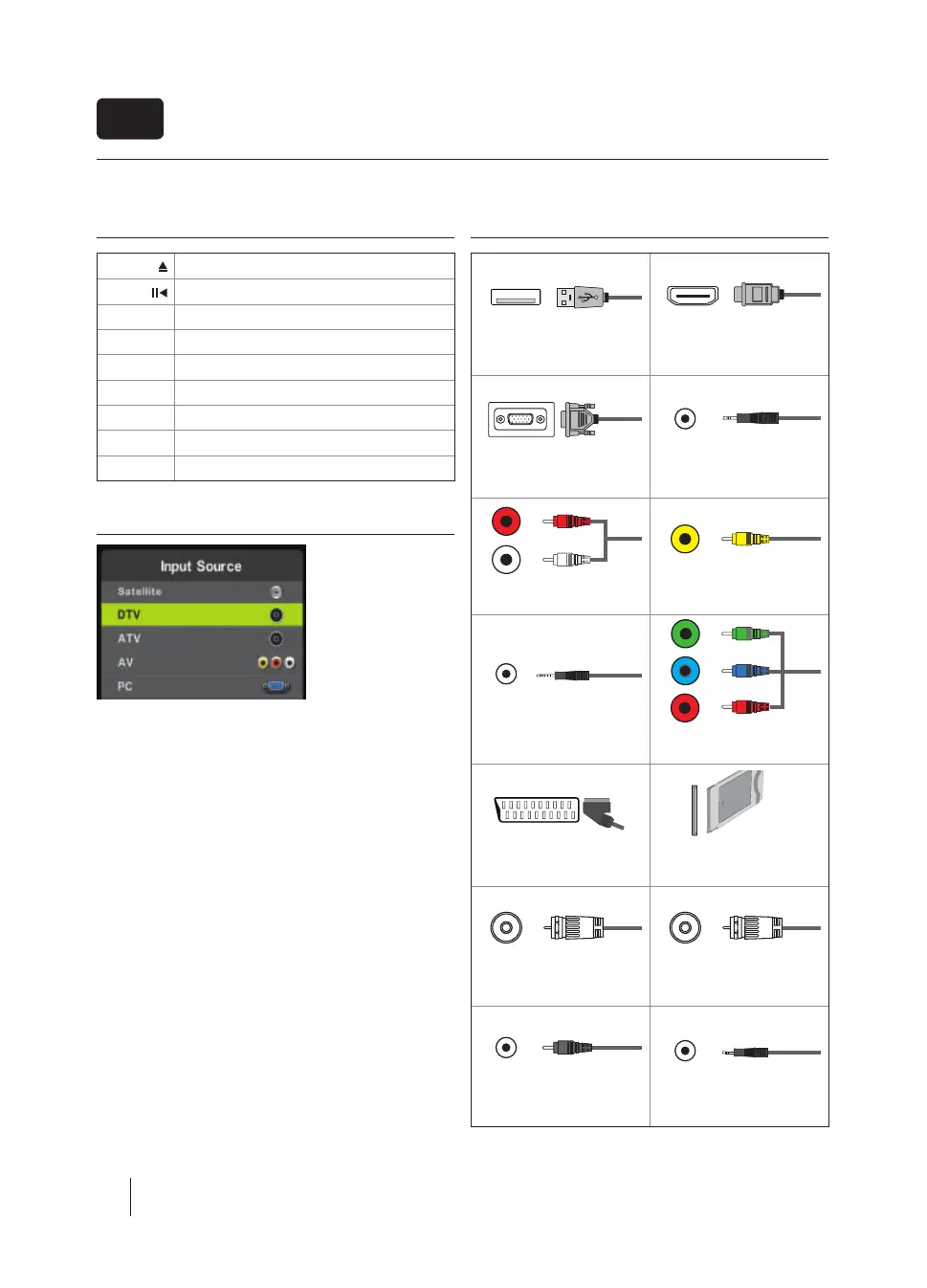
TV buttons & Source menu
Eject *
Play / Pause *
Vol+ Volume up and menu right
Vol- Volume down and menu left
CH+ Programme/Channel up and menu up
CH- Programme/Channel down and menu down
MENU Displays Menu/OSD
SOURCE Displays the input source menu
STANDBY Standby Power On/O
Choosing Mode Input/Source
To switch between the di erent input/connections.
a) Using the buttons on the remote control:
1. Press [SOURCE/ AV] - The source menu will appear.
2. Press [ź] or [Ÿ] to select the input you require.
3. Press [OK].
b) Using the buttons on the Television:
1. Press [SOURCE].
2. Scroll up / down using CH+/ CH- buttons to the input/source
you require.
3. Press Vol+ to change input/source to the one selected.
Connections
USB
USB-Input
HDMI 1, 2*, 3* in
HDMI-Input 1, 2, 3*
VGA(PC) *
VGA PC-Input
VGA (PC) Audio In *
3.5mm PC audio input
L
R
W R
Y
R/L - Video & YPbPr audio In *
Component / Video audio input
Video (CVBS) *
VIDEO Input
R
G
B
Mini YPbPr *
Mini Component HD Input
YPbPr *
Component HD Input
SCART *
SCART-Input
CI Card IN
SCART input
RF In
RF / TV Aerial Input
Sat In *
Satellite Input
COAX Audio Out *
Digital Coax output
HEADPHONES
3.5mm Headphone output
* - Only on supported devices
*



 To Next Page