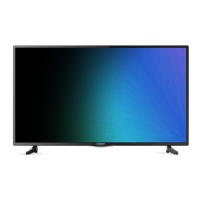
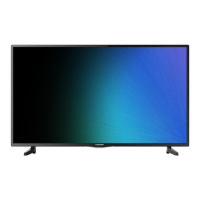
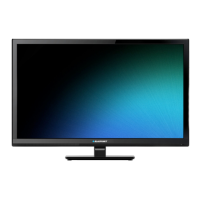
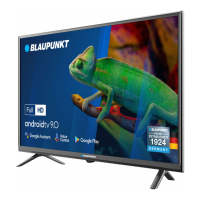
This document describes the Blaupunkt 40FB5000 LED TV, a device designed for home entertainment with various connectivity and smart features.
Function Description:
The Blaupunkt 40FB5000 is an LED television that provides visual and audio entertainment. It supports digital television reception and can connect to external devices for multimedia playback, including antennae, satellite dishes, and various audio/video sources. The TV features smart functionalities, allowing access to online services like Netflix and YouTube when connected to a network. It comes with a remote control for easy operation, including power on/off, volume adjustment, channel selection, and navigation through menus and smart applications. The device is designed for either stand placement or wall mounting.
Important Technical Specifications:
- Model: 40FB5000
- Screen Size: 40 inches (101 cm)
- Resolution: 1920 x 1080 (Full HD)
- Brightness: 250 cd/m²
- Contrast Ratio: 5000:1
- Aspect Ratio: 16:9
- Viewing Angle: 170/170 degrees
- Power Input: ~100-240V 50Hz
- VESA: 200x200 mm (for wall mounting)
- Dimensions (without stand): 904.3 x 514.5 x 80.3 mm
- Dimensions (with stand): 904.3 x 561.5 x 180.1 mm
- Weight (with stand): 5.7 kg
- Connectivity:
- Headphone out (3.5 mm jack)
- Common Interface slot (CI/CI+)
- USB2.0 port (5V=500mA) for multimedia playback
- AV IN (Mini AV cable required)
- DIGITAL AUDIO OUT (coaxial)
- ANT2 (SATELLITE) for satellite antenna
- ANT1 for external antenna
- HDMI1/HDMI2 (HDMI1 supports ARC/CEC)
- LAN port for wired network connection
- Operating Conditions: Air temperature 15 to 35 °C; humidity 45 to 75%; atmospheric pressure 86 to 106 Pa.
- Transportation Conditions (packed): Air temperature +50 to -40 °C; humidity 75 to 100%.
- Service Life: 5 years.
Usage Features:
- Remote Control: The TV is operated via an infrared remote control with dedicated buttons for power, mute, media playback, number input, info, EPG, settings, source selection, navigation (direction/OK), menu, back, voice commands, volume, program selection, home, Netflix, YouTube, color functions, audio language, subtitle, and Teletext.
- Stand or Wall Mounting: The TV can be placed on a flat, stable surface using the included stand, which requires assembly with a Phillips screwdriver. Alternatively, it can be wall-mounted using a VESA-compatible bracket (200x200 mm).
- Multimedia Playback: The USB2.0 port allows connection of USB storage devices for playing compatible multimedia files.
- External Device Connectivity:
- Digital Audio System: Connects to amplifiers or home cinema systems via the DIGITAL AUDIO OUT (coaxial) port.
- Headphones: Connects headphones or analogue playback devices via the 3.5 mm jack.
- CI Card Slot: For Pay TV subscriptions, a CI or CI+ module with a smart card can be inserted to view scrambled channels.
- AV Input: Connects external devices with AV output using a Mini AV cable.
- HDMI: Connects external equipment like Blu-ray players, game consoles, or set-top boxes for high-definition audio and video transmission. HDMI1 supports Audio Return Channel (ARC) and Consumer Electronics Control (CEC).
- Antenna/Satellite: Connects to terrestrial (ANT1) or satellite (ANT2) antennas for TV reception.
- Network Connection: Supports both wired (LAN) and wireless (WiFi) internet connections, enabling access to smart TV features and online services.
- Smart TV Features: Includes dedicated buttons for Netflix and YouTube on the remote control, indicating direct access to these streaming platforms. The Help feature provides information about TV operation and troubleshooting, which can be updated with APK updates.
Maintenance Features:
- Cleaning: The TV casing should be cleaned with a clean, dry cloth. For very dirty areas, a slightly dampened cloth can be used. Aggressive liquids should be avoided. The screen should be cleaned with a special cleaning cloth for screens, holding the device steady with one hand while cleaning with the other to prevent damage. Always unplug the TV from the mains power before cleaning to avoid electric shock.
- Battery Replacement: The remote control uses batteries, which should be inserted with correct polarity. If the remote control is not used for an extended period, the batteries should be removed to prevent damage from leakage.
- Troubleshooting: The manual provides a troubleshooting section for common issues such as the TV not switching on, remote control not working, no picture, TV reception problems (poor picture, no sound, no color), multimedia playback problems, and issues with online services (LAN/wireless network). Solutions include checking power connections, replacing remote control batteries, verifying cable connections, selecting correct signal sources, adjusting picture/sound settings, and checking network configurations.
- Storage: If the device is not used for a long time, unplug the power cord and remove batteries from the remote control. Store the TV within specified temperature (15-35 °C) and humidity (not exceeding 90%) ranges.
- Transportation: For moving the device, disconnect from mains, remove all cables, demount the stand or wall bracket, and pack carefully, ensuring corners and screen are protected.
- Disposal: The product should not be disposed of with general household waste. It must be collected separately in accordance with the European directive 2012/19/EU (WEEE) for proper recovery and recycling. Consumers should contact local authorities or retailers for disposal information.
- Safety Checks: After service or repair, a service technician should perform safety checks to ensure proper operating condition.
- Pixel Information: Occasionally, non-active pixels (fixed blue, green, or red points) may appear on the screen, which does not affect product performance.
- Screen Care: Avoid touching the screen or holding fingers against it for long periods to prevent temporary distortion. It is not recommended to display still images or extremely bright images for extended durations; reduce 'brightness' and 'contrast' when displaying still images.

 Need help?


 To Next Page
 General