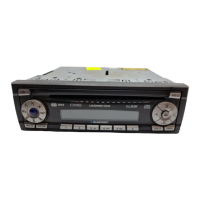
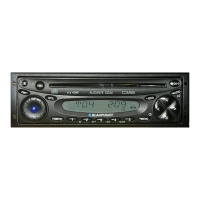
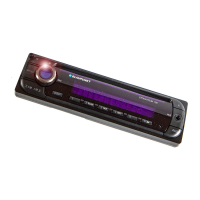
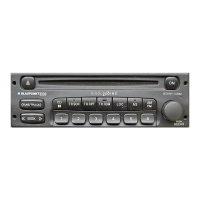
ACD 9431
12
Front Panel Description
1 ON/OFF
Switch on the set by turning knob 1.
2 AUD button (sound control/broader
interior sound impression)
BAS – Adjustment of the low frequen-
cies via buttons < > 7.
TRE – Adjustment of the high frequen-
cies via buttons < > 7.
BAL – Adjustment of the left/right volu-
me via buttons < > 7.
FAD – Adjustment of the front/rear vo-
lume via buttons < > 7.
3 FM•T button (Frequency Modulation)
FM button
This button is used for shifting between
the different individual FM storage le-
vels and T (Travelstore).
4 M•L button (Medium wave - Long
wave)
Use this button to select either the me-
dium wave (MW) or long wave (LW)
frequencies.
Press button again to shift between
MW and LW.
5 MIX•lo•m button
CD:
Use this button to play the CD titles in
an arbitrary order.
Radio:
Button to shift between the normal and
high-sensitivity manual station seek
mode, and mono switch.
6
• SRC button (Source)
To shift between the individual audio
sources, e.g. CD ♦ Radio ♦ CD.
By pressing the • SRC button 6 for
more than than 3 seconds, the CD is
ejected.
7 < > rocker switch
Radio:
Automatic station selection
CD:
Skipping to next/previous title.
Pressing the rocker switch < > longer
than 1 sec. activates fast forward (cue)
or fast reverse (review).
8 CD slot
Insert the CD with the label side sho-
wing to the top.
9 Display
: Preset buttons
Storing a station:
Keep button depressed during radio
operation until the station becomes
audible again.
Recalling a station:
Press button briefly.


 To Next Page
 Loading...