
 Need help?
Do you have a question about the Blaupunkt BDVD5200H and is the answer not in the manual?
Safety precautions for the Class-1 laser beam system, advising against disassembly and improper use.
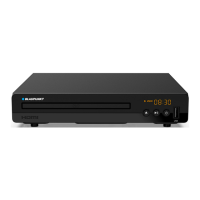
Identification of front panel components of the DVD player, including disc door and display.
Identification of rear panel connection ports, such as HDMI, DC in, and audio/video outputs.
Instructions for connecting the DVD player to a TV via RCA or HDMI cables.
Steps for inserting and manually closing the disc door for playback.
Guide to connecting a USB thumb drive and accessing content on the DVD player.
Instructions on using the program setting menu and playback controls.
Configuration options for TV system, screen saver, TV type, password, rating, resume, and default settings.
Procedure to enter, unlock, and set the default password for parental controls.
Adjusting the display language for menus and on-screen text.
Selecting the preferred language for subtitles displayed during playback.
Configuring video output resolution for HDMI and CVBS signals to match the connected TV.
 General
| HDMI Output | Yes |
|---|---|
| USB Port | Yes |
| Remote Control | Yes |
| Playable Media | DVD, CD, MP3, JPEG |
| Audio Output | Stereo |
| Supported Formats | MPEG-2, MP3, JPEG |
| Power Supply | 220-240V, 50Hz |

 To Next Page
