10
GETTING STARTED
Power and Charging the battery
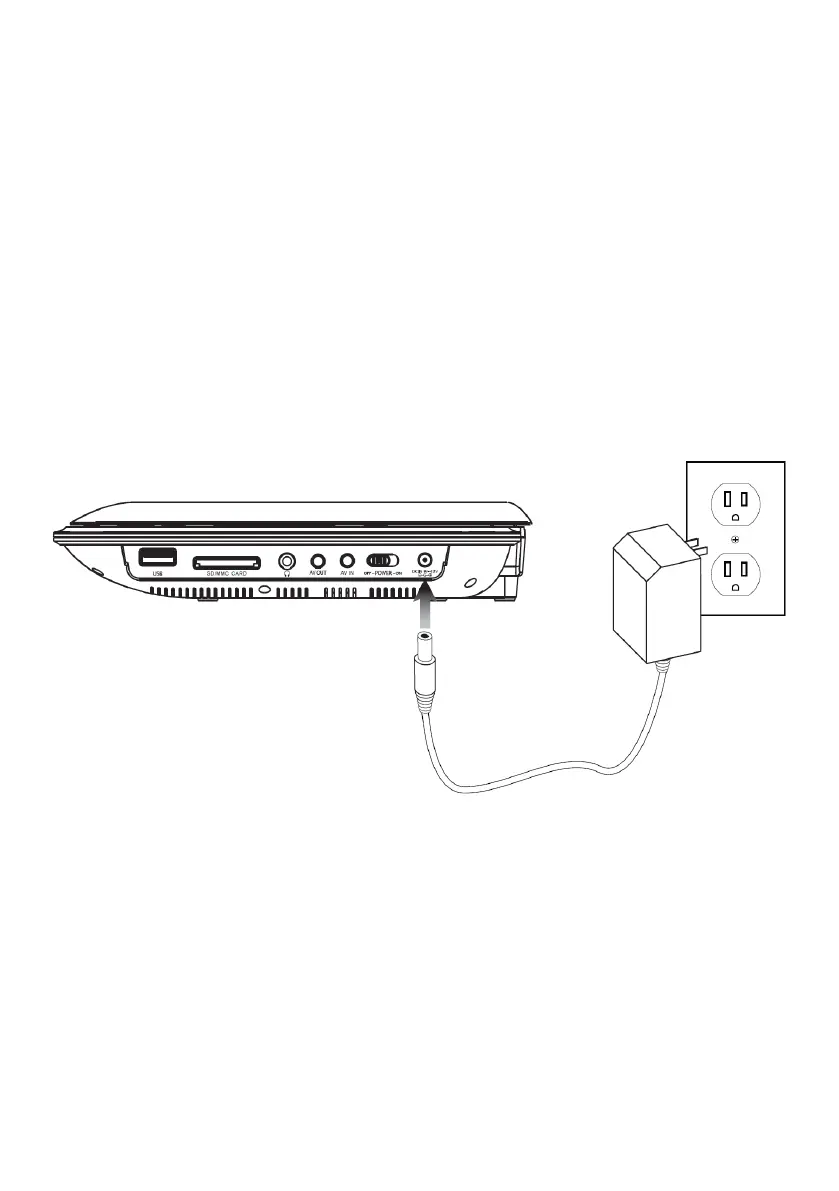
DC Power input: Requires an AC/DC adapter, or 12V DC car adapter (included).
To Power the unit, plug the included AC/DC adapter into the unit and a standard wall outlet.
If using in a car, plug the 12V DC car adapter into the unit and a standard 12V Power outlet in
the car.
The Power Indicator will turn green whenever the portable DVD player is Powered on.
The Charge Indicator will turn red whenever the battery is charging.


 To Next Page