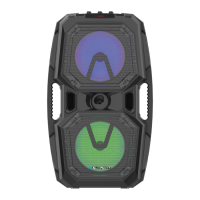
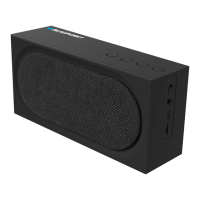
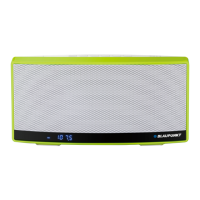
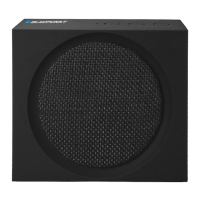
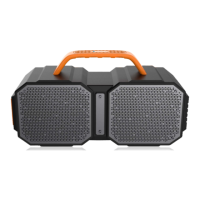
This document describes a portable speaker system with various input options and controls.
Function Description
The device is a speaker system designed for audio playback from multiple sources, including Bluetooth, auxiliary input, and microphone/guitar inputs. It features individual controls for treble, bass, microphone, guitar, echo, and overall volume, allowing users to customize their audio experience. The system also includes a power on/off switch and a standby button for convenient operation.
Important Technical Specifications
- Audio Output: 40 WRMS(L) + 40 WRMS(R)
- Connectivity:
- 3.5mm Aux In Jack
- DC IN Jack
- Power Requirement:
- AC 100-240V, 50/60Hz
- Rechargeable Battery
- Unit Dimensions: 620(W) x 250(D) x 250(H) mm
Usage Features
Powering the Device:
To power on the device, connect the AC adapter to the DC IN jack and a wall outlet. The BATTERY INDICATOR will blink while charging and illuminate steadily when fully charged. To turn on the speaker, slide the POWER ON/OFF switch to "ON" position. The speaker will enter standby mode. Press the STANDBY button to turn on the speaker. To turn off the speaker, press the STANDBY button again, then slide the POWER ON/OFF switch to "OFF" position and unplug the AC adapter.
Charging the Battery:
Before using the speaker, ensure the battery is fully charged. The BATTERY INDICATOR blinks during charging and illuminates steadily once fully charged. The AC adapter should be disconnected from the speaker and wall outlet after charging. Note that the AC adapter is designed to reduce sound output when connected to save battery power.
Bluetooth Pairing:
- Ensure the Bluetooth function is enabled on your Bluetooth device.
- In your device's Bluetooth menu, select "Earthquake" from the list of found devices. If prompted for a PIN, enter "0000".
- After successful pairing, music can be played from your Bluetooth device.
- Only one Bluetooth device can be connected at a time. If the speaker is already connected to another device, it will not appear in the Bluetooth menu.
- The speaker will automatically reconnect to the last paired Bluetooth device within 60 seconds when turned on. Otherwise, manual reconnection is required.
- Some devices may require re-pairing.
AUX IN Function:
- Connect an audio cable (not included) from the external audio device (e.g., MP3 player, discman) to the AUX IN JACK of the speaker. The POWER INDICATOR will turn red.
- Play audio from the external device.
- Note that the Bluetooth function is automatically disabled when an external audio device is connected to the AUX IN JACK.
Connecting a Microphone/Guitar:
- Turn the MIC/GUITAR LEVEL CONTROL fully counter-clockwise to the lowest level.
- Connect a microphone or guitar to the MIC/GUITAR INPUT JACK of the speaker.
- Start playback of your audio source.
- Adjust the MIC/GUITAR LEVEL CONTROL to the desired volume.
- Caution: Do not connect a bass guitar to the MIC/GUITAR INPUT JACK, as this may damage the speaker and void the warranty.
NFC Pairing:
- With Near Field Communication (NFC) enabled on your Android device, you can easily pair and connect to the speaker by touching the Android device to the NFC area.
- If the Android device supports NFC, activate its NFC feature and touch the NFC area of the speaker with your device. The speaker pairs and connects to the Android device automatically. Refer to your Android device's user guide for more details.
Controls:
- TREBLE LEVEL CONTROL: Adjusts the treble level. Turning clockwise increases the treble.
- BASS LEVEL CONTROL: Adjusts the bass level. Turning clockwise increases the bass.
- MIC LEVEL CONTROL: Adjusts the microphone volume.
- GUITAR LEVEL CONTROL: Adjusts the guitar volume.
- ECHO LEVEL CONTROL: Adjusts the echo effect. Turning clockwise increases the echo.
- VOLUME LEVEL CONTROL: Adjusts the overall volume of the speaker. Turning clockwise increases the volume.
Maintenance Features
The manual does not explicitly detail maintenance features beyond basic operational instructions. However, it is implied that proper handling and adherence to connection guidelines (e.g., not connecting a bass guitar to the MIC/GUITAR INPUT JACK) are crucial for maintaining the device's functionality and warranty. The rechargeable battery suggests a degree of portability and self-sufficiency, but no specific battery maintenance instructions are provided other than charging.

 Need help?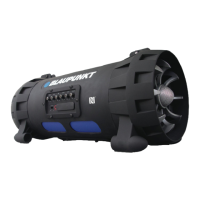

 To Next Page
 General