
 Need help?
Do you have a question about the Blaupunkt BPT-V03-12 and is the answer not in the manual?
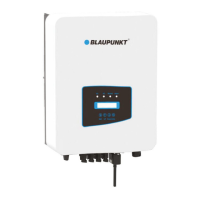
Describes the appearance and models of the on-grid inverter.
Lists all included parts in the inverter package.
Explains symbols for warnings, shock hazards, hints, and temperature.
Provides crucial safety guidelines for inverter operation and installation.
Details operational requirements and precautions for safe inverter use.
Shows the front panel display and its components.
Explains the meaning of the LED status indicator lights.
Describes the function of the front panel keypad buttons.
Details the information displayed on the inverter's LCD screen.
Provides criteria for choosing a suitable installation site.
Explains the process of wall-mounting the inverter.
Details how to connect the DC input terminals.
Explains how to connect the AC input terminals for three-phase power.
Describes the importance and method of grounding the inverter.
Recommends installing a circuit breaker for overcurrent protection.
Explains how to connect the inverter for wireless remote monitoring.
Details the steps for installing the datalogger.
Provides step-by-step instructions for starting the inverter.
Details the procedure for safely shutting down the inverter.
Illustrates the wiring diagram for the SUN limiter.
Provides installation steps for connecting the SUN limiter to the inverter.
Explains how to configure and use the zero export function.
Briefly describes the zero-export function with Energy Meter or SUN-Limiter.
Details the connection process for zero export using an energy meter.
Guides on configuring the zero-export function with an energy meter.
Provides safety suggestions and precautions for zero export mode.
Explains how to view load power on the monitoring platform.
Describes how to check basic inverter information on the LCD.
Lists the main submenus available in the operation menu.
Shows software versions and communication addresses.
Displays stored fault records with timestamps.
Explains how to turn the inverter on and off via the setup menu.
Outlines submenus for system, run, protect, and comm parameters.
Covers settings for time, language, display, and factory reset.
Requires a password for engineer-level access to running parameters.
Details settings for active and reactive power adjustment.
Lists protection parameters, accessible only by engineers.
Covers communication parameters like address and baud rate.
Lists error codes and their corresponding descriptions and solutions.
 General
| Model | BPT-V03-12 |
|---|---|
| Category | Inverter |
| Input Voltage | 12V DC |
| Output Voltage | 230V AC |
| Output Power | 300W |
| Output Frequency | 50Hz |
| Efficiency | 90% |
| Cooling | Fan |
| Protection | Overload, Short Circuit, Over Temperature |
| USB Port | 5V/2.1A |

 To Next Page
