7
Clock and alarm
Clock setting: long press (2 seconds) the power button enter to standby mode; long press(2
seconds) the alarm clock mode button till the hour digits flare on the display; short press the
selection – or + button to adjust the hour setting; short press the alarm clock mode button
again to confirm the hour selection and skip to the minute setting; repeat the operation like
hour setting to finish the rest setting for minute, 12/24 hours format and celsius or degree
Fahrenheit temperature format; long press the alarm clock mode button again to complete the
setting.
Alarm1 setting: in standby mode, short press the alarm clock mode button enter to alarm time
interface; long press the button again to start the alarm setting, and the hours digits will flare
on display; short press the selection – or + button to adjust the hour setting; short press the
alarm clock mode button again to confirm the hour selection and skip to the minute setting;
repeat the operation like hour setting to finish the rest setting for minute, alarm source(7
options including 5 kinds of preset sound, FM radio and microSD playback), alarm mode( alarm
once and daily alarm) and alarm on/off;long press the alarm clock mode button again to
complete the setting.
Snooze: When the alarm activated, short press the snooze button twice to enter snooze mode;
The alarm will wake up again after 10 minutes; short press the snooze button twice again to
cancel the snooze.
Notes:
a. the AM or 24 hours icon will show on display in case that you select the relative time format.
b. A bell icon will show on the bottom of display after alarm setting successfully.
c. If you select alarm once mode, there will show a “ “icon on the bottom of display, then the
alarm will ring up once and off when the time is being; if you select daily alarm mode , there
will show a “ ” icon on the bottom of display, and the alarm will ring up every day when the
time is being in case of that you do not set off the alarm.
d. Short press the alarm clock mode button to check the alarm1 setting time; press the button
again to check alarm2 setting time; press and hold(2 seconds) the button within 5 seconds to
start the alarm2 setting which is same operation as alarm1.
e. If you select microSD playback as the alarm source, please make sure there have available
microSD card device on the unit; otherwise, there will switch to preset alarm sound.
f. When the alarm activated, short press any button(except the dim button) to turn the alarm
voice.
g. The alarm voice will last 2 minutes and off automatically in case of no further operation.
h. The alarm voice will override the music when the alarm activated in audio playing mode, but
will resume to music playing after turn off the alarm voice.
I. Please do not power off the unit by the ON/OFF switch on rear panel; otherwise, the alarm
does not work.
j. Please double check the clock time and alarm setting in case of battery power full exhausted.
Display backligh adjustment: short press the dim button to adjust the brightness of
backlight in high-middle-low level; press and hold the button to turn off or on the backlight.
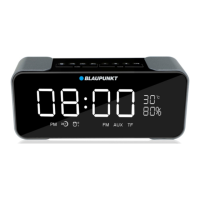
Indoor temperature: the indoor temperature will show on the right top corner of display; it is
just for reference only due to different circumstance of the temperature sensor, there may have
2~degree tolerance.


 To Next Page