
 To Next Page

S
saraloweAug 18, 2025
Why are preset stations not receivable on my Blaupunkt Car Receiver?
- MmichaelclarkAug 18, 2025
The broadcast signal may be too weak for your Blaupunkt Car Receiver to pick up preset stations.

Why are preset stations not receivable on my Blaupunkt Car Receiver?
The broadcast signal may be too weak for your Blaupunkt Car Receiver to pick up preset stations.
What to do if seek tuning is not working on my Blaupunkt Car Receiver?
If seek tuning isn't working on your Blaupunkt Car Receiver, the broadcast signal might be too weak. Try using manual tuning instead.
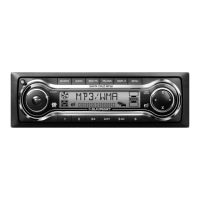
What to do if my Blaupunkt MP3000 Car Receiver won't play MP3 files?
If your Blaupunkt Car Receiver isn't playing MP3 files, ensure the files have the ".mp3" extension and that non-MP3 files do not. Use discs conforming to ISO9660 level 1/2. Also, check that the disc isn't scratched, dirty, or upside down.
Why is the Travel Store feature not working on my Blaupunkt Car Receiver?
If the Travel Store feature on your Blaupunkt Car Receiver isn't storing six stations, it could be due to not enough receivable broadcast frequencies. Make sure the antenna is connected, extended, and dry inside.
What to do if Blaupunkt Car Receiver does not recognize music files?
If your Blaupunkt Car Receiver isn't recognizing music files on a disc, add the extension ".mp3" or ".wma" to the files.
Why does my Blaupunkt MP3000 work when the ignition is off?
If your Blaupunkt Car Receiver continues to work even when the ignition is off, check the wiring for short circuits.
Why is the folder name/file name not correctly displayed on my Blaupunkt MP3000 Car Receiver?
If folder or file names are not displaying correctly on your Blaupunkt Car Receiver, it's likely due to the names containing characters not supported by the software used to write the files. Refer to the software's instruction manual and use only supported characters.
How to fix MP3 files not playing in order on Blaupunkt MP3000?
If MP3 files aren't playing in the desired order on your Blaupunkt Car Receiver, it's because the files weren't written in that order by the writing software. Prefix digits such as “00”...”99" to the file names.
Why does it take so long to play an MP3 file on Blaupunkt MP3000 Car Receiver?
Your Blaupunkt Car Receiver initially checks all files on a disc. If the disc contains many files, folders, or folder levels, some time may be required before it can start playing a file.
How to display ID3-Tag on Blaupunkt Car Receiver?
To display ID3-Tags on your Blaupunkt Car Receiver, record conforming with ID3-Tag.
Be careful with hot discs, avoid non-conventional types, sunlight, and check for damage. Wipe discs from center outwards. Do not use solvents.
Explanation of various indicators and segments on the LCD display.
How to adjust Bass, Treble, Loudness, and Balance.
How to use the XBASS function for bass boost.
Instructions for scan tuning and receiving memorized stations.
Loading, playback, and ejecting CDs.
Details on supported MP3 and WMA file rates and formats.
How to set the power select switch based on car's accessory position.
Common CD playback problems and solutions.
Details of the 12-month limited warranty and what it covers/excludes.
Specific terms and conditions for the Canadian warranty.
 General
| Brand | Blaupunkt |
|---|---|
| Model | MP3000 |
| Category | Car Receiver |
| Language | English |