EasyManua.ls Logo

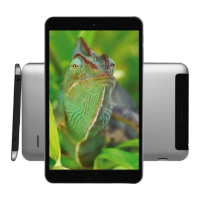
Blaupunkt POLARIS - User Manual

Blaupunkt POLARIS
46 pages
Print Icon
To Next Page IconTo Next Page
Loading...
Manual Tablet PC
POLARIS
Android Ver. 4.2.2
English
Thank you for choosing a Blaupunkt product.
A good choice. Of course, we are also after the purchase for you.
For technical questions and / or problems, please contact us by phone
under 49(0)511/270 496 90 or email at support@first-servicecenter.de
Manuals for other languages as well as detailed instructions are available for
download also on www.blaupunkt.de
Question and Answer IconNeed help?

Do you have a question about the Blaupunkt POLARIS and is the answer not in the manual?

Summary

Safety Precautions

General Safety Guidelines

Key safety instructions to prevent device damage and ensure user safety.

Safe Handling of PAD

Touchscreen Care and Handling

Procedures for using the device safely to prevent damage, especially to the touchscreen.

Power Adapter and Operation

Connecting Power and Device Power States

Instructions for connecting the power adapter and turning the device on, off, or to sleep mode.

System Settings

Wireless and Network Configuration

Setting up Wi-Fi, Bluetooth, mobile data, Ethernet, and portable hotspot.

Security and Account Management

Configuring security, app permissions, user accounts, and data synchronization.

Backup, Reset, and Storage

Managing device data through backups, resets, and checking storage capacity.

File Management

File Browser Operations

Using the file browser to copy, delete, and manage files on the device.

Communication

Google Account Integration

Setting up and logging into a Google account for app access and services.

Attachment

Troubleshooting Common Issues

Solutions for problems like device unresponsiveness, power issues, and water damage.

Blaupunkt POLARIS Specifications

General IconGeneral
BrandBlaupunkt
ModelPOLARIS
CategoryTablet
LanguageEnglish

Related product manuals