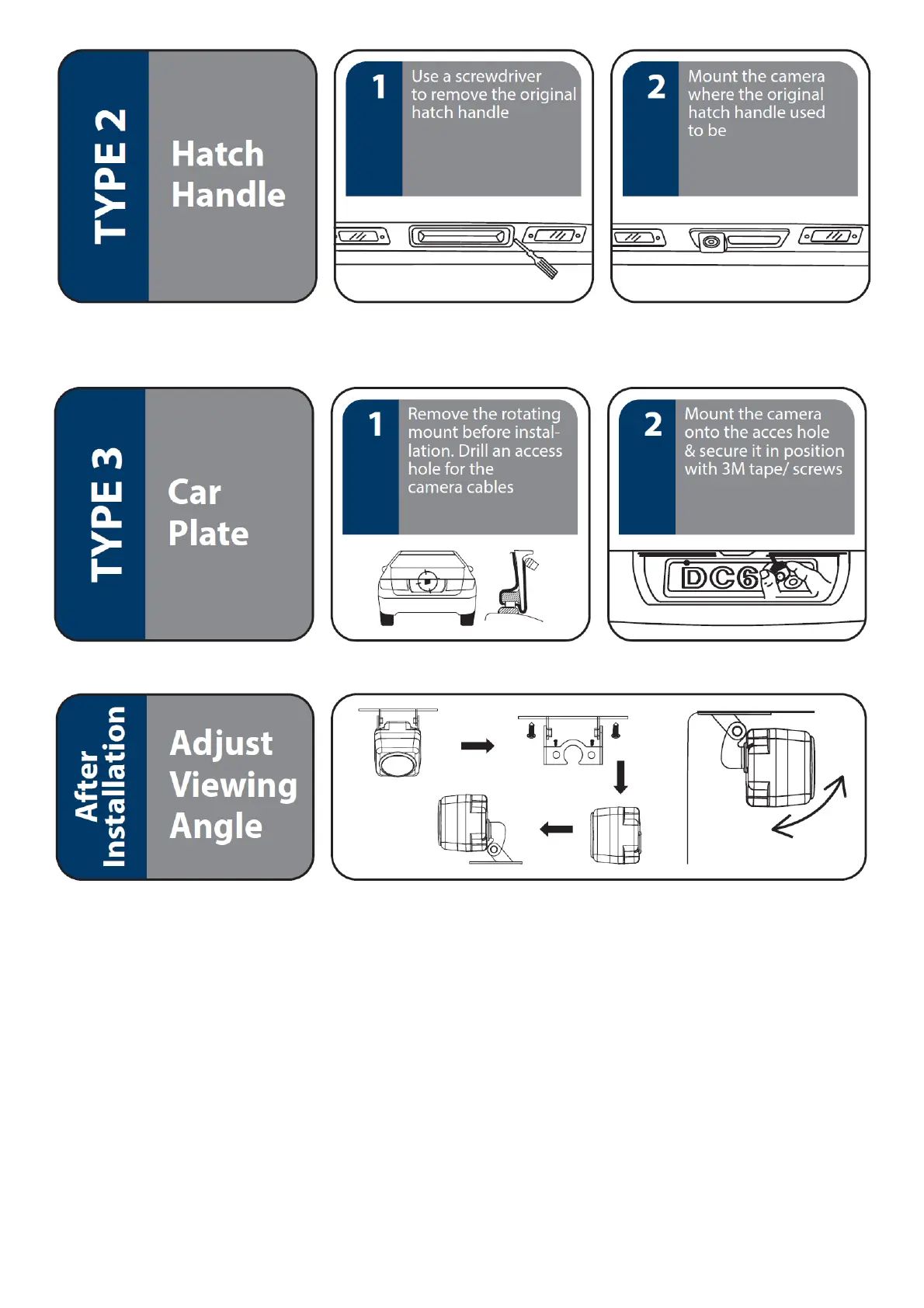
Type 3: Car Plate
1. Remove the rotating mount before installation. Drill an access hole for the camera cables
2. Mount the camera onto the acces hole & secure it in position with 3M tape/ screws
After Installation: Adjust Viewing Angle
Remarks :
1. Pictures are for illustration purpose only, see actual vehicle for accurate installation location.
2. Ensure diameter of hole size is correct before drilling.
3. Ensure drilling process does not harm the component of the vehicle.
4. Assign mounting location that will not obstruct camera view.
TROUBLESHOOTING
If any of the following problem occur, please resort to Troubleshooting for the possible solutions. Consult Blaupunkt authorized dealer if problem persist.
Problem Solution
Display monitor / car radio does not
show reverse view when reversing.
Restart the display monitor / car radio.
Reverse view does not show even after restarting the display monitor/
car radio.
Examine if the power supplies of the reverse
light or the rear car plate light is properly connected.
Reverse view does not show even though power supplies of the reverse light or the
rear car plate light is
properly connected.
Examine if the power supply cables of the reverse light or the rear car plate light is damaged.
Repair/replace if the cables are
damaged.



 To Next Page