Need help?
Do you have a question about the Blaupunkt SACRAMENTO290MC and is the answer not in the manual?
Access device configuration settings.
Configure steering wheel button functions.
Save preferred radio frequencies for quick access.
Automatically find and save radio stations.
Play, pause, skip, and manage music tracks.
Adjust equalizer presets and enable shuffle playback.
Navigate, play, pause, and exit image slideshows.
Adjust brightness, rotation, and apply effects.
Play, pause, stop, skip, and loop video files.
Adjust brightness, zoom, and manage video output.
Stream music wirelessly via Bluetooth.
Manage Bluetooth device pairing and settings.
Manage language, warnings, reset, and system info.
Calibrate the touchscreen for accurate input.
Configure the device's date and time settings.
Configure audio output spatialization and position.
Adjust volume, treble, and bass for video playback.
Initiate, confirm, or delete steering wheel button mapping.
Overview of key remote control buttons and their uses.
Use correct fuse rating to prevent damage.
Important safety and operational guidelines for installation.
Adjust mounting angle and follow dashboard installation steps.
List of key functionalities and capabilities.
USB, SD, AUX inputs and last track memory.
Technical details for FM tuner and overall device.
This document outlines the features, usage, and maintenance of the Blaupunkt Sacramento 290MC Media Receiver. It serves as an instruction manual for users to effectively operate and troubleshoot their device.
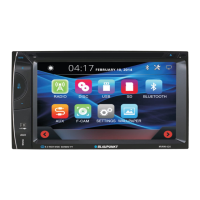
The Blaupunkt Sacramento 290MC is a versatile media receiver designed for in-car entertainment and connectivity. Its primary functions include radio reception, USB and SD card media playback, Bluetooth connectivity for audio streaming and hands-free calling, and AV input for external video sources. The device features a 6.1-inch TFT LCD display, providing a clear interface for navigation and media consumption.
The media receiver offers a comprehensive suite of functions to enhance the in-car experience:
Radio: The device supports FM radio reception, allowing users to tune into their favorite stations. It includes features for manual and automatic station scanning, storing up to 18 preset stations across three FM bands (FM1, FM2, FM3), and browsing stored stations. Users can also switch between stereo and mono output and adjust screen brightness within the radio interface.
USB/SD Media Playback: The Sacramento 290MC is equipped with USB and SD card ports, enabling playback of music, video, and picture files stored on these media. The interface allows users to navigate through file lists, play/pause, skip tracks/videos, fast forward/rewind, loop playback, and zoom in on pictures. It also provides options to adjust screen brightness and switch to video output.
Bluetooth Connectivity: Bluetooth functionality allows for wireless audio streaming from compatible devices and hands-free calling. The Bluetooth interface includes a dial-up keyboard, call records (missed, dialed, refused), a phone book, and a dedicated Bluetooth music player. Users can also access Bluetooth connection settings and mute calls.
AV Input: The device features an AV IN interface, supporting RCA audio and video input from external sources. This allows users to connect devices like DVD players or game consoles to the media receiver's display.
System Settings: A dedicated settings menu provides extensive customization options. Users can select the display language, enable or disable the brake warning switch, revert to factory settings, change the radio area, view the system version number, toggle key tone sounds, perform touch screen correction, and customize button colors.
Time Setting: The time setting interface allows users to adjust the year, month, day, hour, minute, and time format. Changes are saved by pressing the "OK" button.
Skin Customization: Users can personalize the device's appearance by selecting different system background images (skins).
Field Setup: This feature enables fine-tuning of the sound field position and EQ settings. Users can manually select the sound field position or adjust it through a graphical interface.
Video Setup: The video setup menu provides controls for adjusting brightness, contrast, hue, and saturation of the display, allowing users to optimize the visual output according to their preferences.
Steering Wheel Control Settings: The device supports steering wheel controls, allowing users to map functions to their vehicle's steering wheel buttons. The learning process involves pressing a button on the steering wheel while simultaneously touching the corresponding function on the screen.
The Sacramento 290MC is designed for intuitive operation with a touch-screen interface and physical buttons.
Home Screen Navigation: The home screen provides quick access to core functions like Radio, USB, SD, Bluetooth, and AV IN. Additional settings such as system setup, time setting, skin selection, audio settings, display effects, and steering wheel control settings are also accessible from the main menu.
Media Playback Controls: For music, video, and picture playback, the interface offers standard controls like play/pause, next/previous, stop, loop, and shuffle. Specific controls for each media type, such as EQ settings for music or zoom for pictures, are also available.
Bluetooth Calling: The Bluetooth interface facilitates hands-free communication, enhancing safety while driving. The dial-up keyboard and phone book integration streamline call management.
Remote Control: The device comes with a remote control, offering an alternative method for operating various functions, including power, mute, play/pause, band switching, track navigation, volume control, and menu access.
User Customization: The extensive settings menus allow users to tailor the device's performance and appearance to their individual preferences, from language and radio region to sound and video output.
Proper installation and care are crucial for the longevity and optimal performance of the Blaupunkt Sacramento 290MC.
Installation Precautions: The manual emphasizes careful installation, advising users to choose a mounting location that does not interfere with driving, avoid exposure to high temperatures, direct sunlight, or excessive vibration, and use only supplied mounting hardware.
Mounting Angle Adjustment: The device allows for adjustment of the mounting angle to ensure optimal viewing and accessibility.
Screw Protection: Users are instructed to install the front cover after removing the host screws to protect the CD player (if applicable) and ensure proper functioning.
Fuse Protection: The warning section highlights the importance of using the specified amperage fuse for each lead to prevent serious damage to the unit.
Release Key Retention: Users are advised to keep the release key in a safe place, as it may be needed in the future to remove the unit from the car for maintenance or replacement.
By following these guidelines, users can ensure a safe, enjoyable, and long-lasting experience with their Blaupunkt Sacramento 290MC Media Receiver.
 General
| Model | SACRAMENTO290MC |
|---|---|
| Bluetooth | Yes |
| USB Port | Yes |
| SD Card Slot | Yes |
| Power Output | 4 x 50W |
| Radio Tuner | FM/AM |
| Equalizer | Yes |
| Navigation | No |
| Rear View Camera Input | Yes |
| MP3 Playback | Yes |
| Remote Control | Yes |
| Type | Receiver |
| Radio Bands | AM/FM |
| Display Size | 6.2 inches |

 To Next Page