
 Need help?
Do you have a question about the BlazeVideo W600 and is the answer not in the manual?
Essential information regarding battery requirements and usage guidelines for the camera.
Details on compatible SD card types, capacity, and formatting recommendations for optimal performance.
Notes on establishing a Wi-Fi connection between the camera and the mobile application.
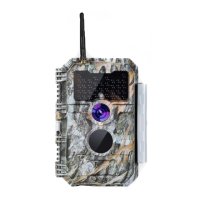
Overview of the Wi-Fi trail camera, its technology, and core functionalities.
Highlights key features such as image quality, night vision, and connectivity options.
Step-by-step instructions for correctly inserting AA batteries into the camera for power.
Detailed procedure for inserting an SD card into the camera, including precautions.
Explains the function and use of the camera's OFF mode for safety and storage.
Describes how to use the ON mode for settings adjustment and camera status checks.
Instructions for downloading and installing the dedicated mobile application for camera control.
Guidance on enabling Wi-Fi and Bluetooth on your mobile device for connection.
Steps to connect and add the trail camera to the mobile application.
How to identify and select the correct camera type within the application.
Process of searching for the camera and establishing a link via Wi-Fi.
Overview of the main features and navigation within the mobile application interface.
Crucial information and tips for a successful and stable Wi-Fi connection with the app.
Instructions and recommendations for securely mounting the trail camera on a tree or other supports.
Guide to testing the camera's detection range and angle for optimal placement.
Procedures for starting the camera in Motion Detection or Time Lapse modes.
 General
| Brand | BlazeVideo |
|---|---|
| Model | W600 |
| Category | Digital Camera |
| Language | English |

 To Next Page